
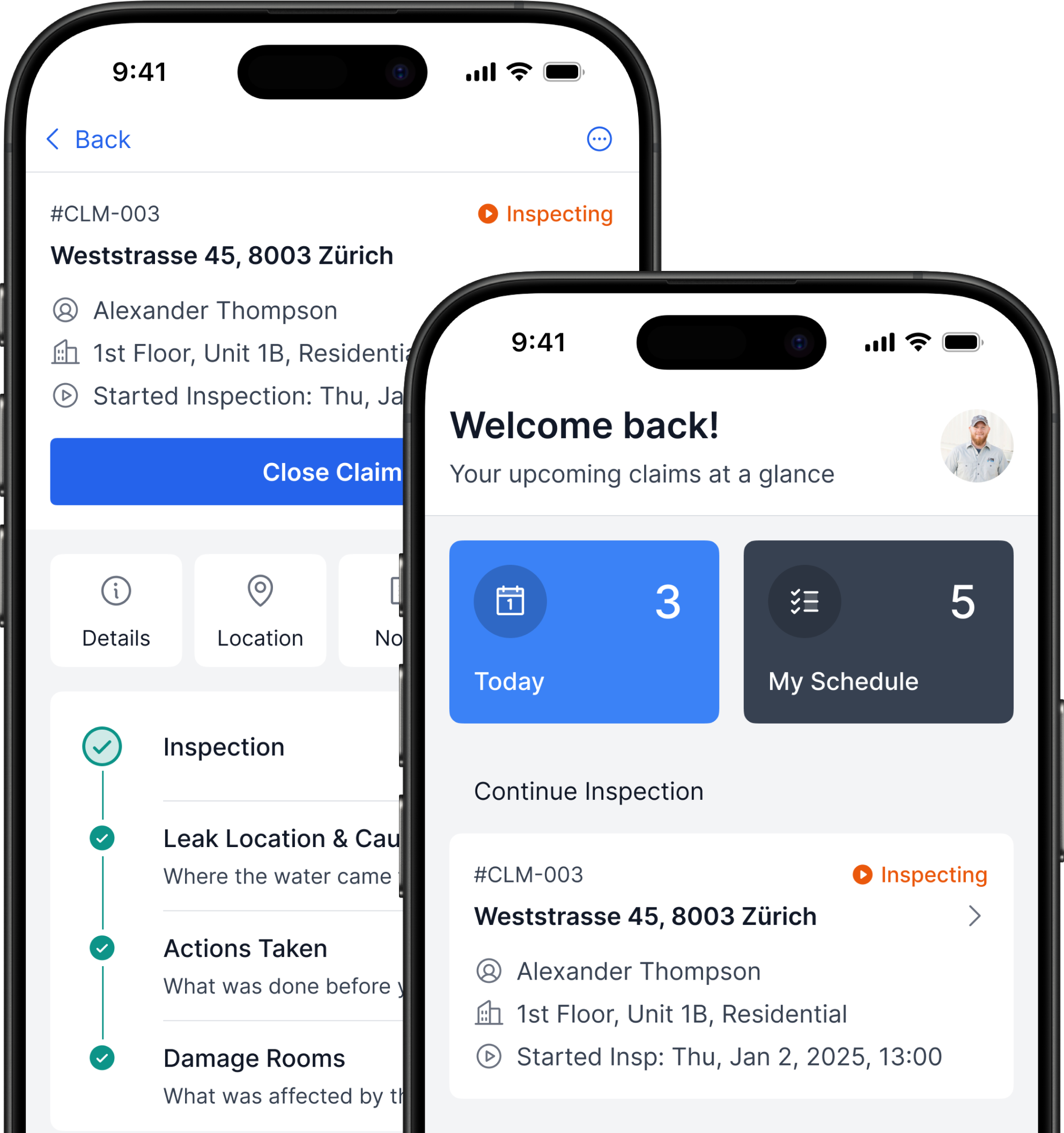
Flood Inspections: from manual work to a 2× faster workflow with fewer errors
B2B iOS App UX/UI Case Study 10–15 min read
Domain
B2B, InsurTech, Field Inspections
Technology
Mobile iOS App, LiDAR/ARKit
My Role
UX/UI Designer
Timeline
12 months, 2024–2025
Deliverables
- CJM
- User Flow
- Wireframes
- Mockups
- Prototype
- Handoff to Dev
- Tools: Figma, Whimsical, Jira, Confluence
The Team
1 × Product Owner
3 × Stakeholders
1 × Project Manager
1 × iOS Engineer
1 × Backend Engineer
2 × QA
Overview
Context
Inspectors document damage in flooded properties and prepare reports for insurance companies
Problem
Inspections are long and repetitive: many steps in tough conditions, everything is manual → it takes time and leads to errors
Expected Result
A tool that automates data collection, guides the next step, and speeds up report preparation → faster work and fewer errors
Outcomes
- Shipped an iOS inspection app
- Field-tested with 8 inspectors, feedback was positive
- Client signed contracts with three insurers to use the app
Problem Statement
Water Damage Inspection Is Manual and Slow
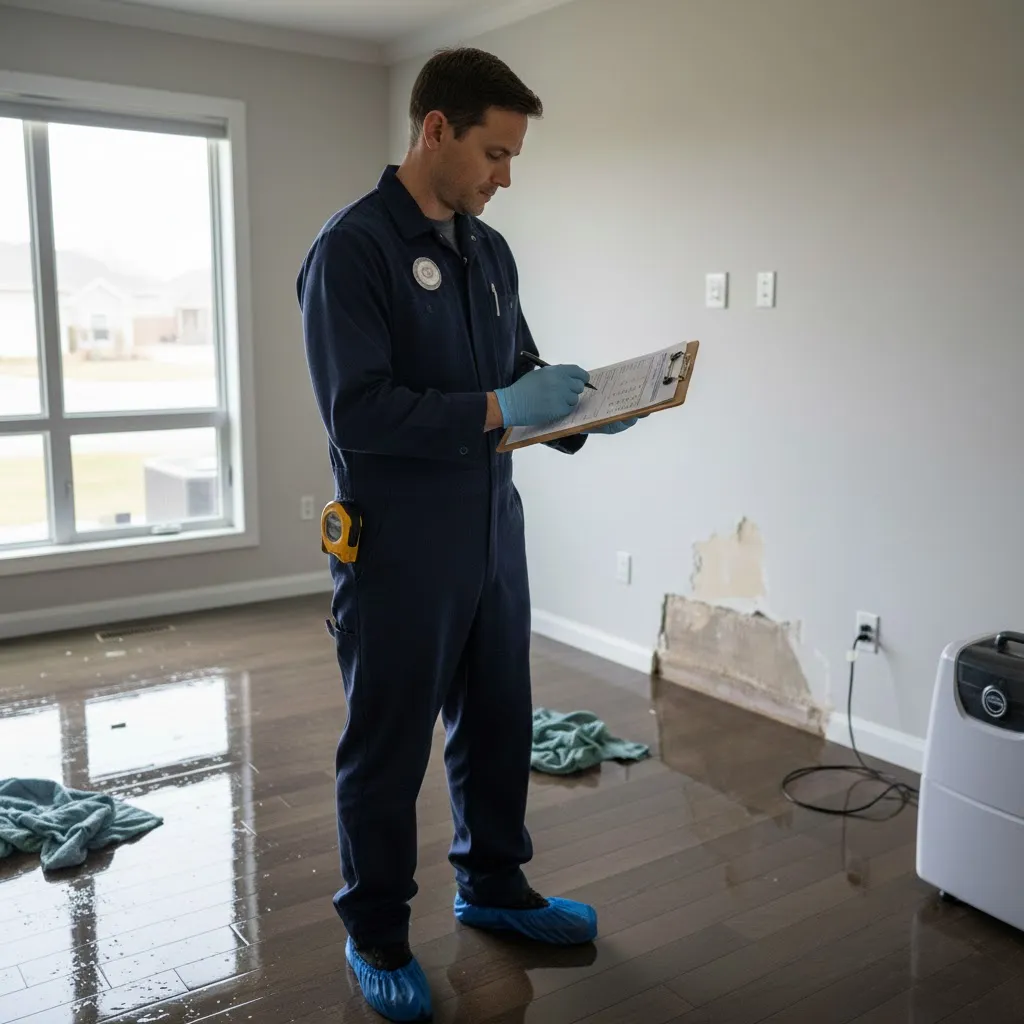


2-4 h
Damage Inspection

≈2 weeks
Report Preparation

22 %
High Error Rate

Extra Time
On Communication
Expected Outcome
Faster Inspection with Fewer Critical Errors
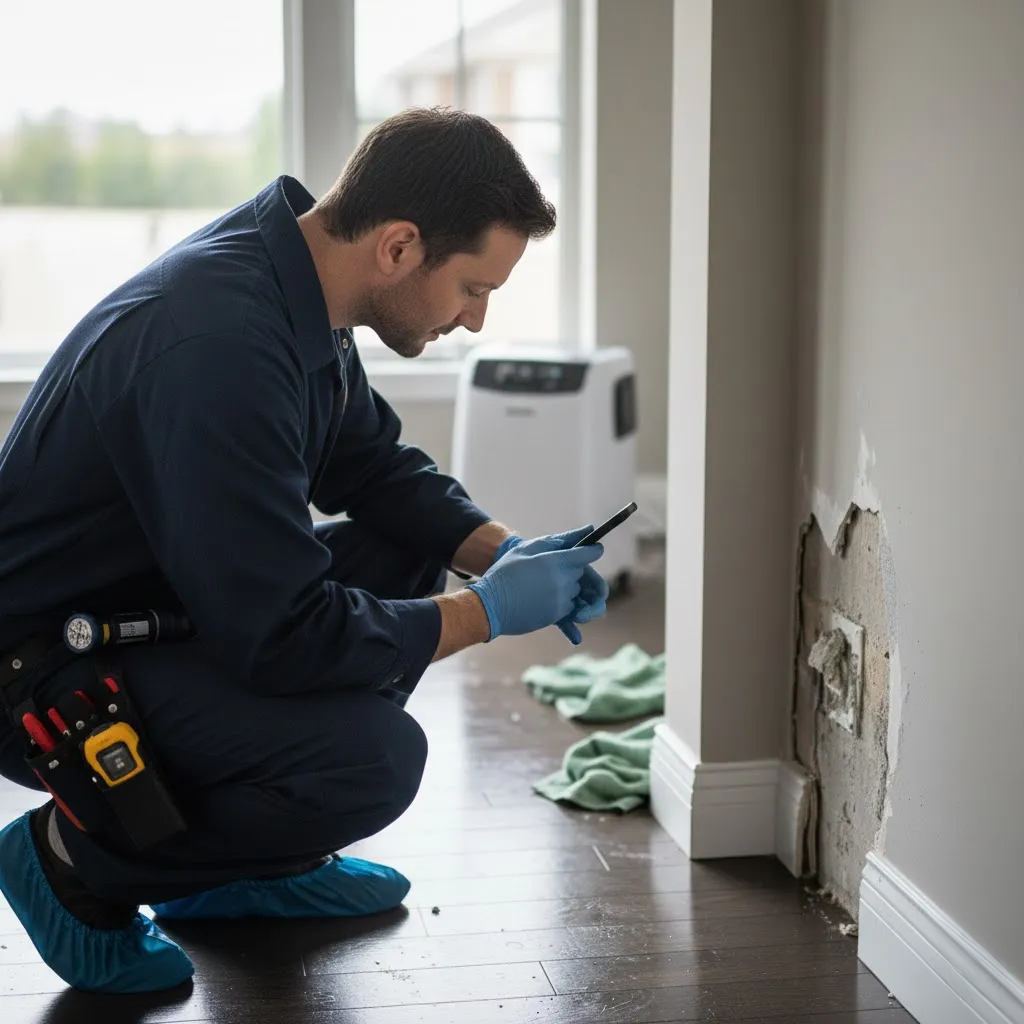
WaterDamage App


Speed Up
Inspections & Reporting

Cut Errors
Errors & Callbacks
My Process
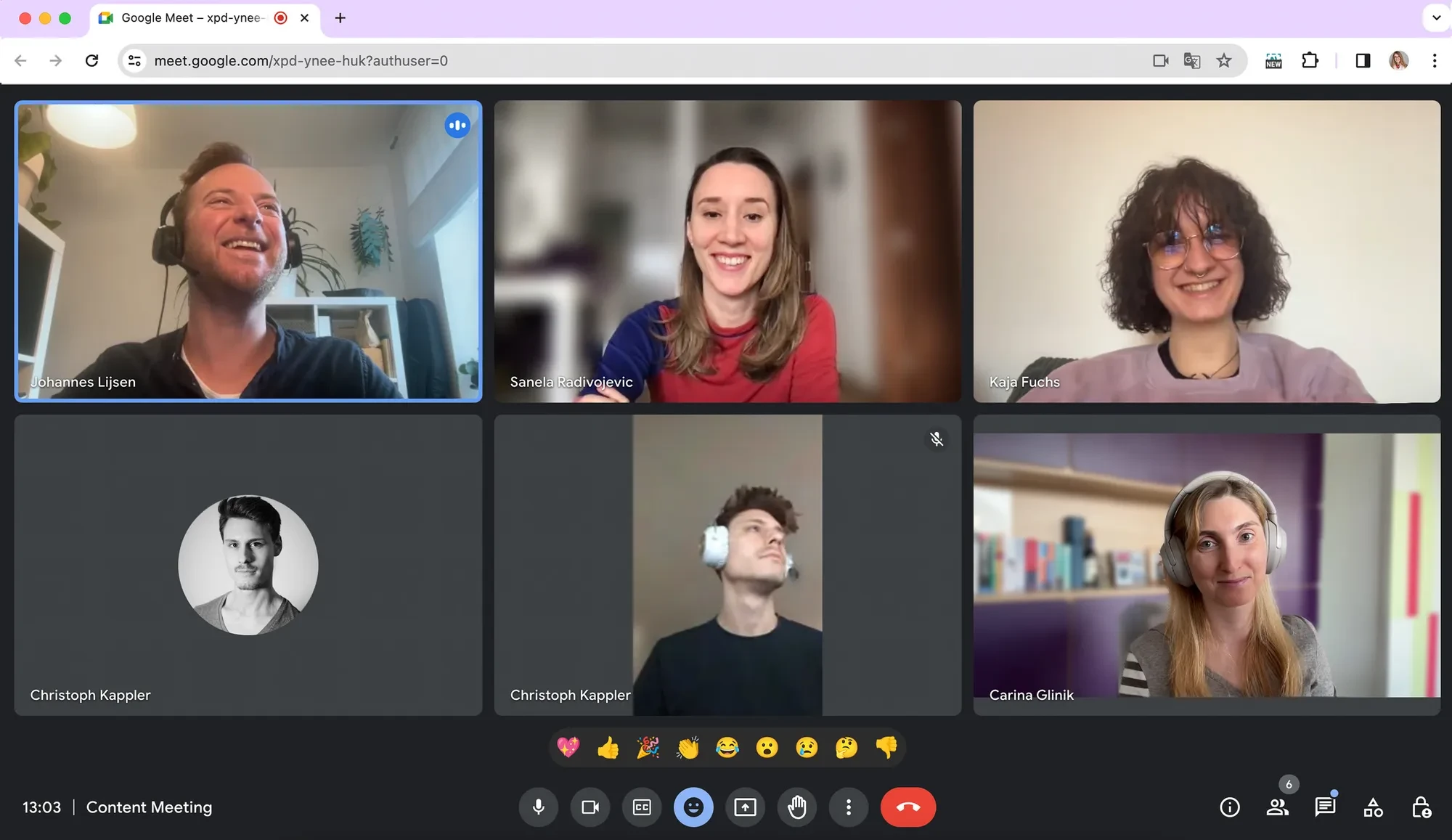
Studied Users and Their Process
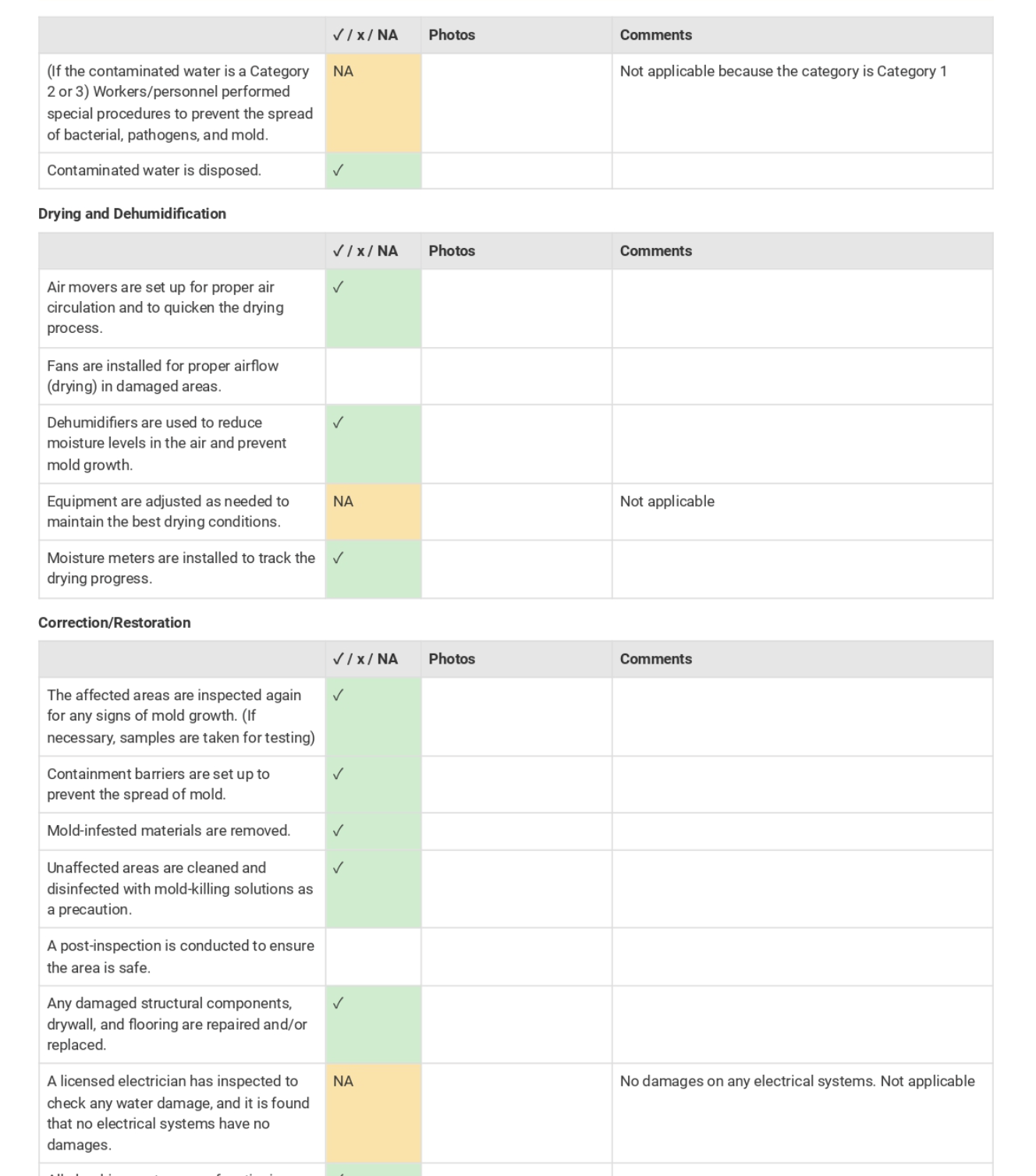
Analyzed Existing Reports
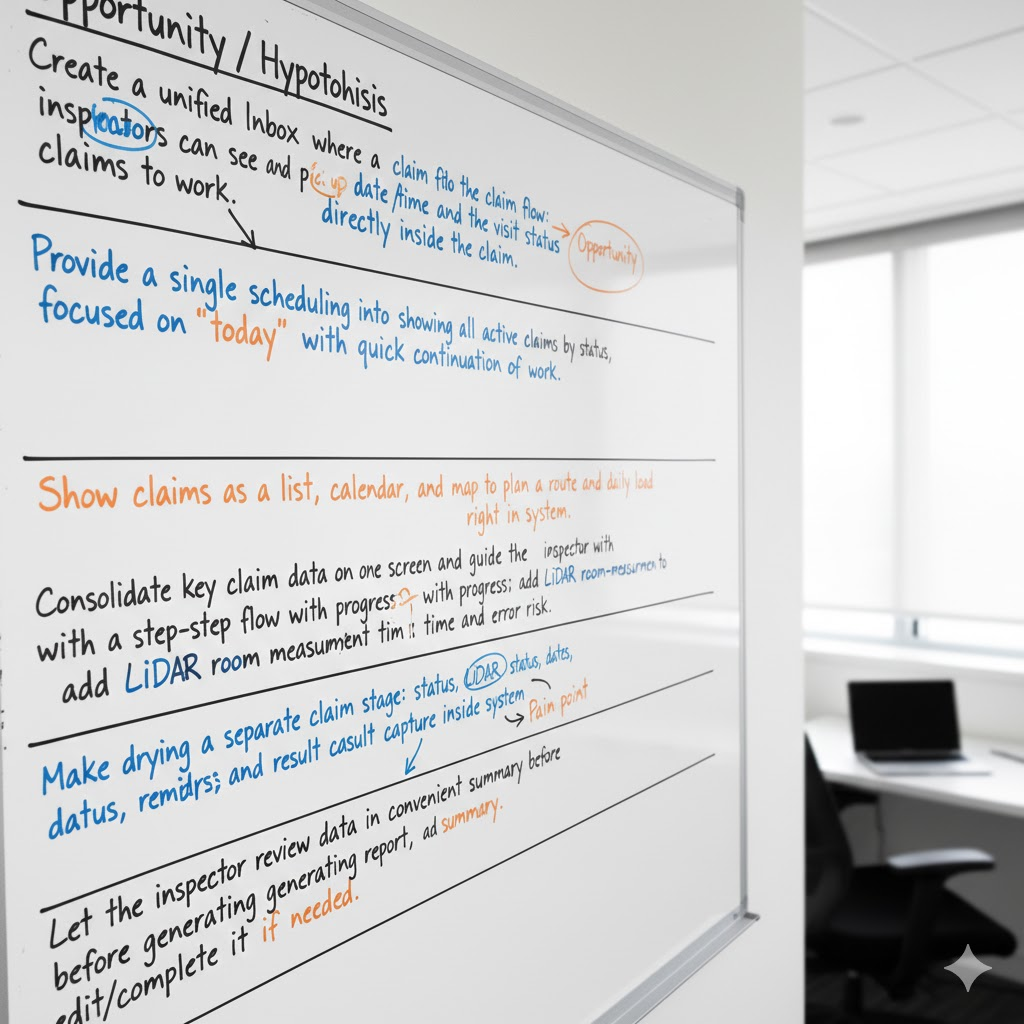
Formed Product Hypotheses
Designed & Tested Prototype in Figma
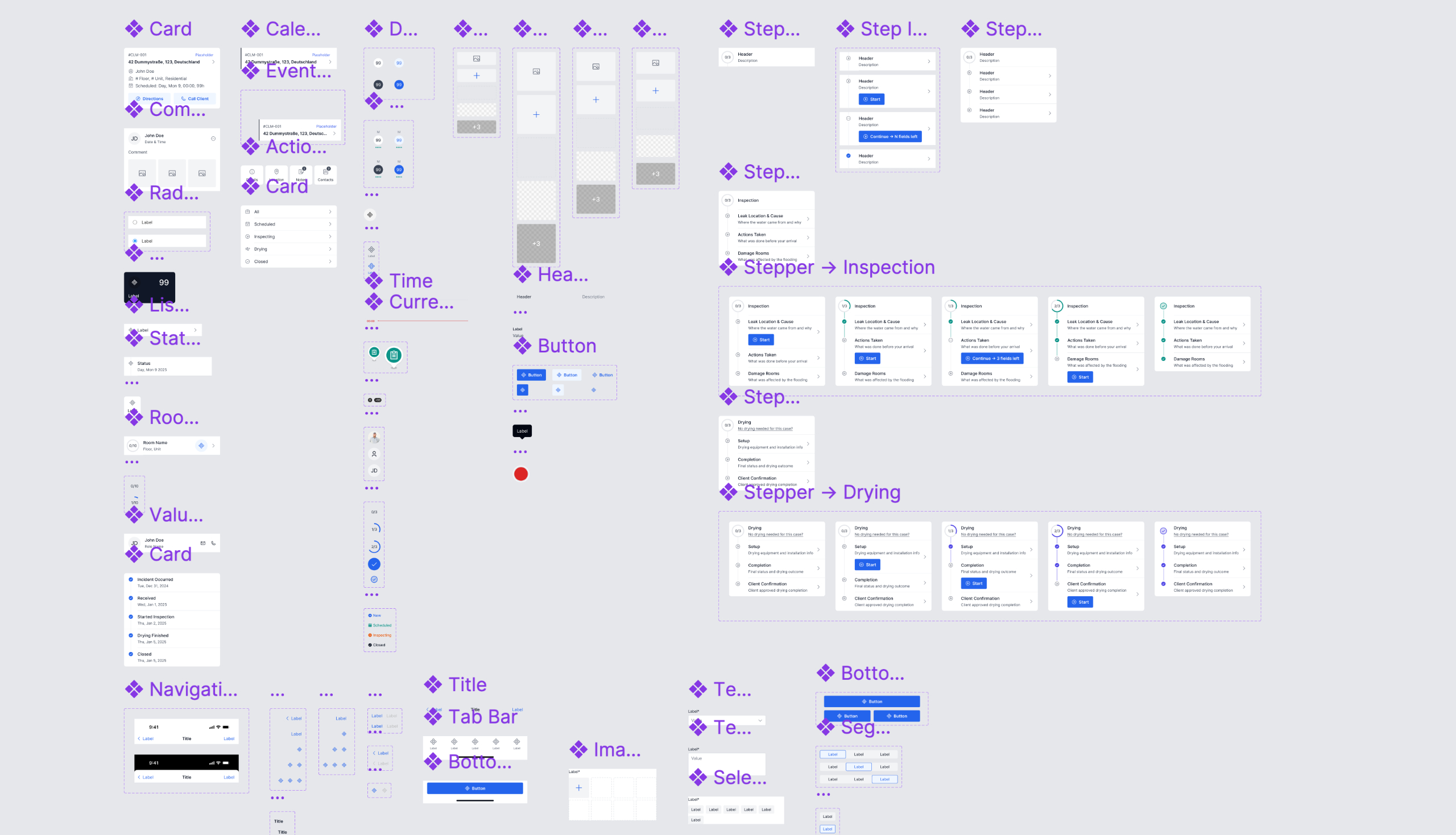
Prepared Mockups for Development
Users
Inspectors Working in Tough On-Site Conditions


Age 40–50
Mid-career inspectors
Manual Work
Photos, notes, tape

Tech Skeptic
Prefers simple tools

Harsh Sites
Tight, dirty, dark
Constraints
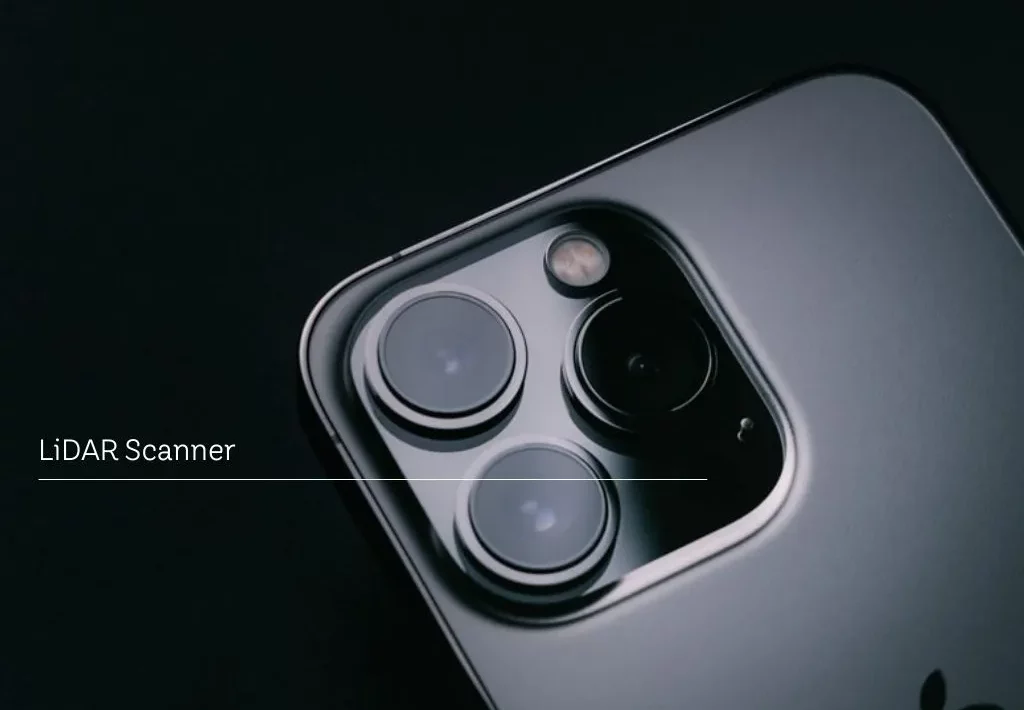
LiDAR Works Only On iOS
Because Android LiDAR wasn’t stable enough, v1 supports iOS only
No BA, No Specs
I gathered requirements myself, so the design was the source of truth
Inspection-First MVP
For the MVP we focused on the inspection flow first, then planned extra features
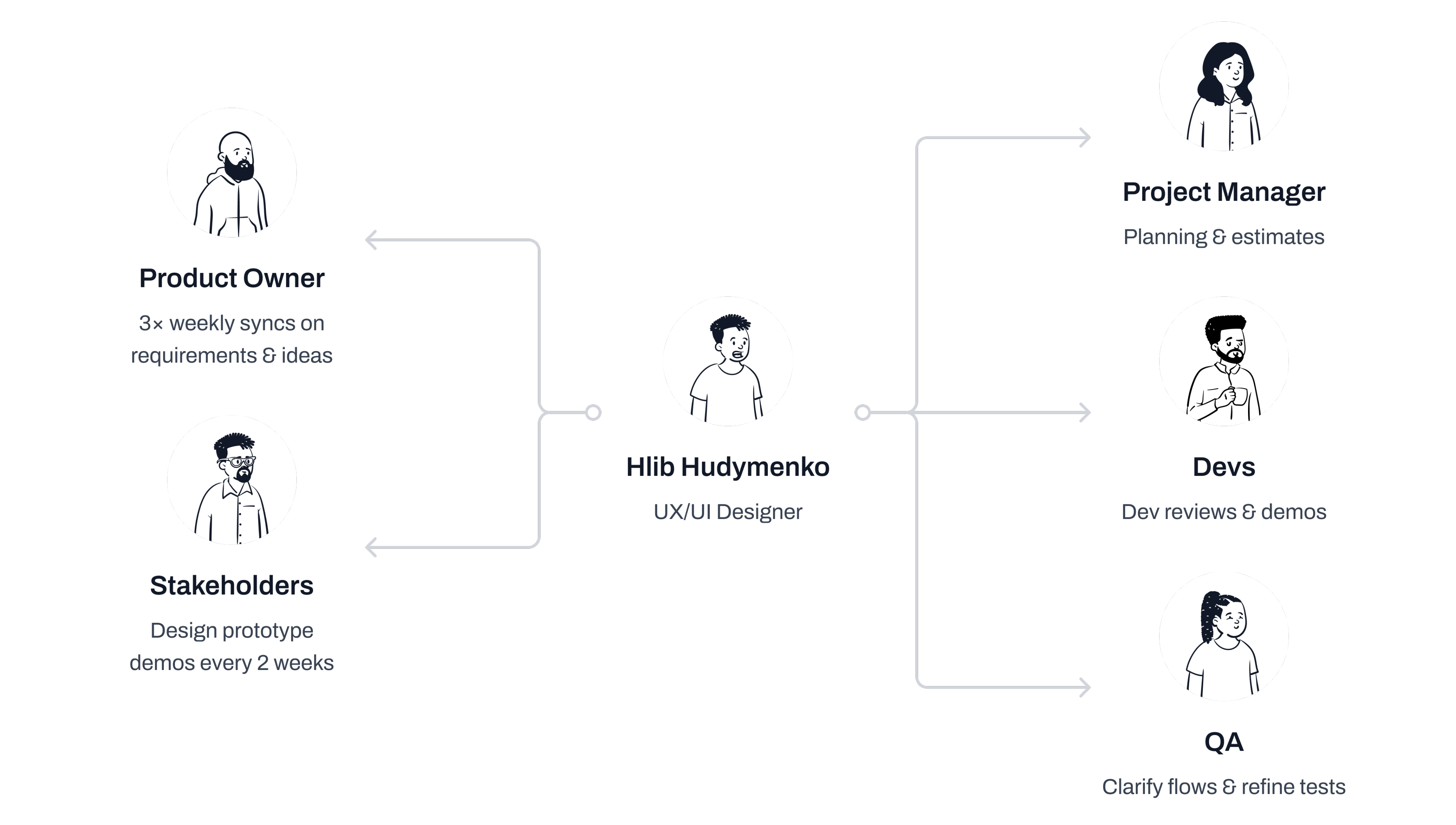
Roles & Responsibilities
How I Worked with the Team
Customer Journey Map
I Learned How Inspectors Work and Where Time Is Lost
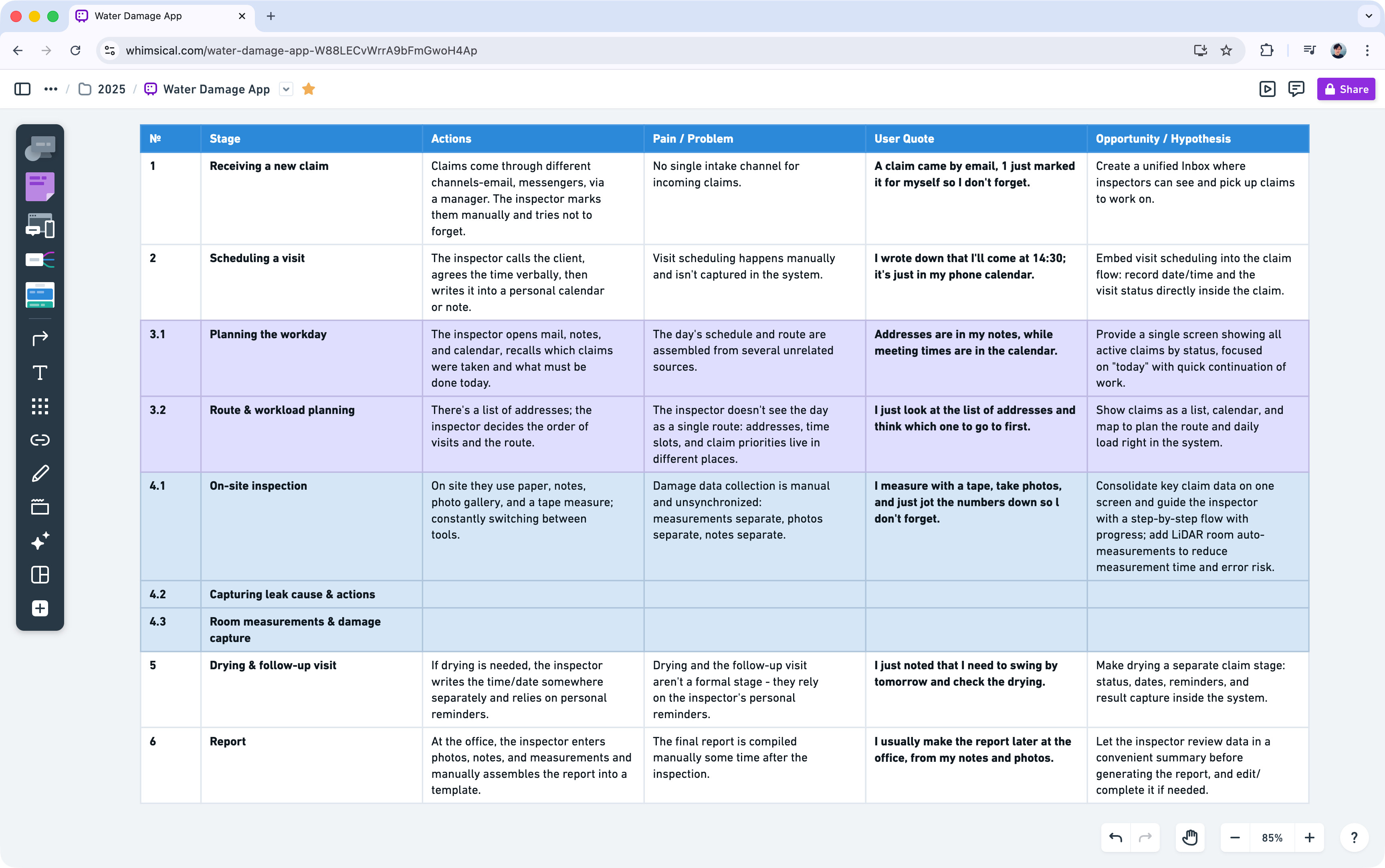
Insight: Inspection Has Many Steps
I realized the flow has more stages than I thought: claim intake, scheduling, planning, inspection, drying, report
Hypothesis: Guided Flow Is Faster
Combining separate steps into one structured flow could save time and reduce errors
Insight: Manual Data Entry Causes Errors
I saw that information is spread across email, notes, and messaging apps, which leads to mistakes
Hypothesis: LiDAR Speeds Up Measurements
LiDAR scans could cut room measurements to ~2 minutes vs manual tape
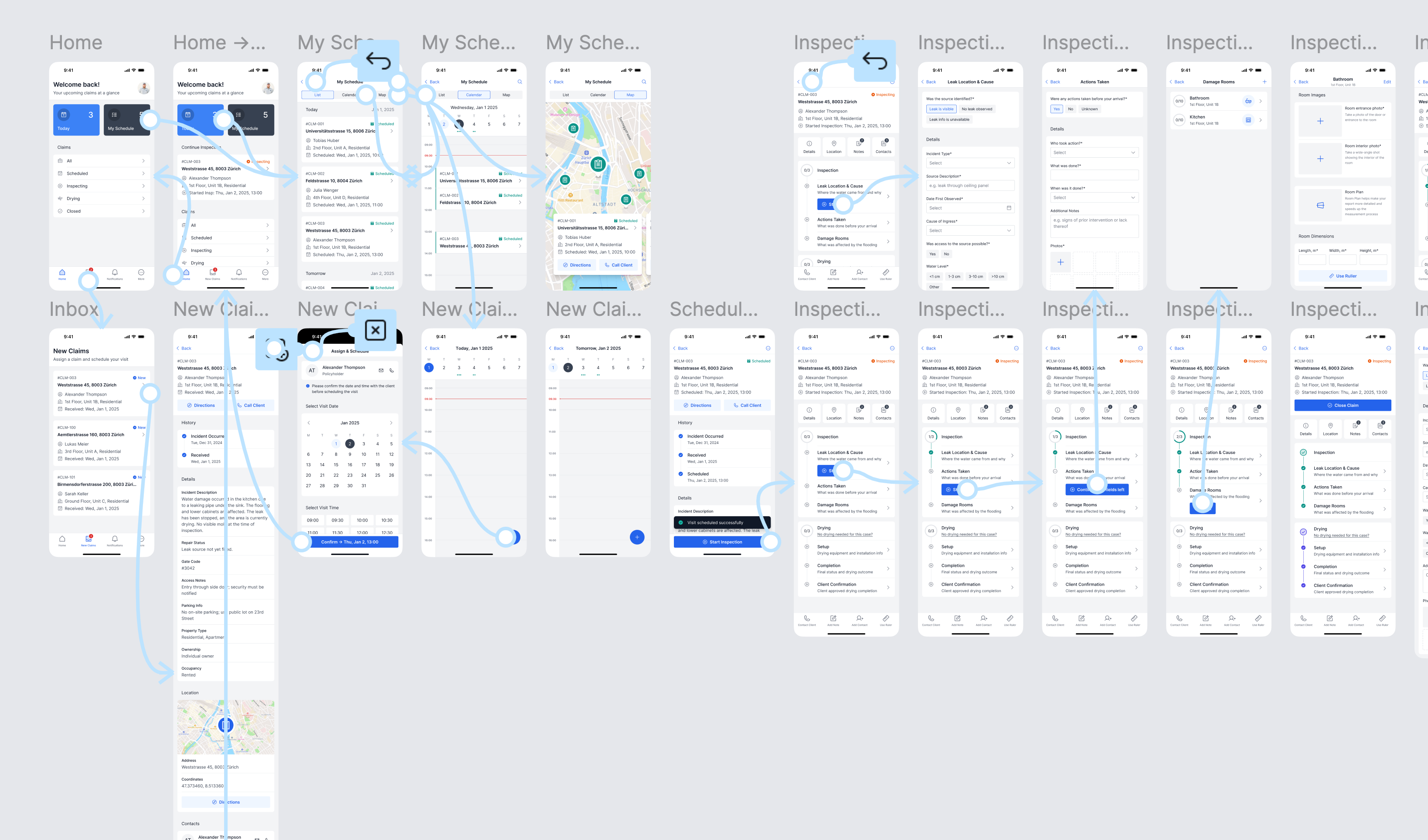
User Flow
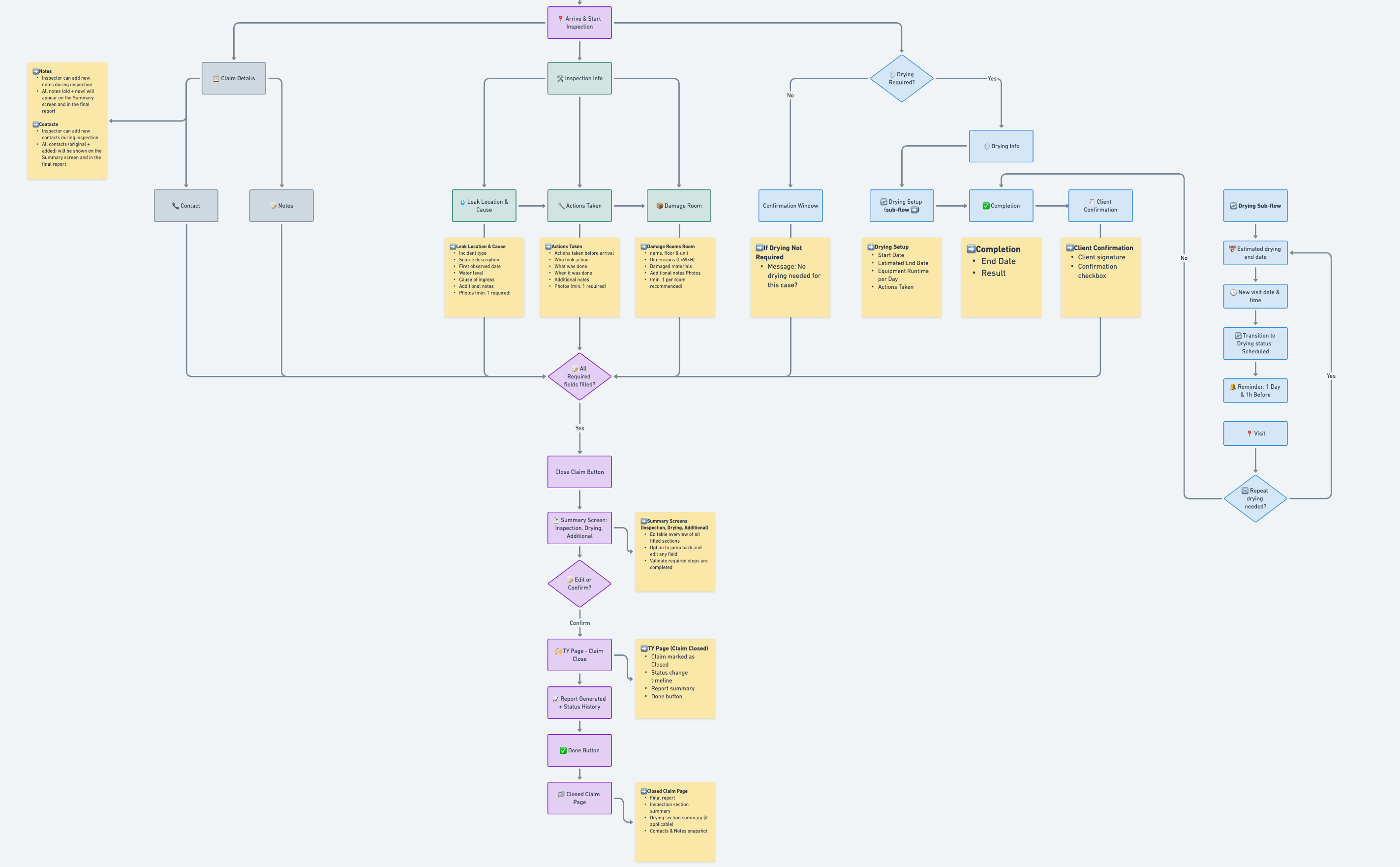
Turned The Journey Into A Clear Status Flow
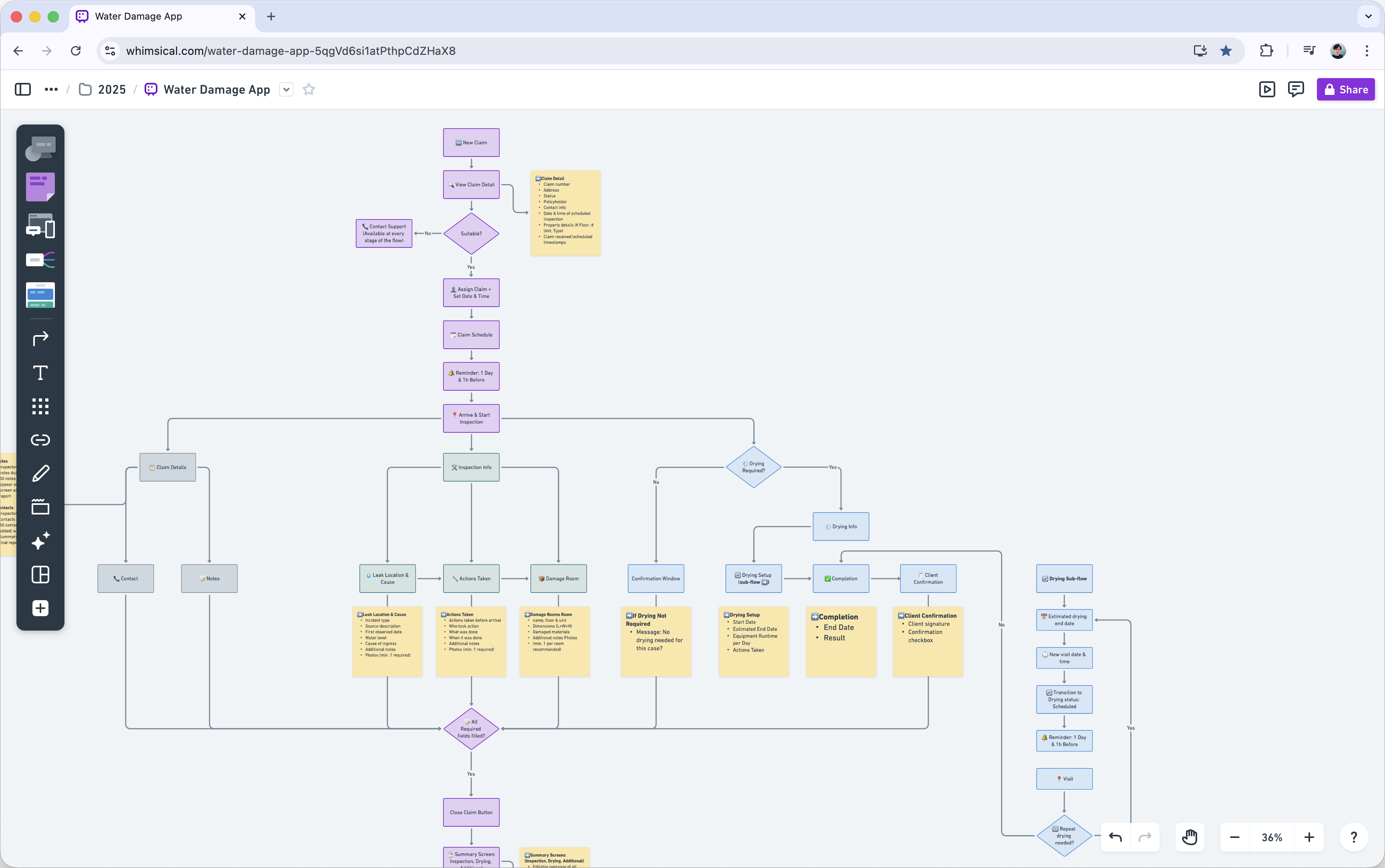
Claim Lifecycle Has Distinct States
A claim moves through several statuses from New to Closed
Inspection Can Be Split Into Steps
Leak, actions taken, and damage work well as separate stages in the flow
Drying Works As An Optional Flow
Drying can be attached only when needed without complicating the main inspection
Wireframes
Locked In The Structure Of Key Screens
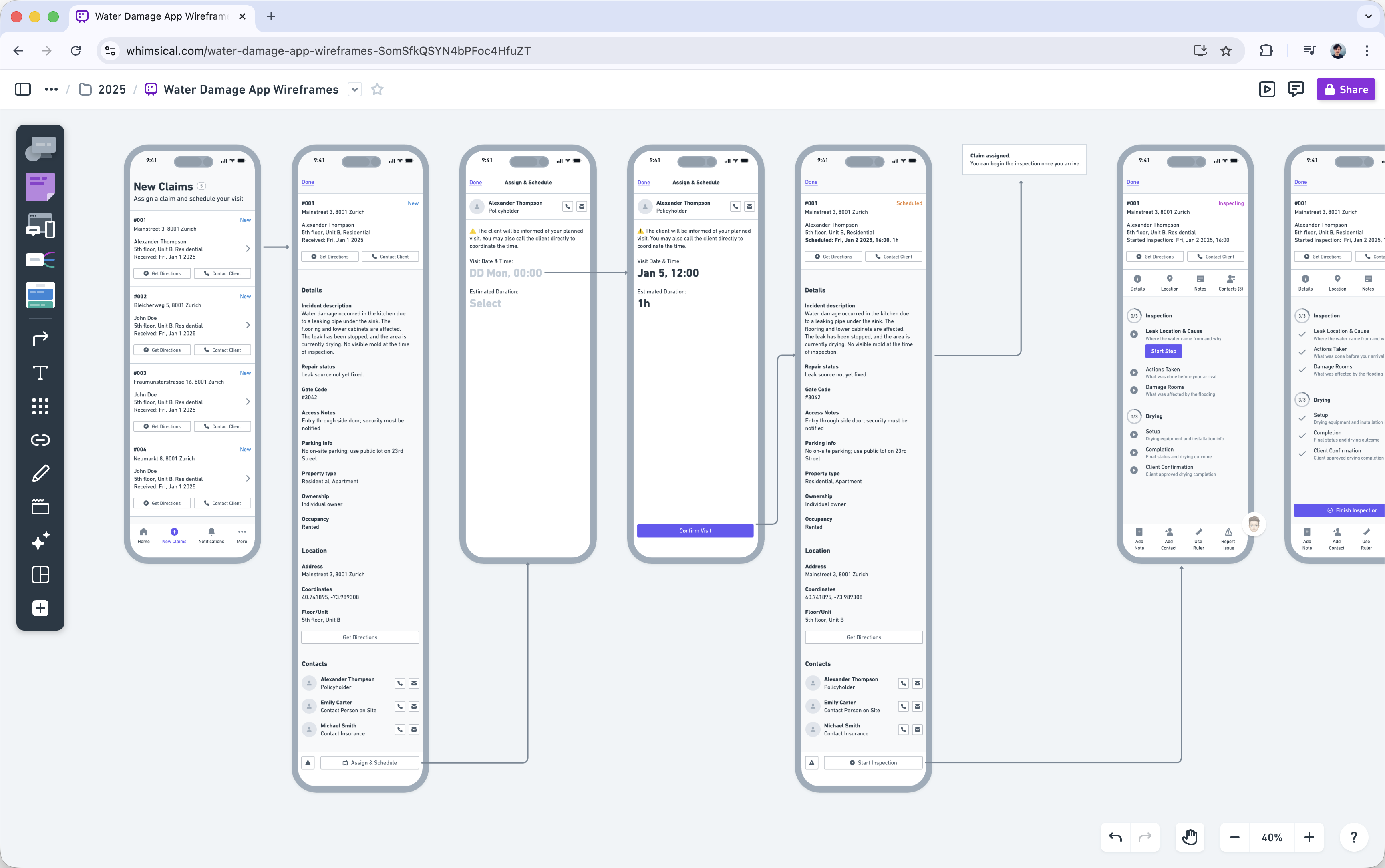
Layout Must Support The Flow
Testing different layouts helped keep the inspection steps simple to follow
Data Visibility Is Critical
Arranging fields around the claim made it easier to see the full picture at a glance
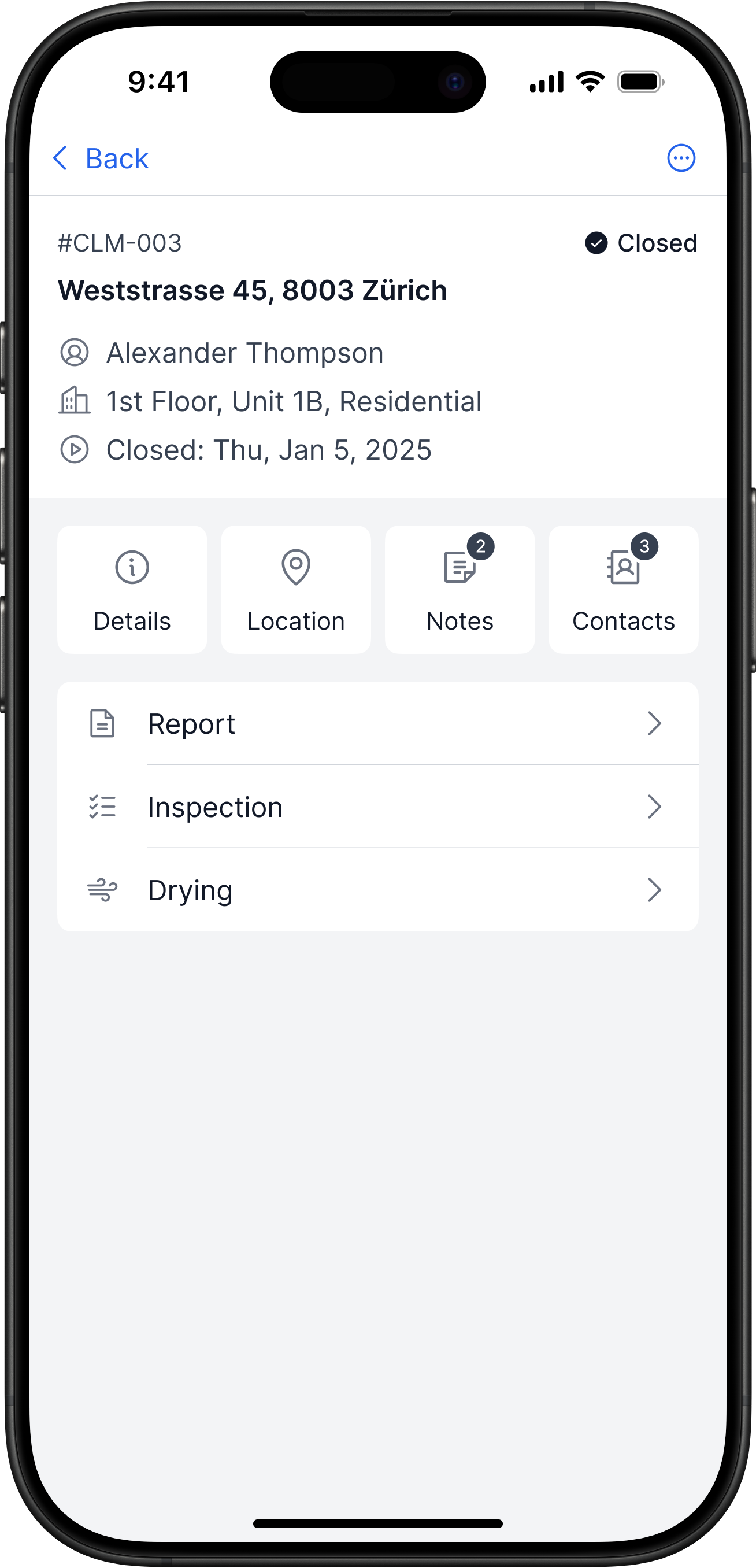
Claim Screen Needs Quick Actions Nearby
Keeping data, notes, and primary actions on one screen makes inspectors faster on site
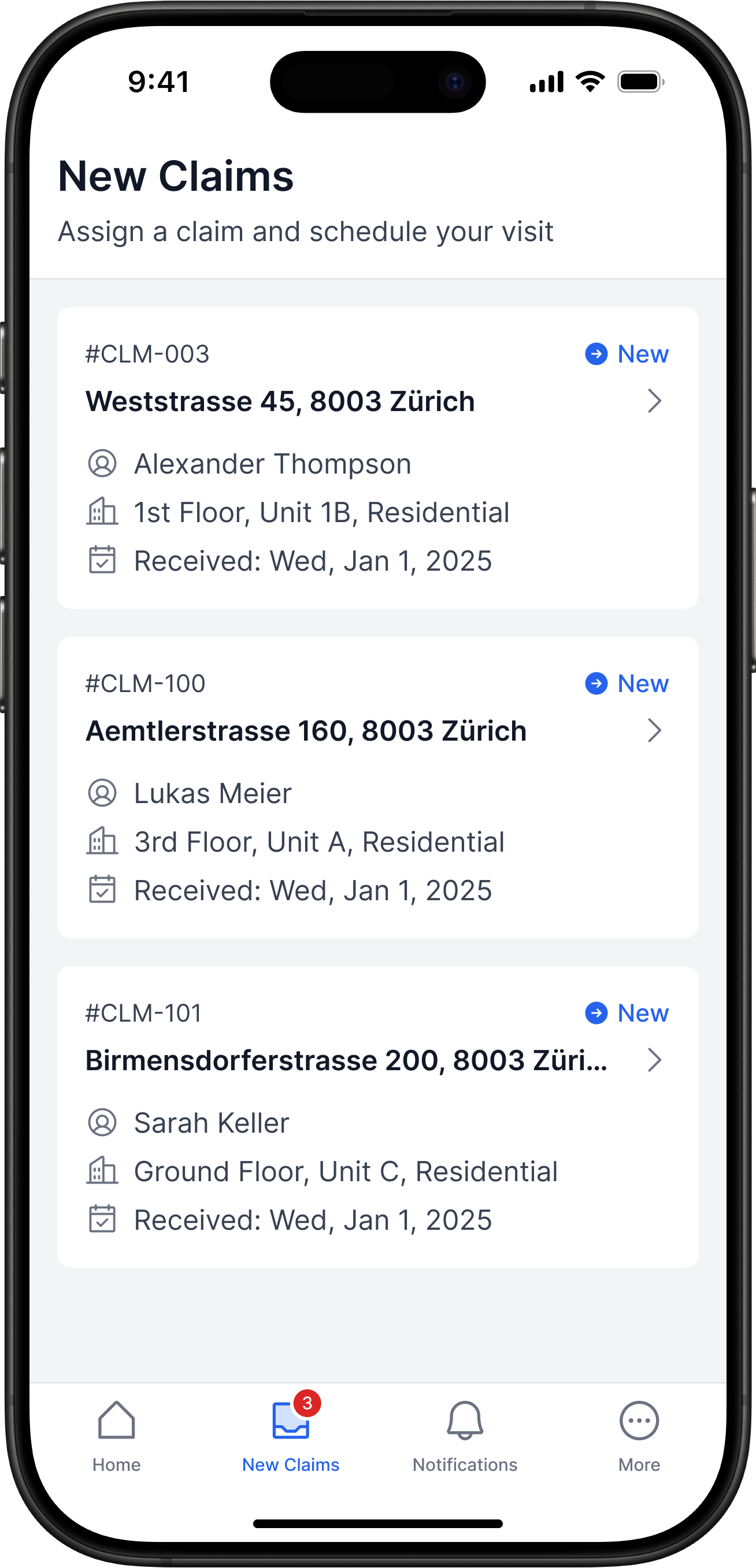
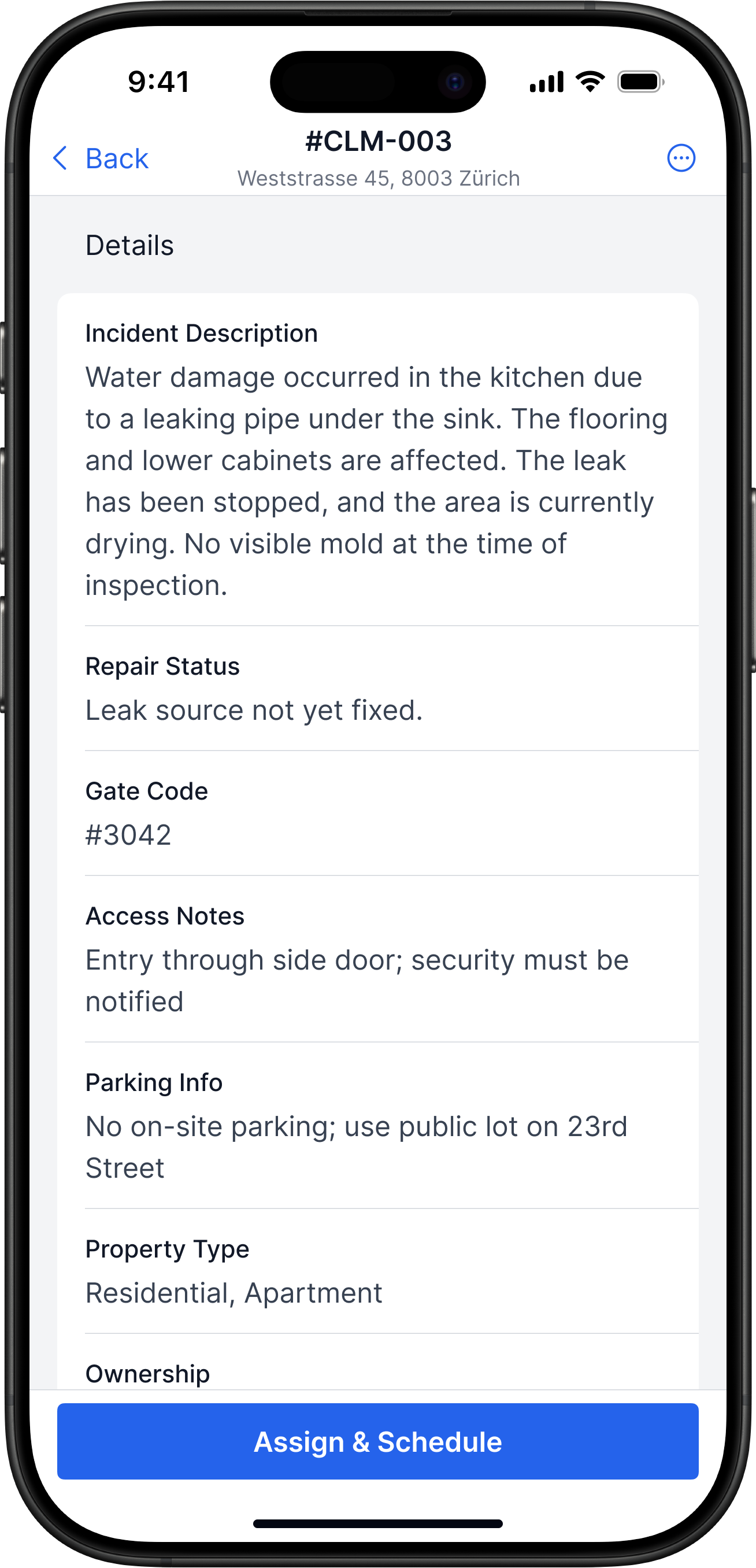
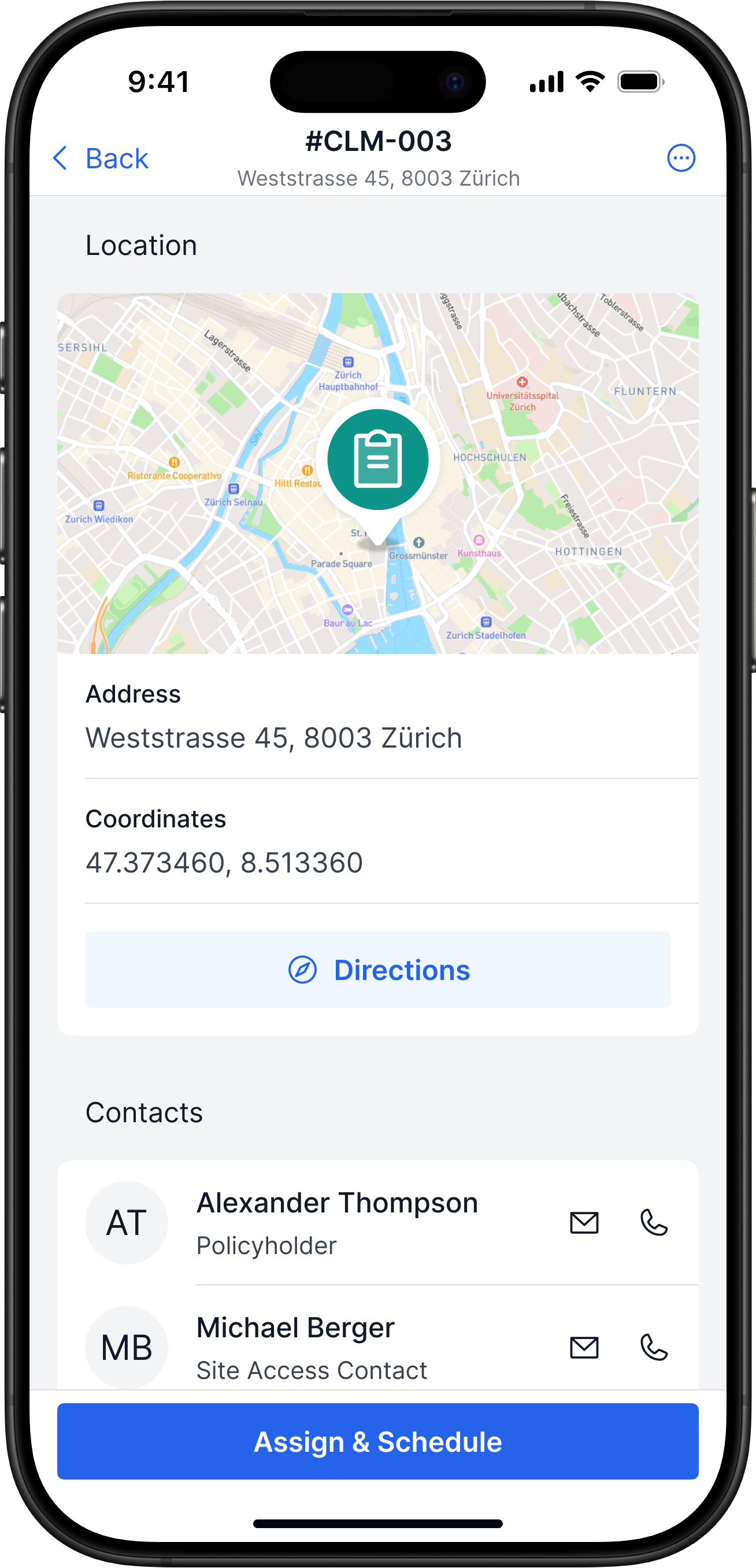
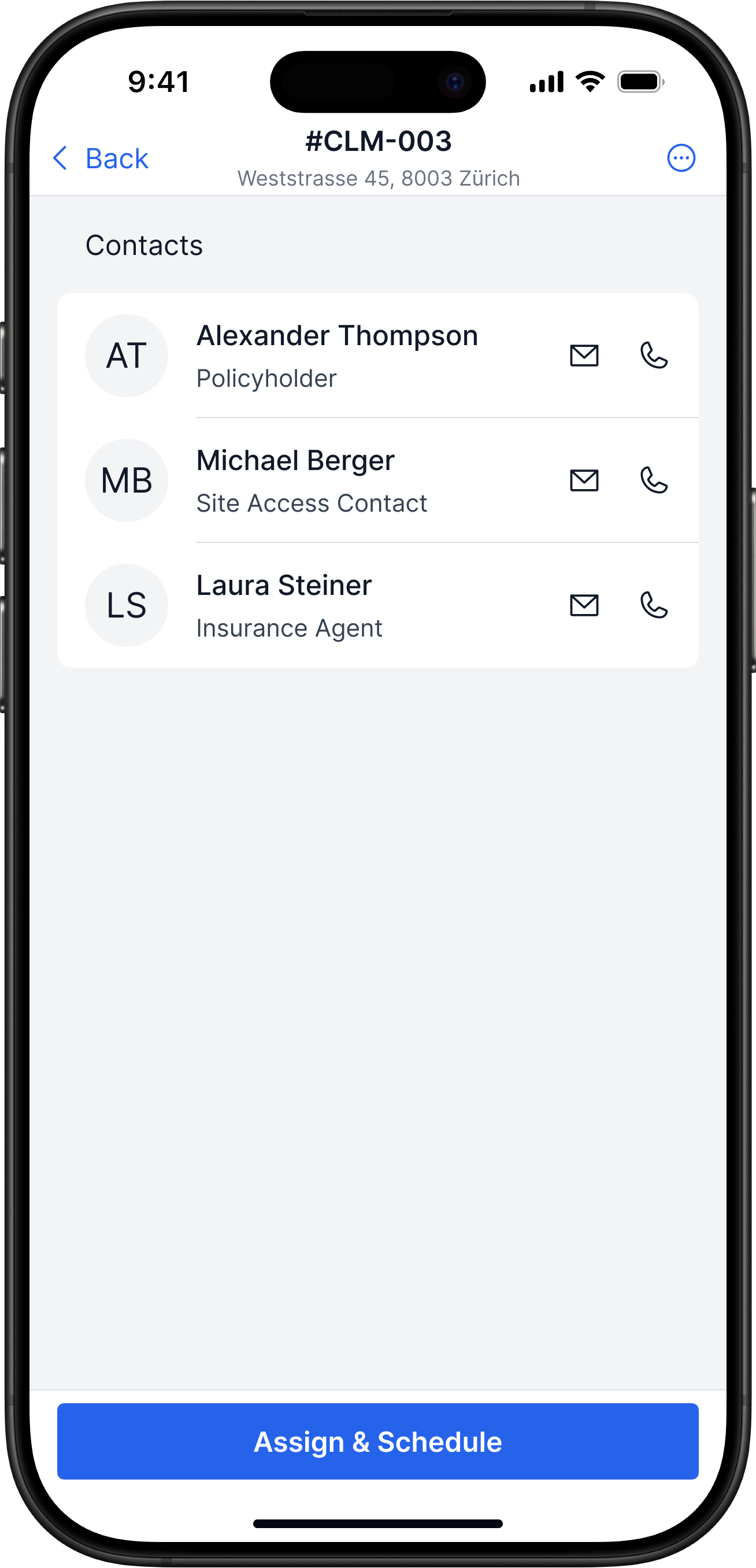
Receiving a New Claim
Problem
No single intake channel for incoming claims
Solution
- All new claims land in one Inbox, not in email
- Inspector opens a claim, checks details, schedules a visit
- After scheduling, the claim is assigned to that inspector
Impact
Single process: no lost claims, clear ownership
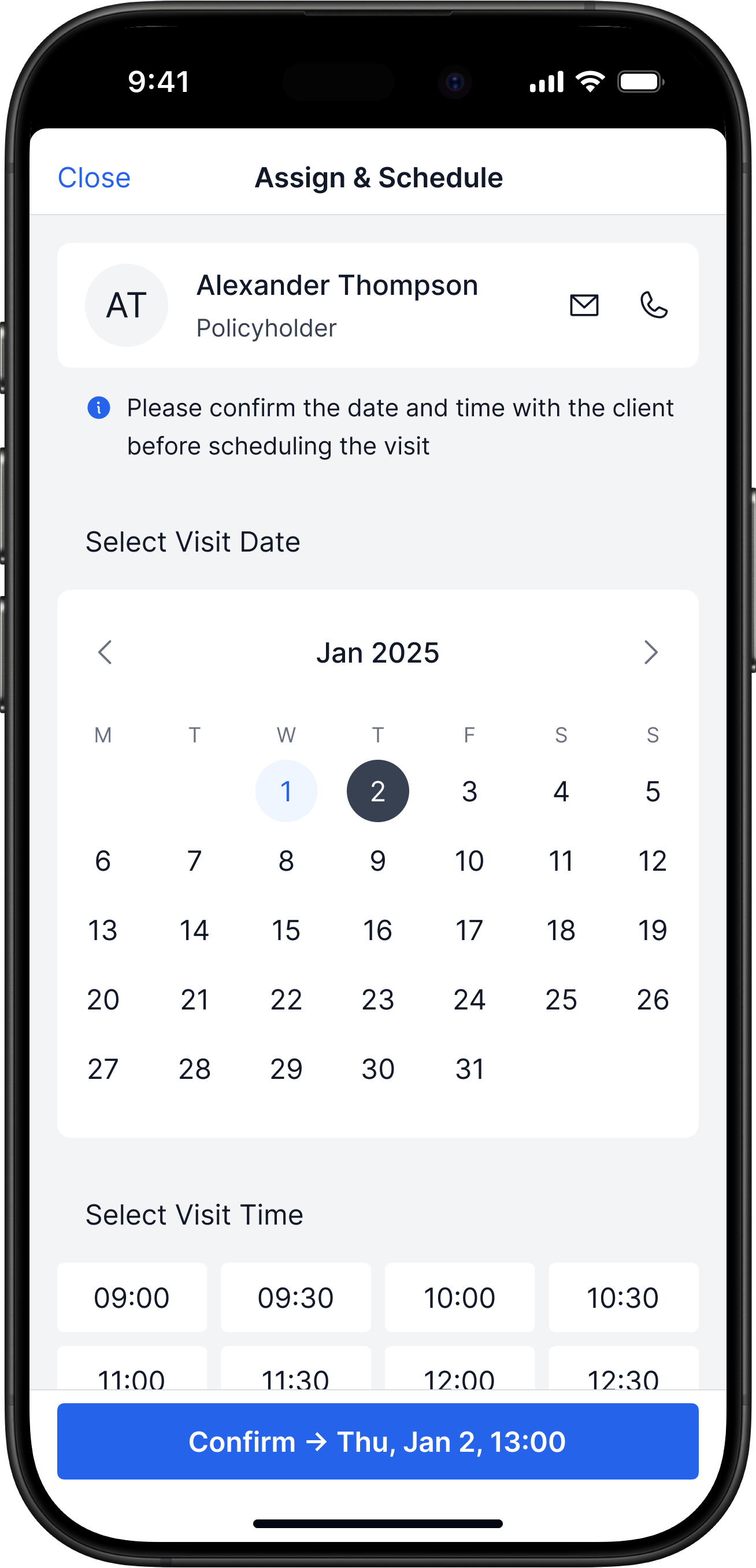
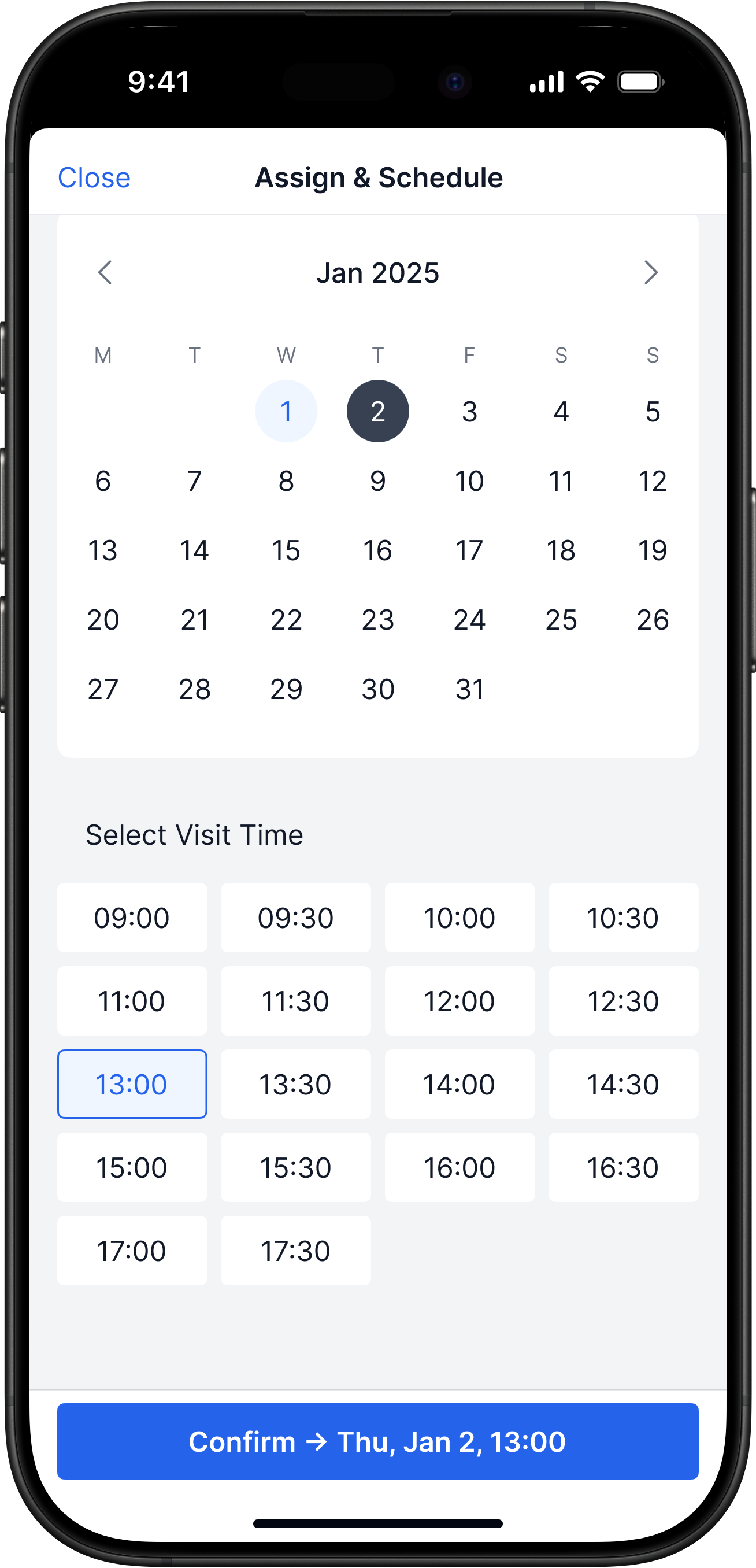
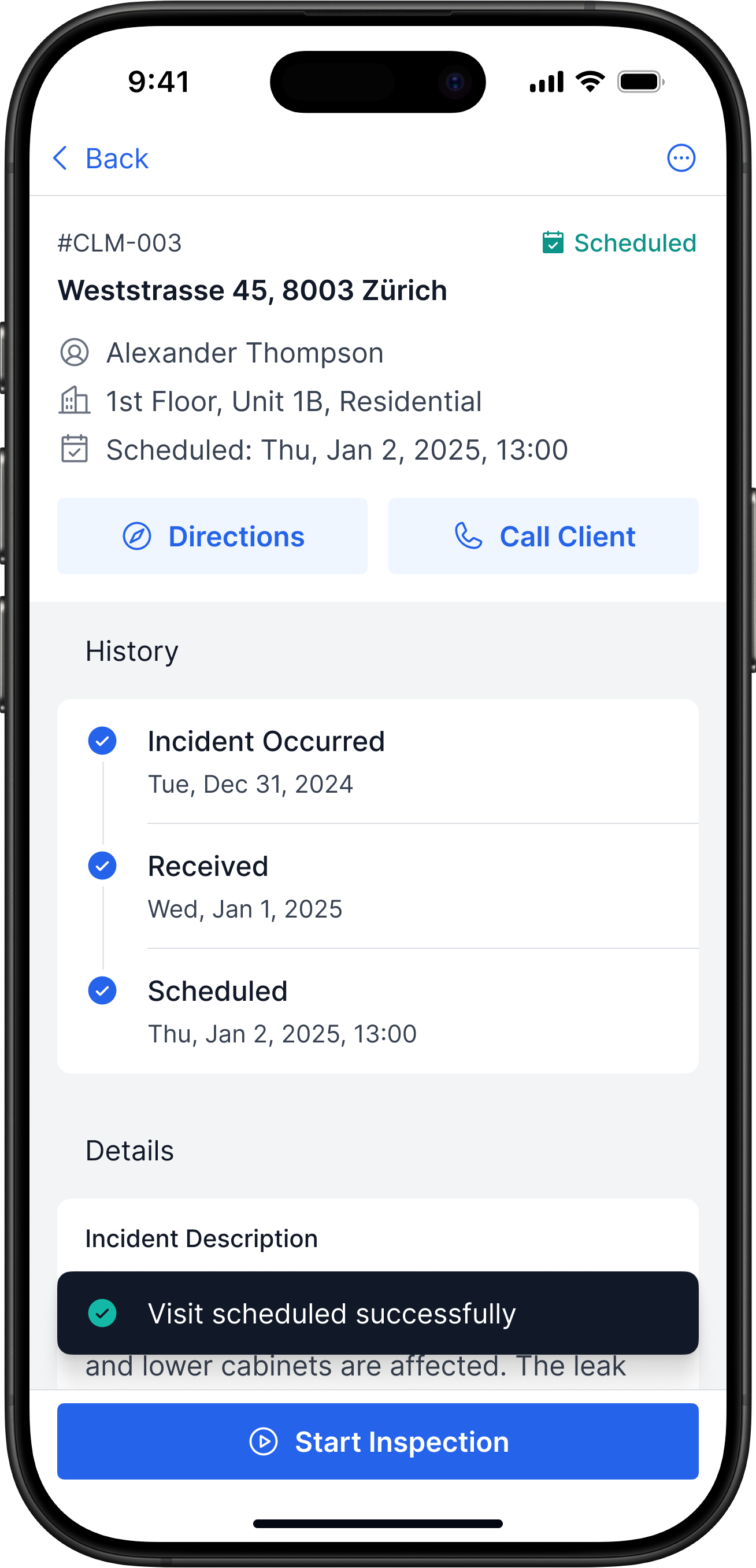
Scheduling a Visit
Problem
Visit scheduling happens manually and isn’t captured in the system
Solution
- The app shows the client’s contact and helps set a visit time
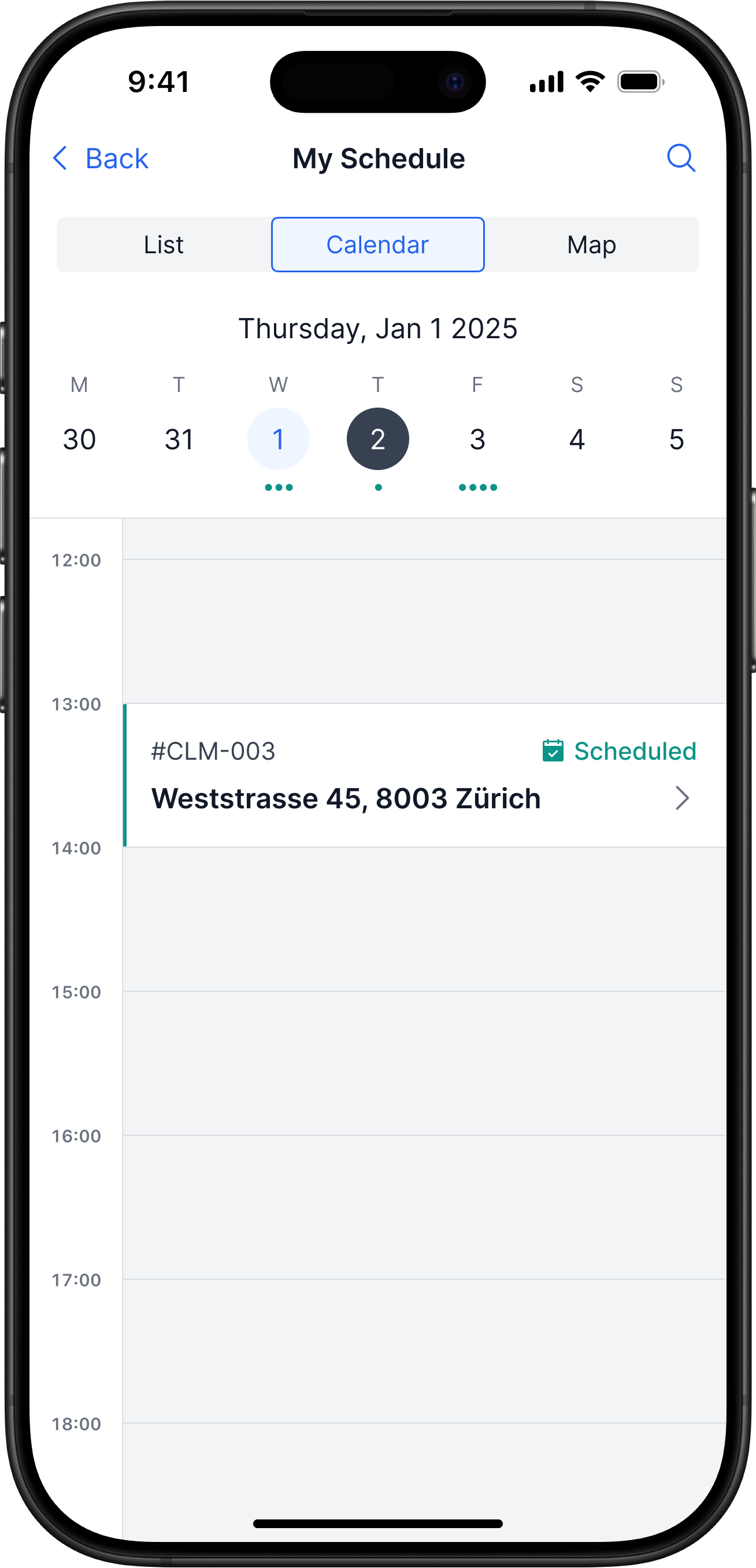
- Once the time is set, the visit is added to the calendar
- The client receives an SMS and an email confirmation
Impact
Fewer calls and back-and-forth messages
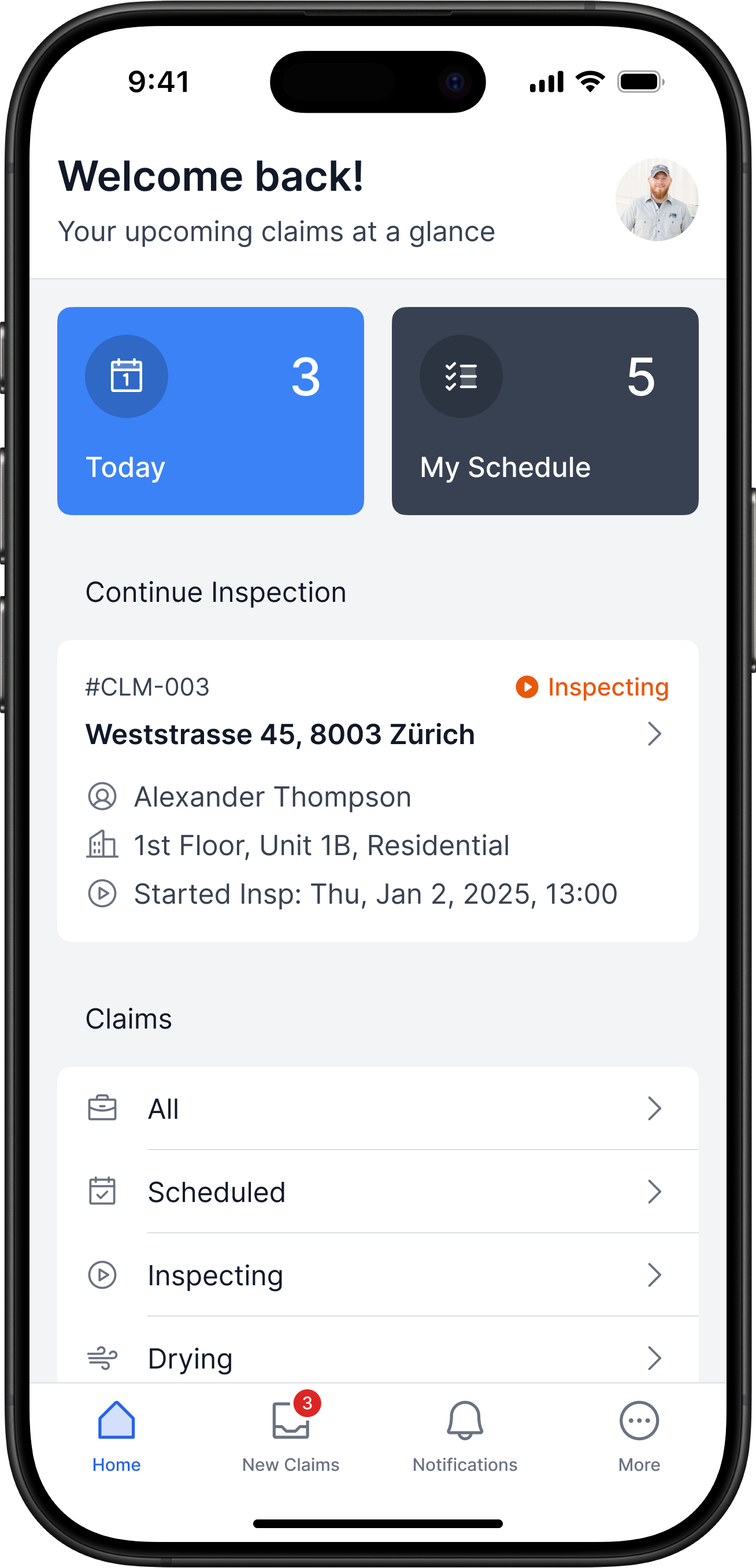
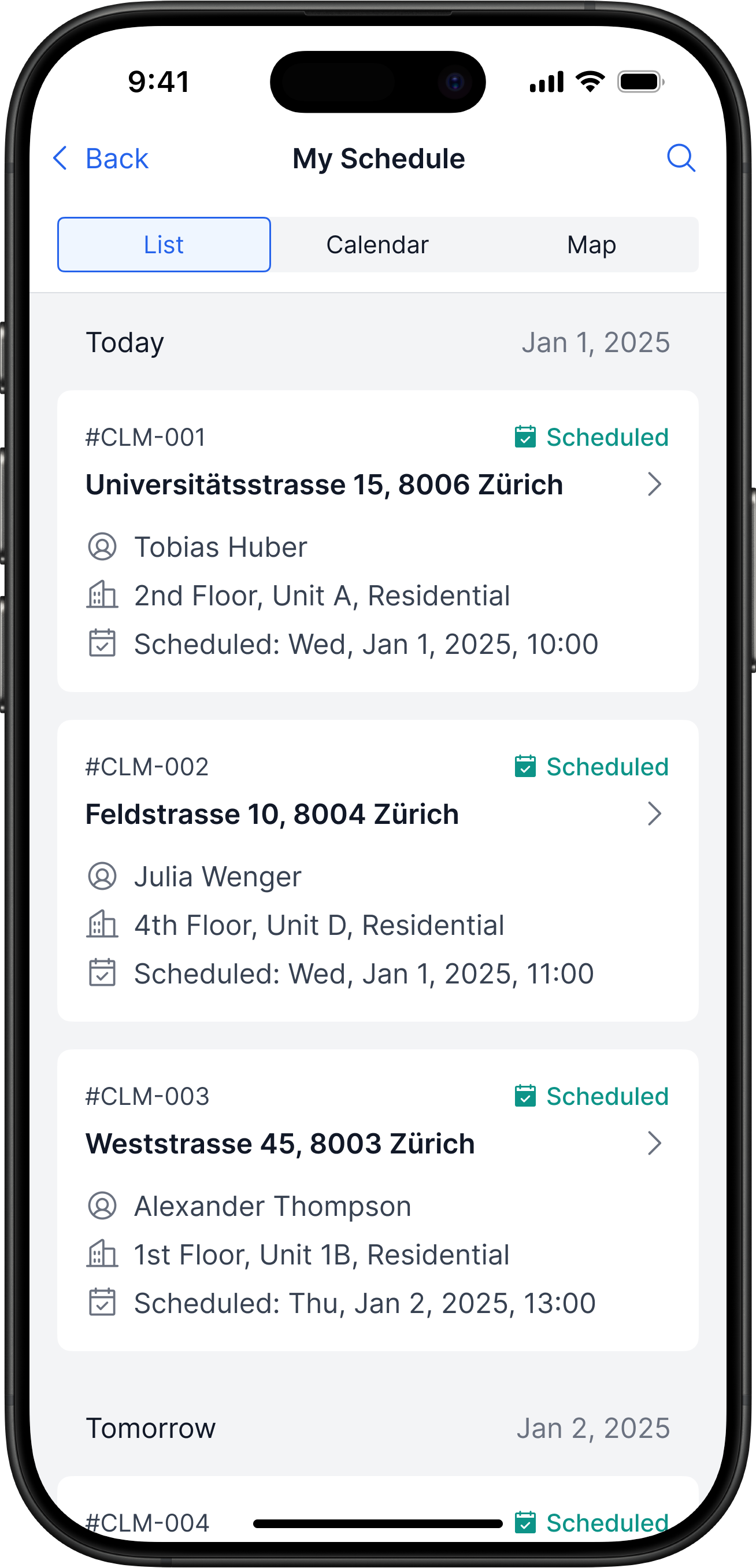
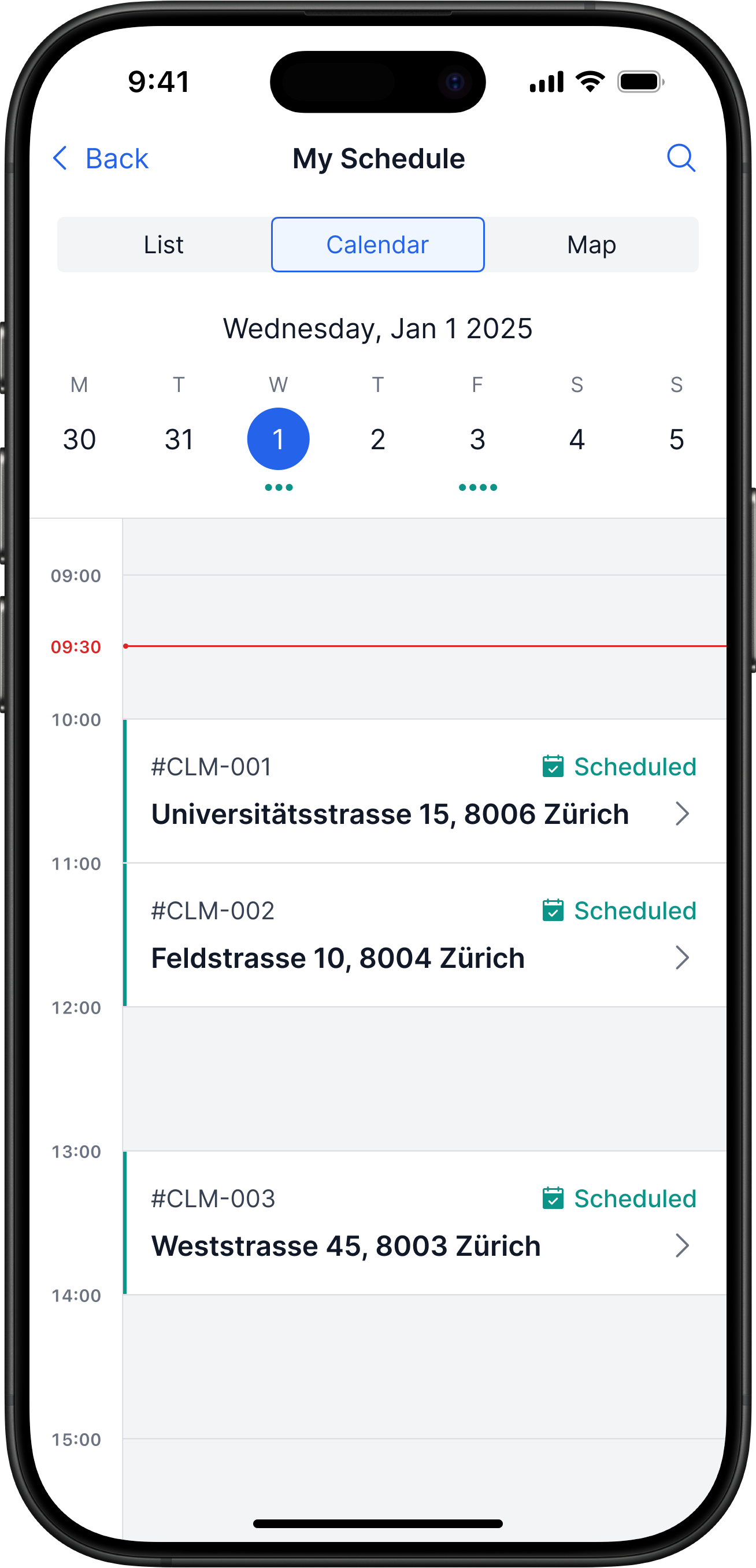
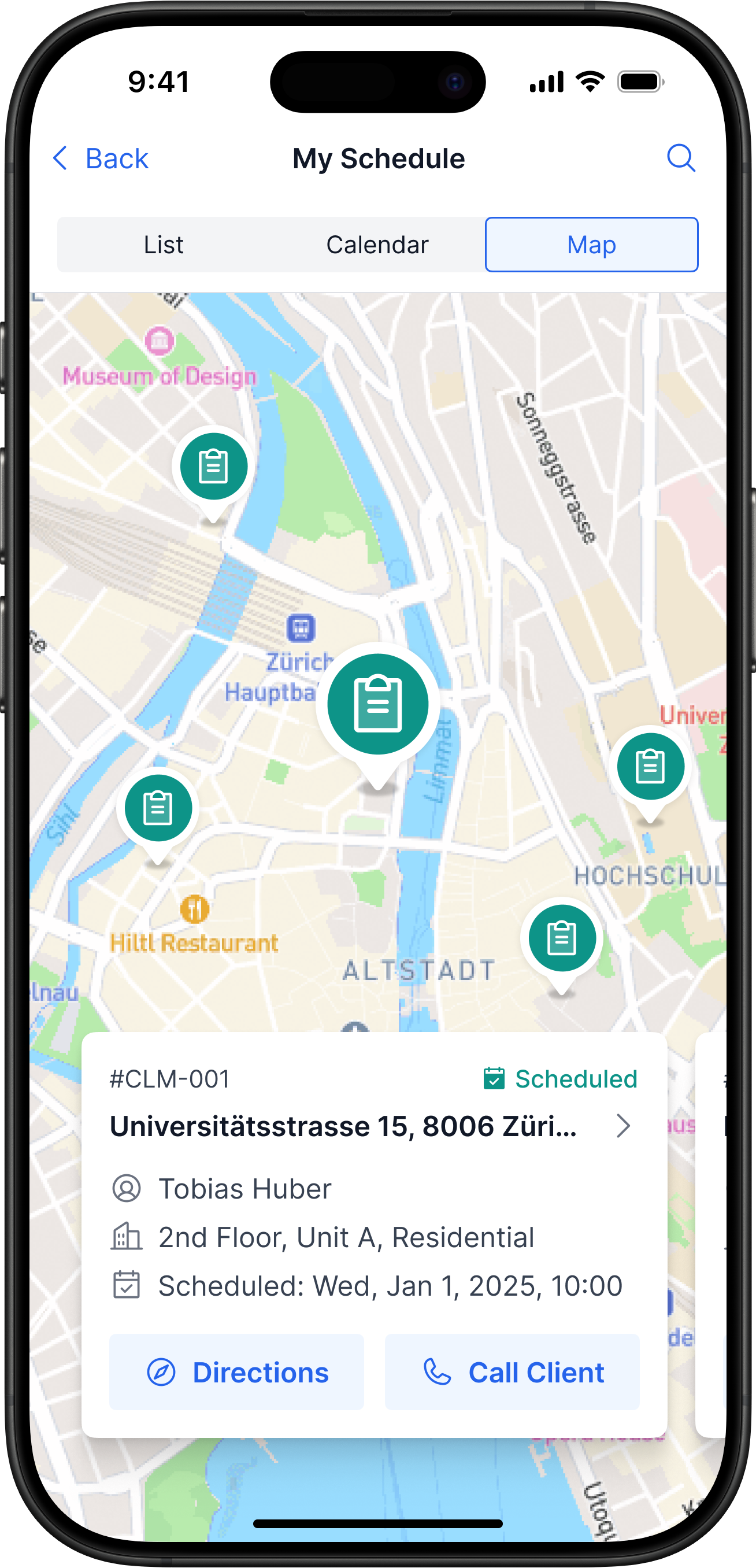
Planning The Day, Route & Workload
Problem
The day's schedule and route are assembled from several unrelated sources
Solution
- The home screen shows all claims grouped by status
- My Schedule supports three modes: list, calendar, and map
- You can build a route on the map right inside the app
Impact
All claims and tasks in one place — nothing to keep in your head
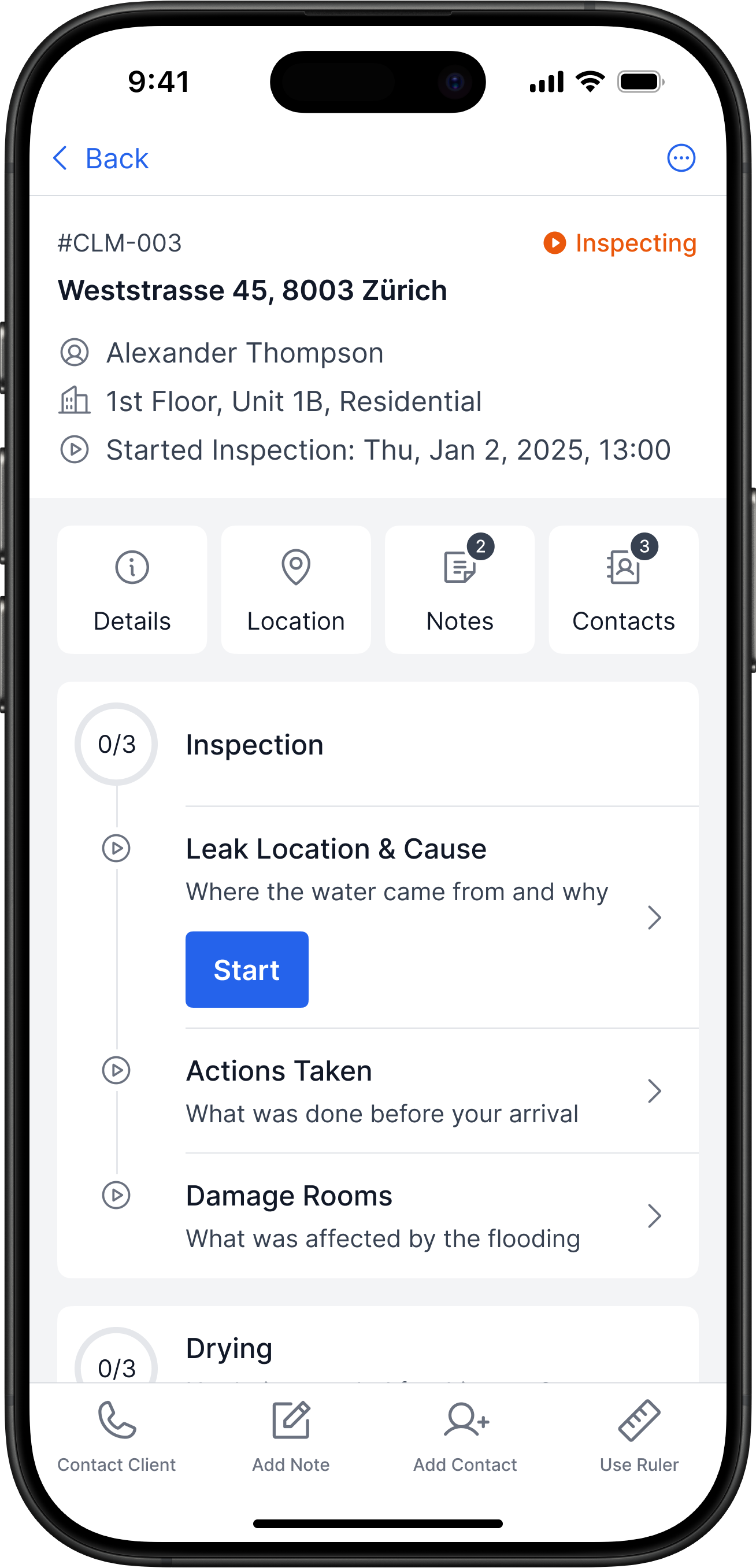
On-Site Inspection
Problem
Inspection data is scattered across separate actions and tools on site
Solution
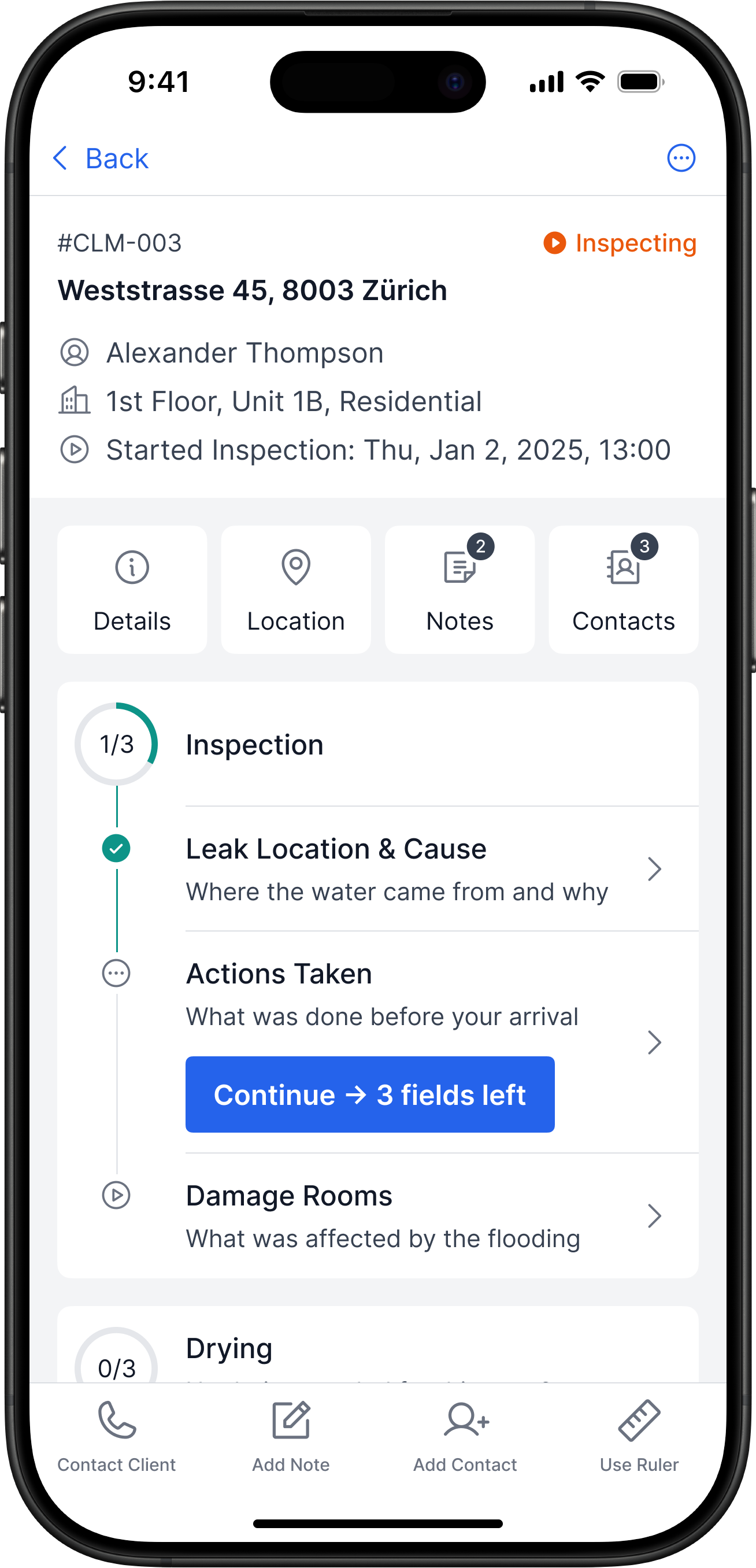
- Claim info is on one screen: address, contacts, notes, steps
- A step-by-step flow shows what’s done and what’s left
- With one tap you can call the client, add a note, or a contact
Impact
Step-by-step flow = fewer errors
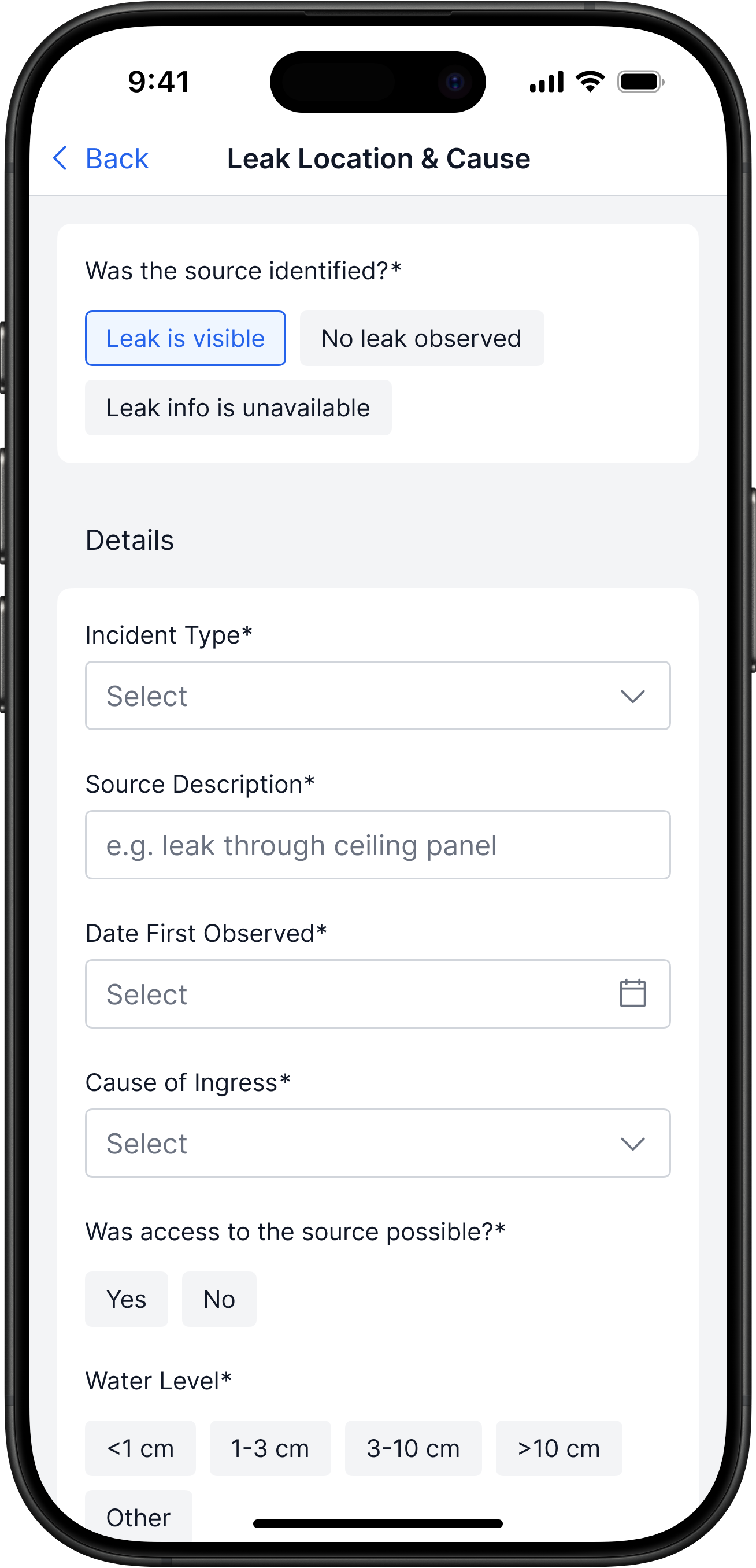
Capturing Leak Cause & Actions
Problem
Leak cause and actions are captured inconsistently
Solution
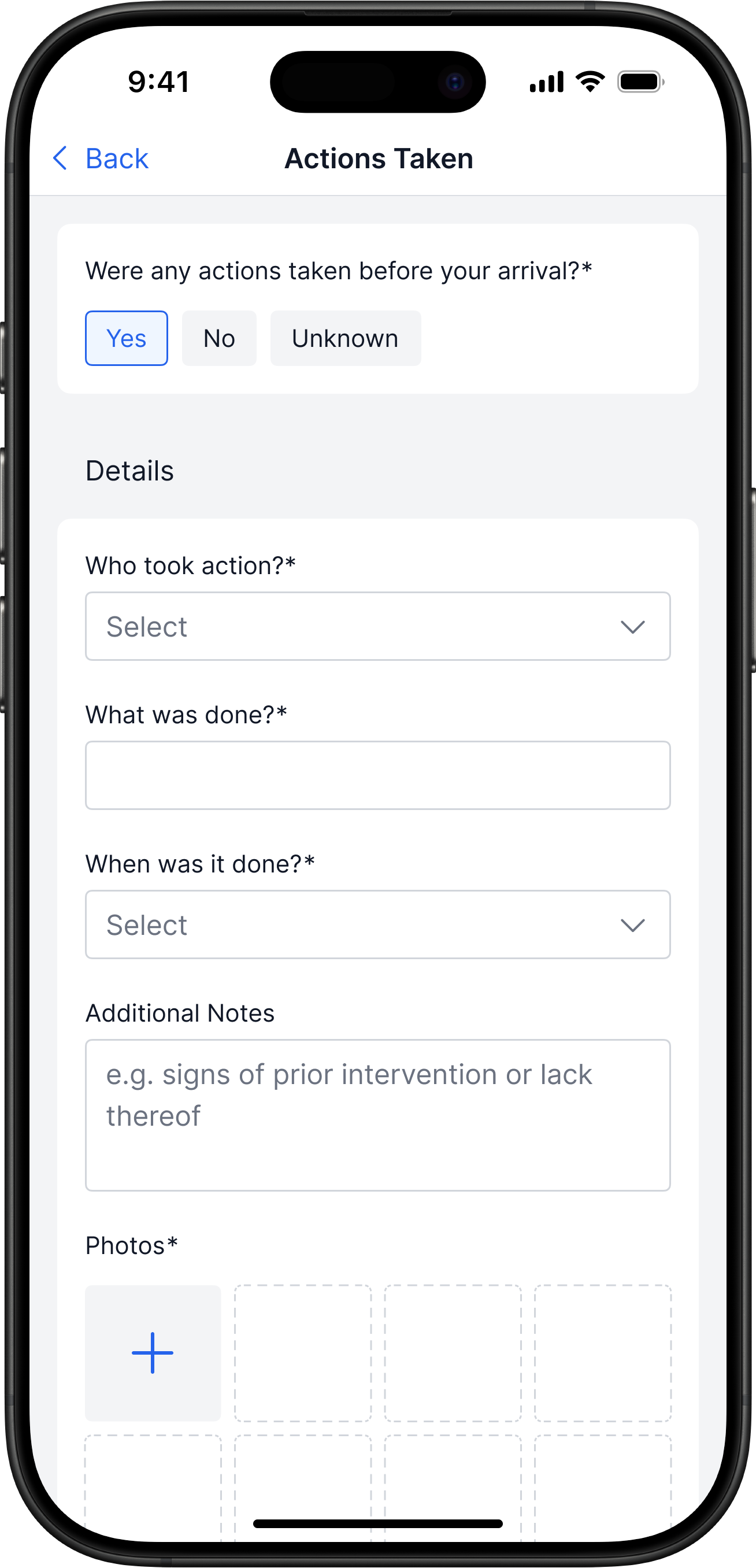
- Inspection is split into steps: actions, leak cause, damage
- Validation prevents skipping important parts
- Inspection structure mirrors the final report
Impact
Inspectors fill out claims consistently, and reports are reviewed and compiled faster
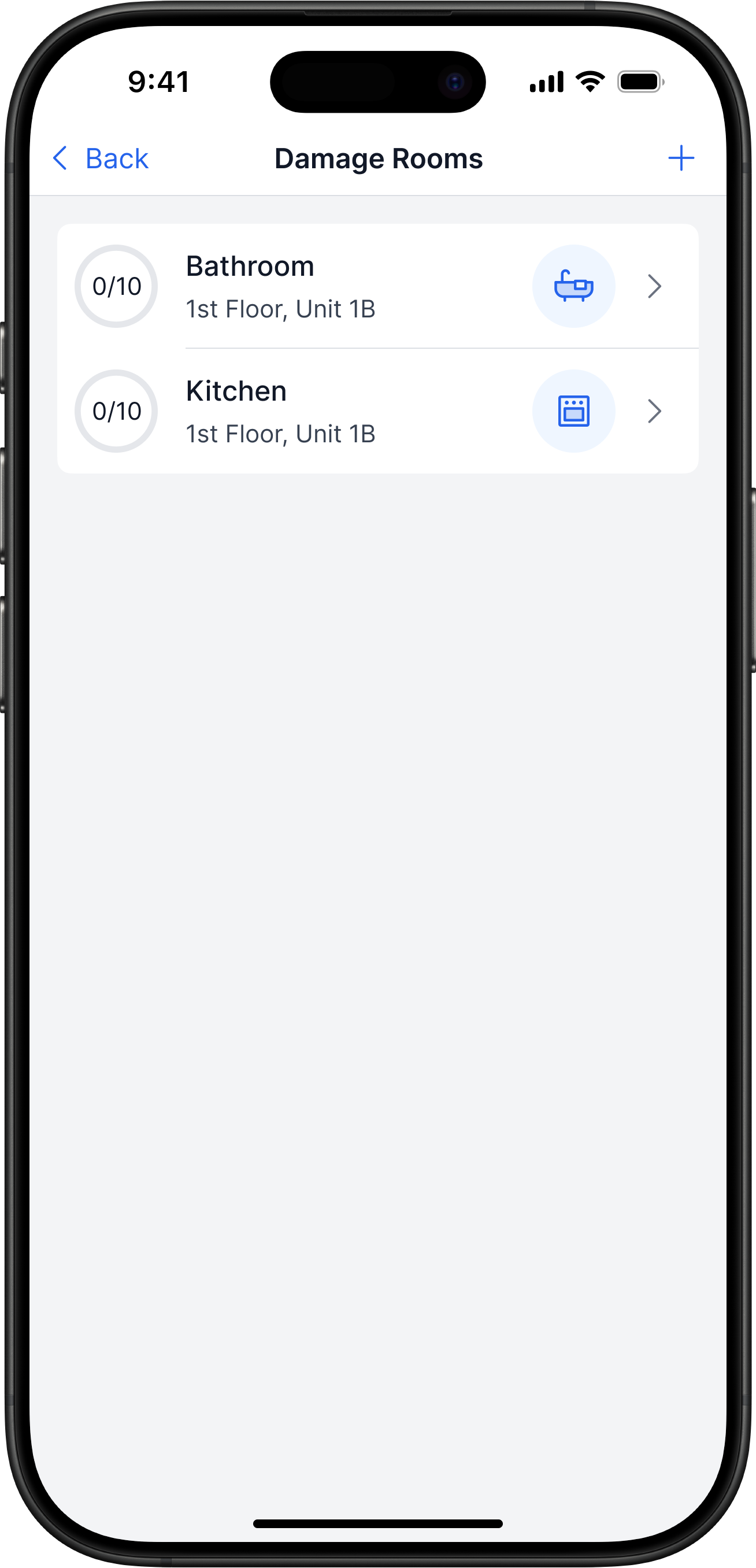
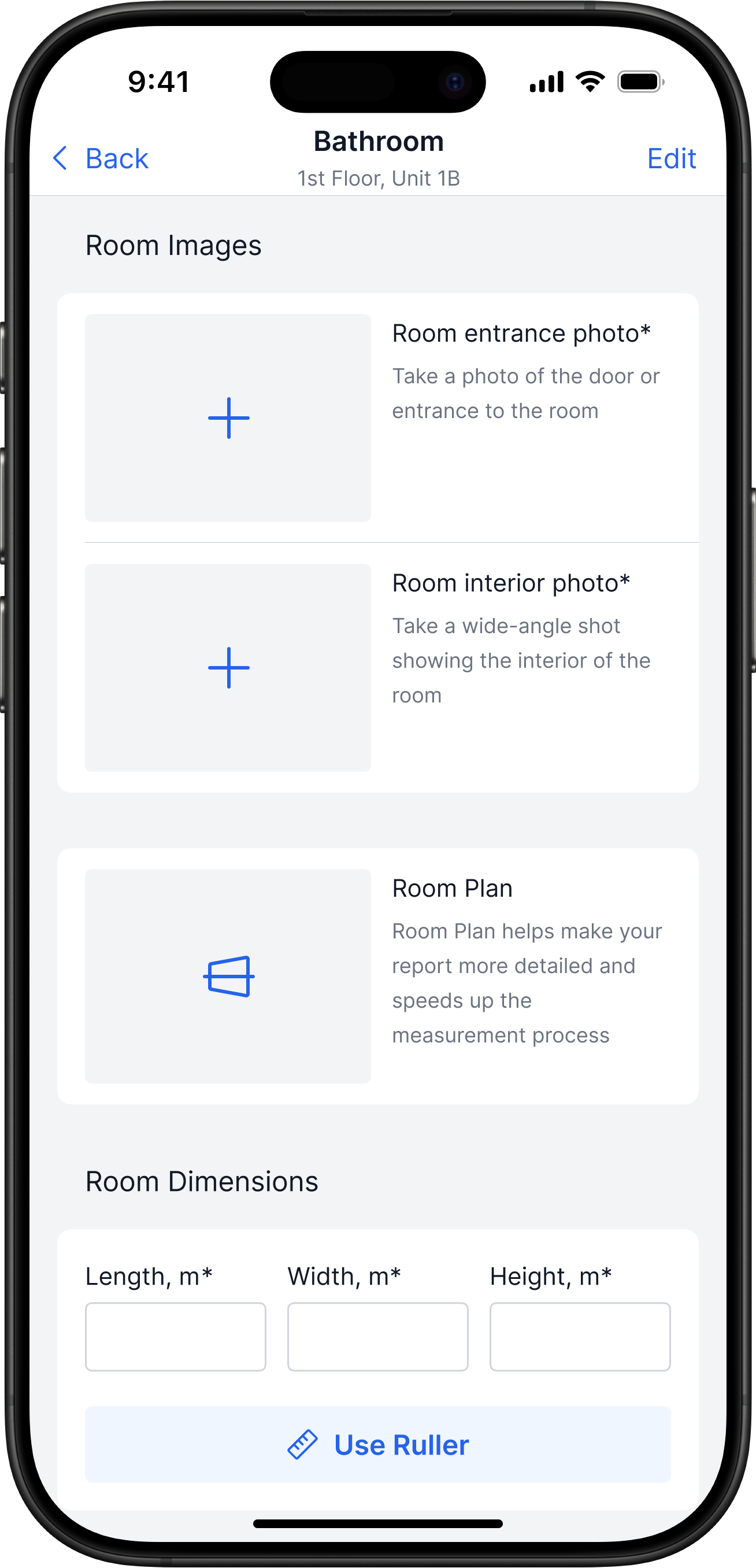
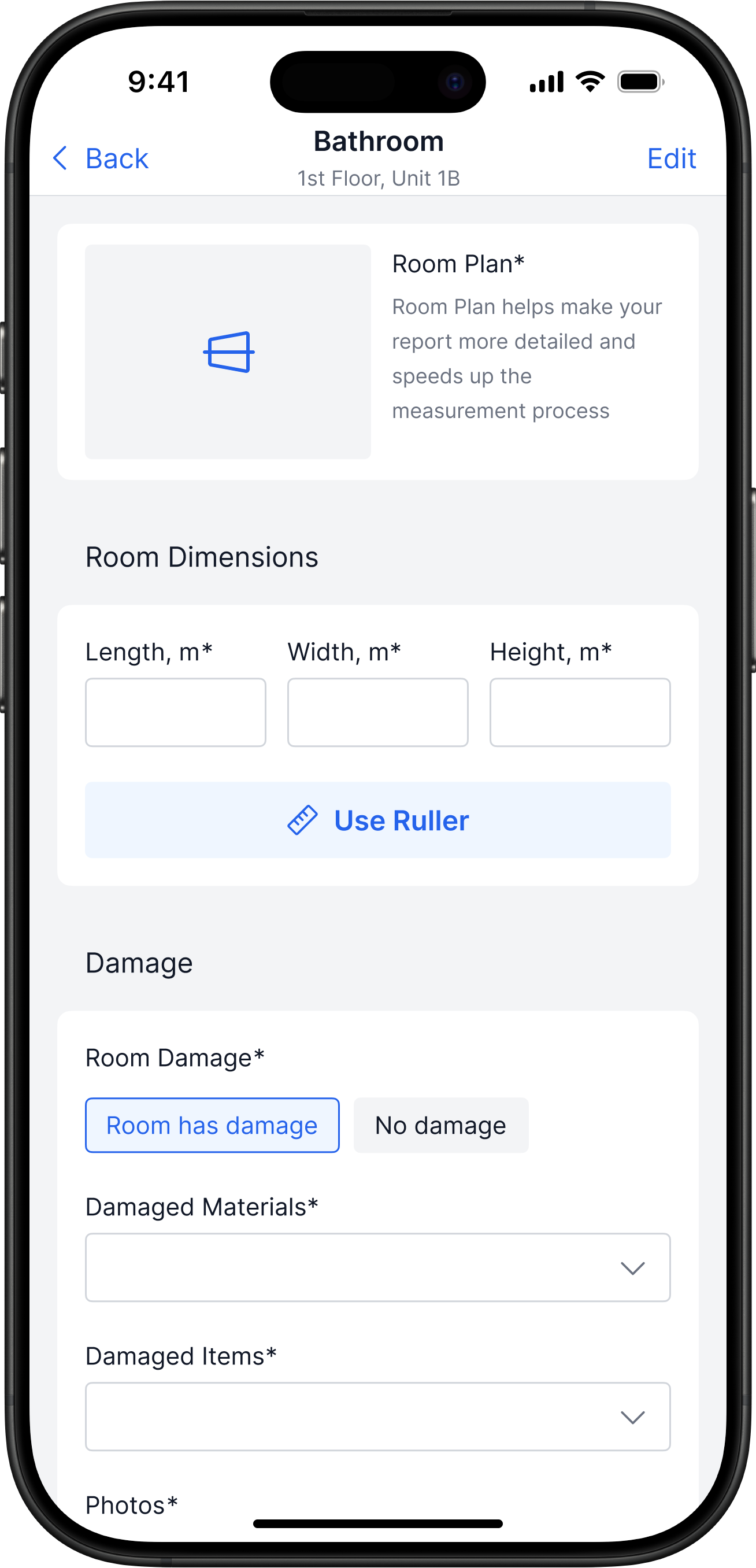
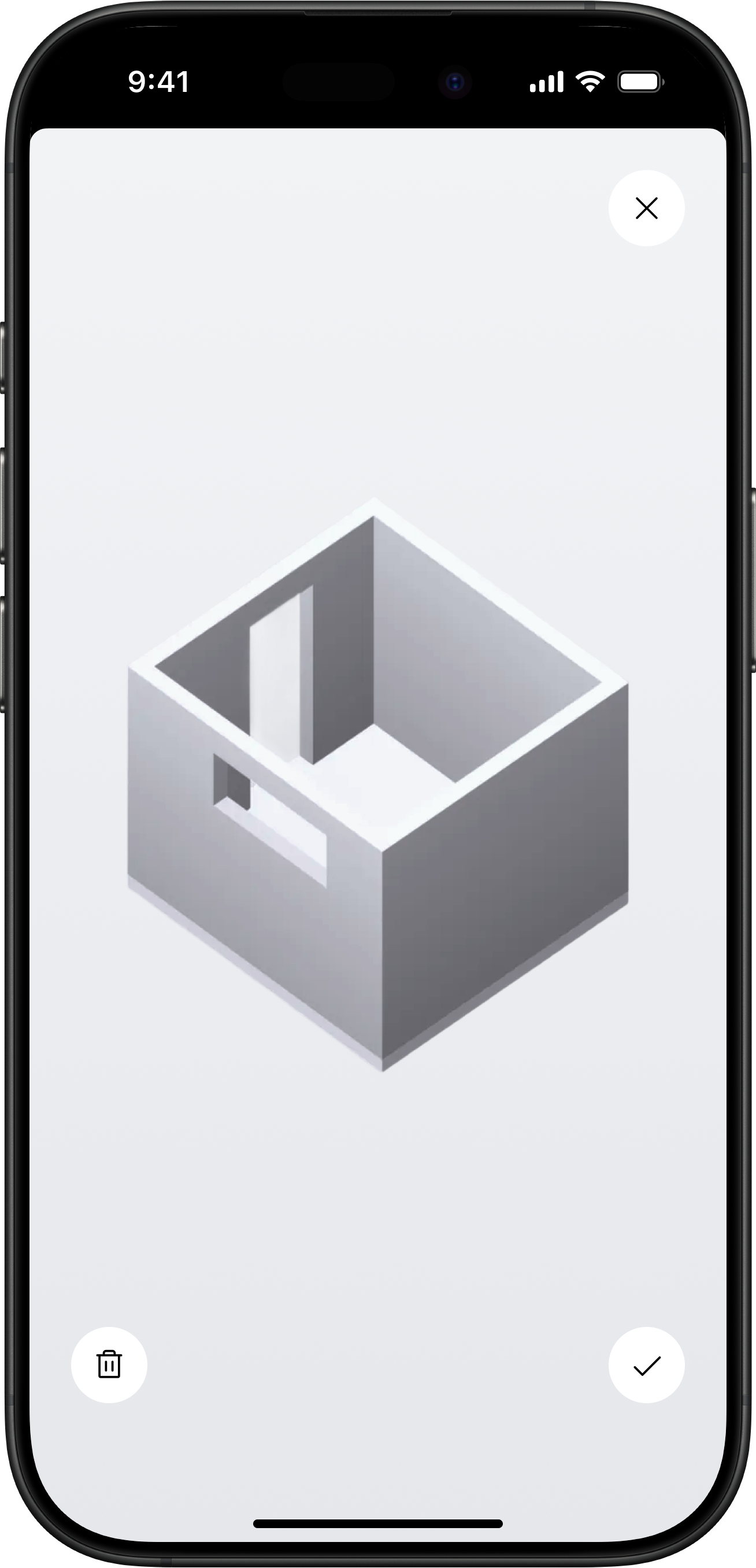
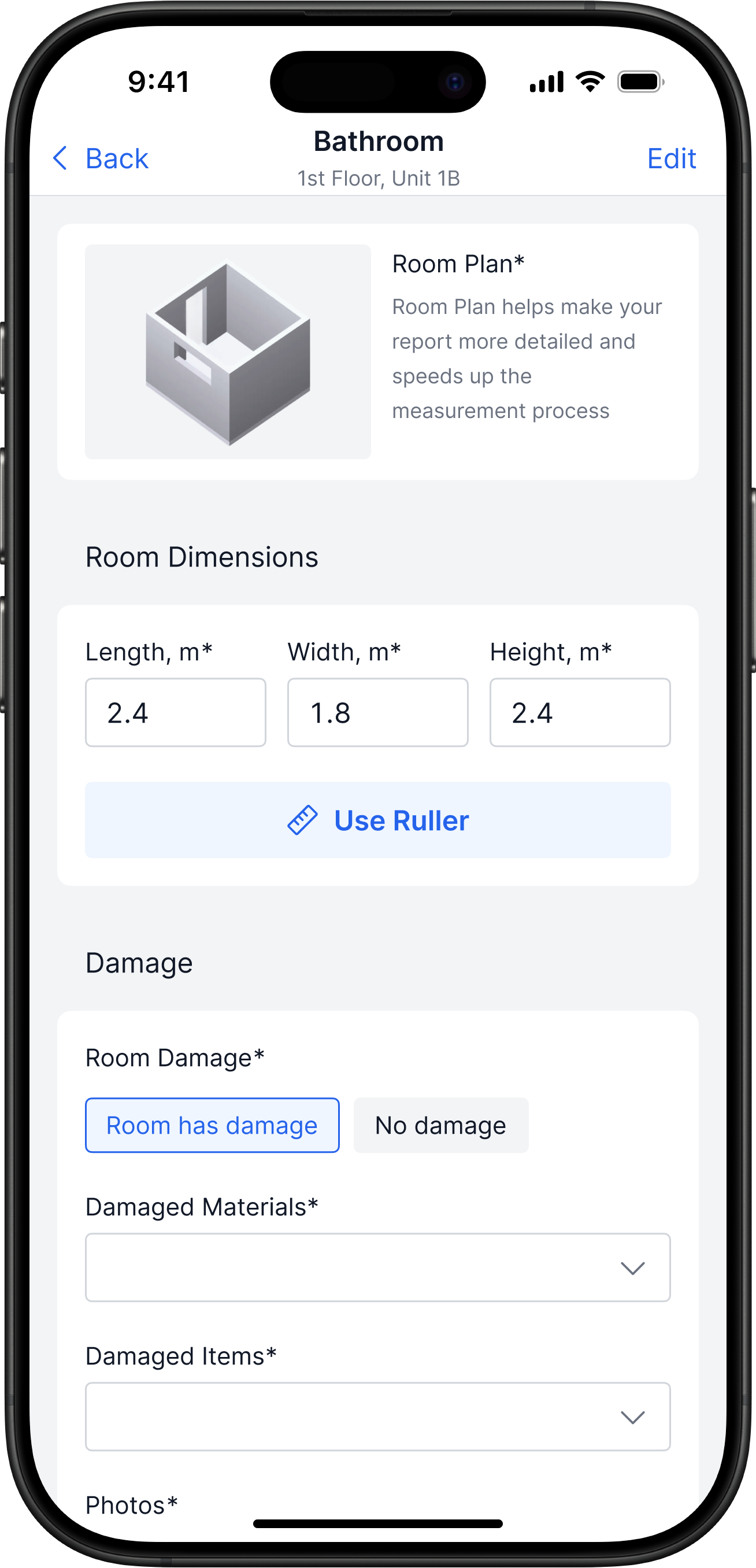
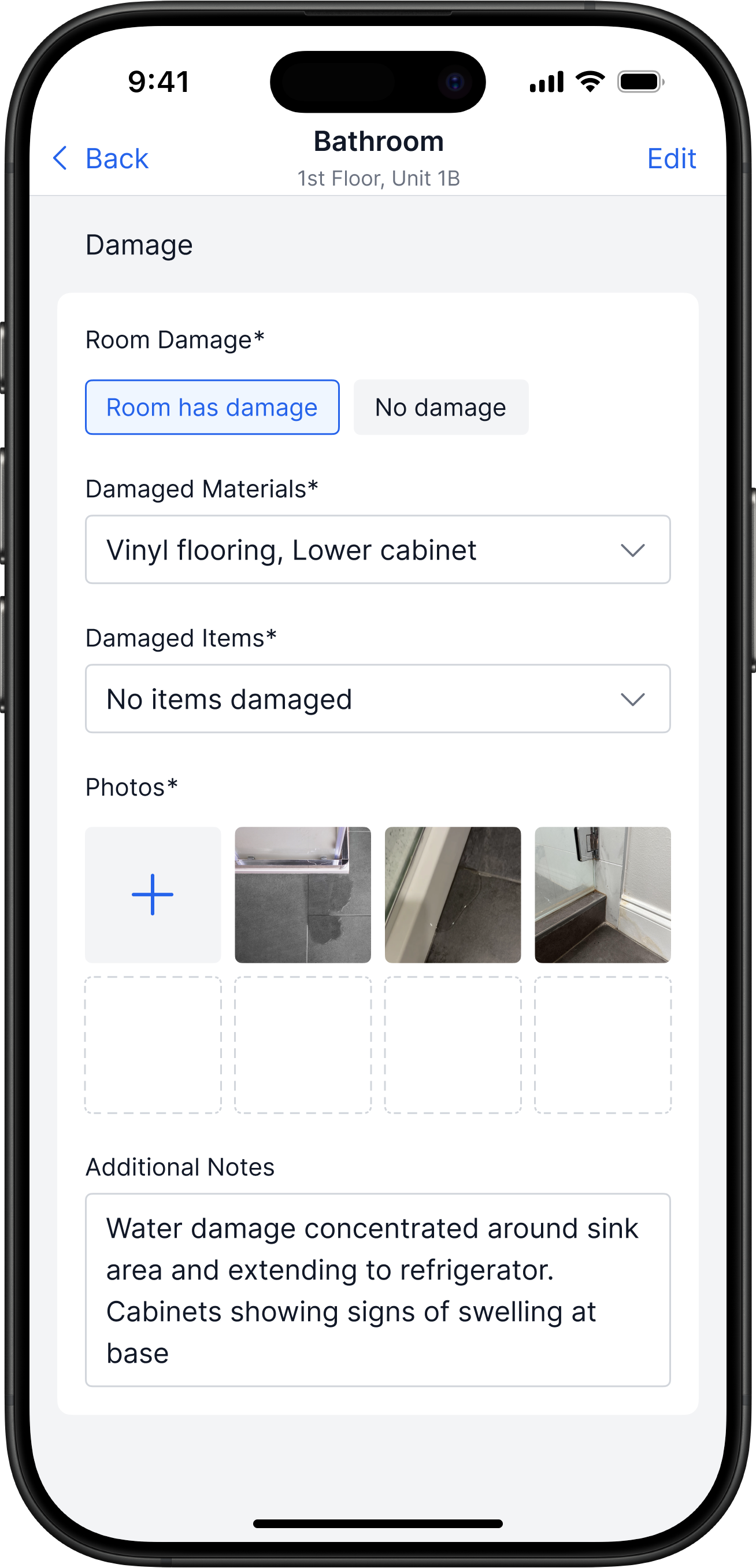
Room Measurements & Damage Capture
Problem
Room measurements and evidence are collected manually
Solution
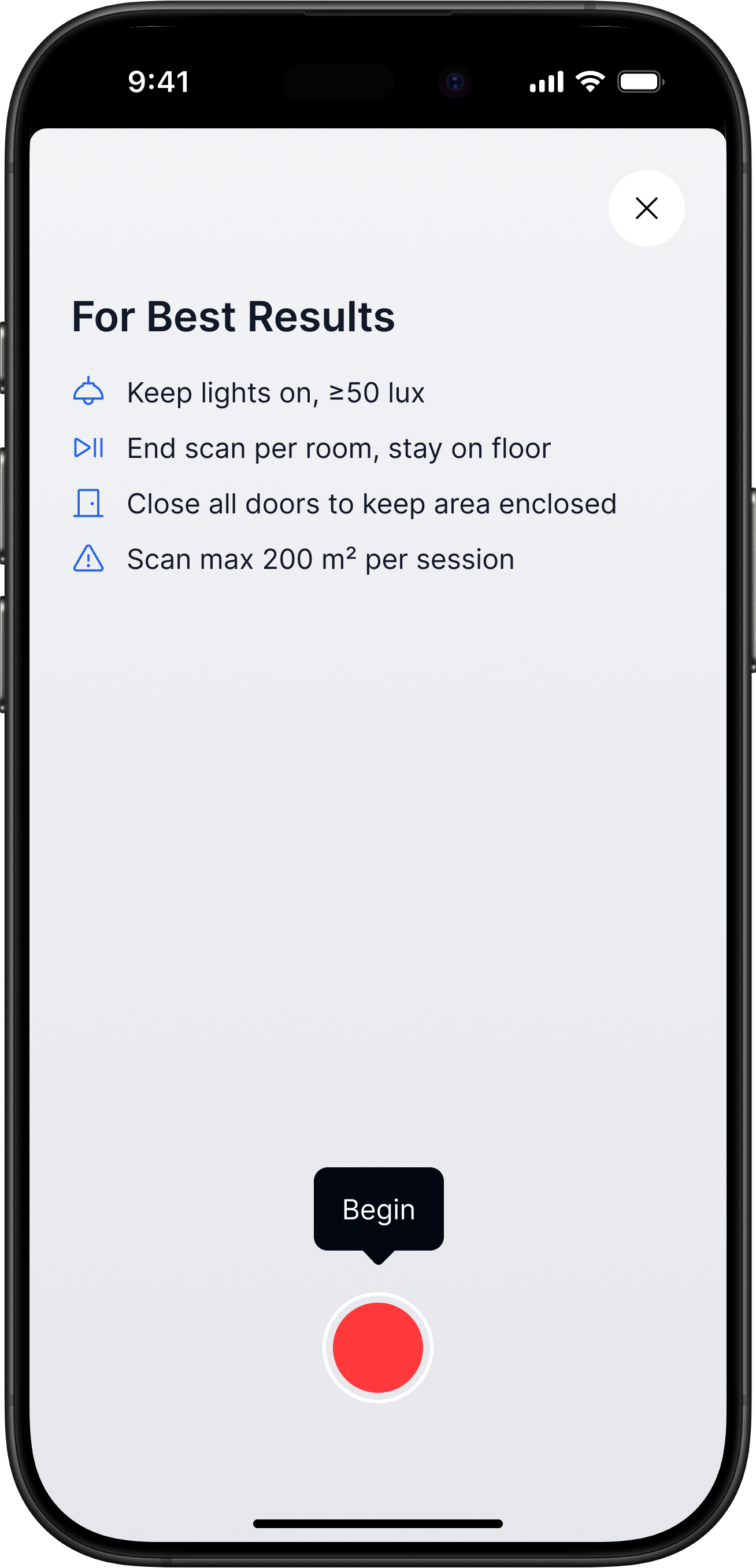
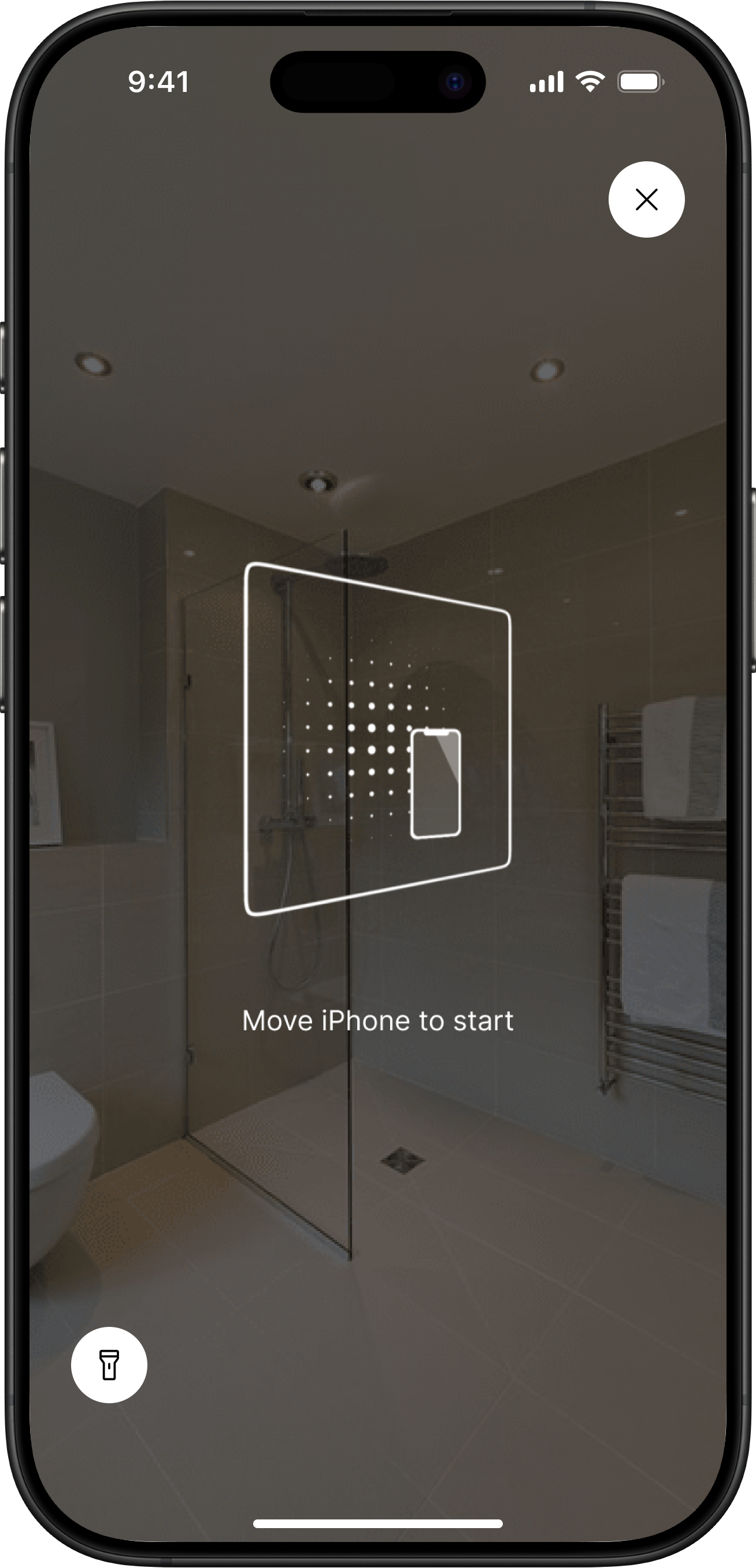
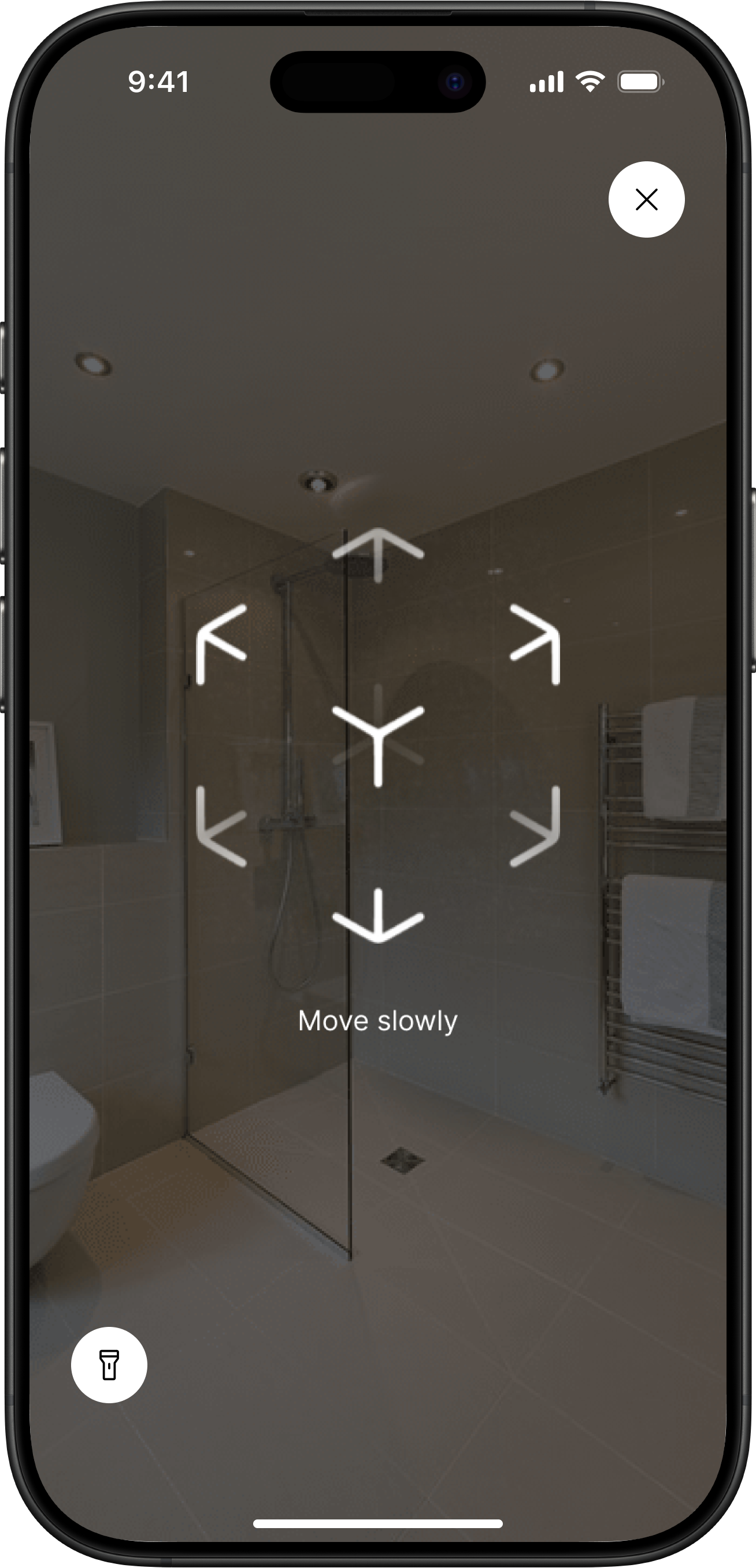
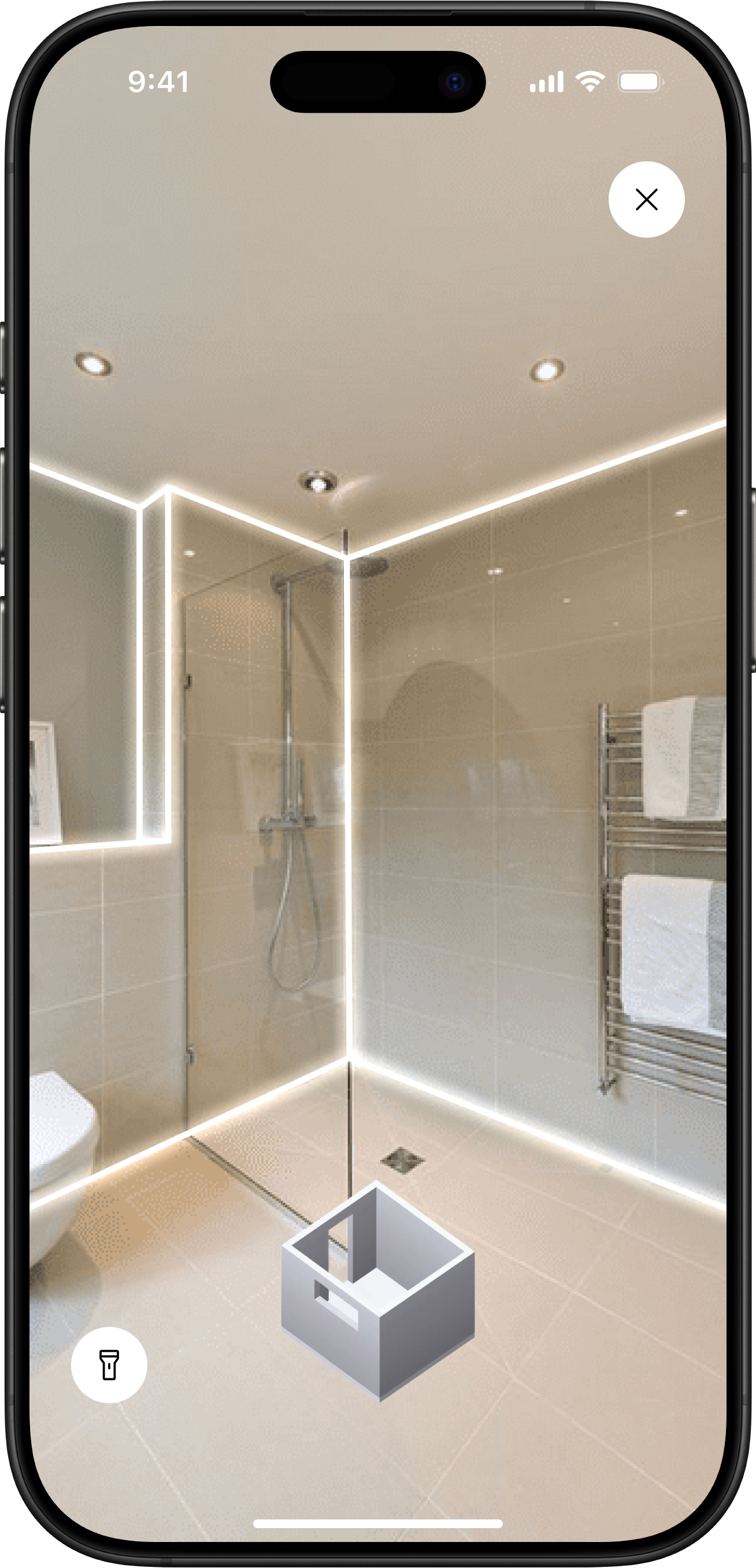
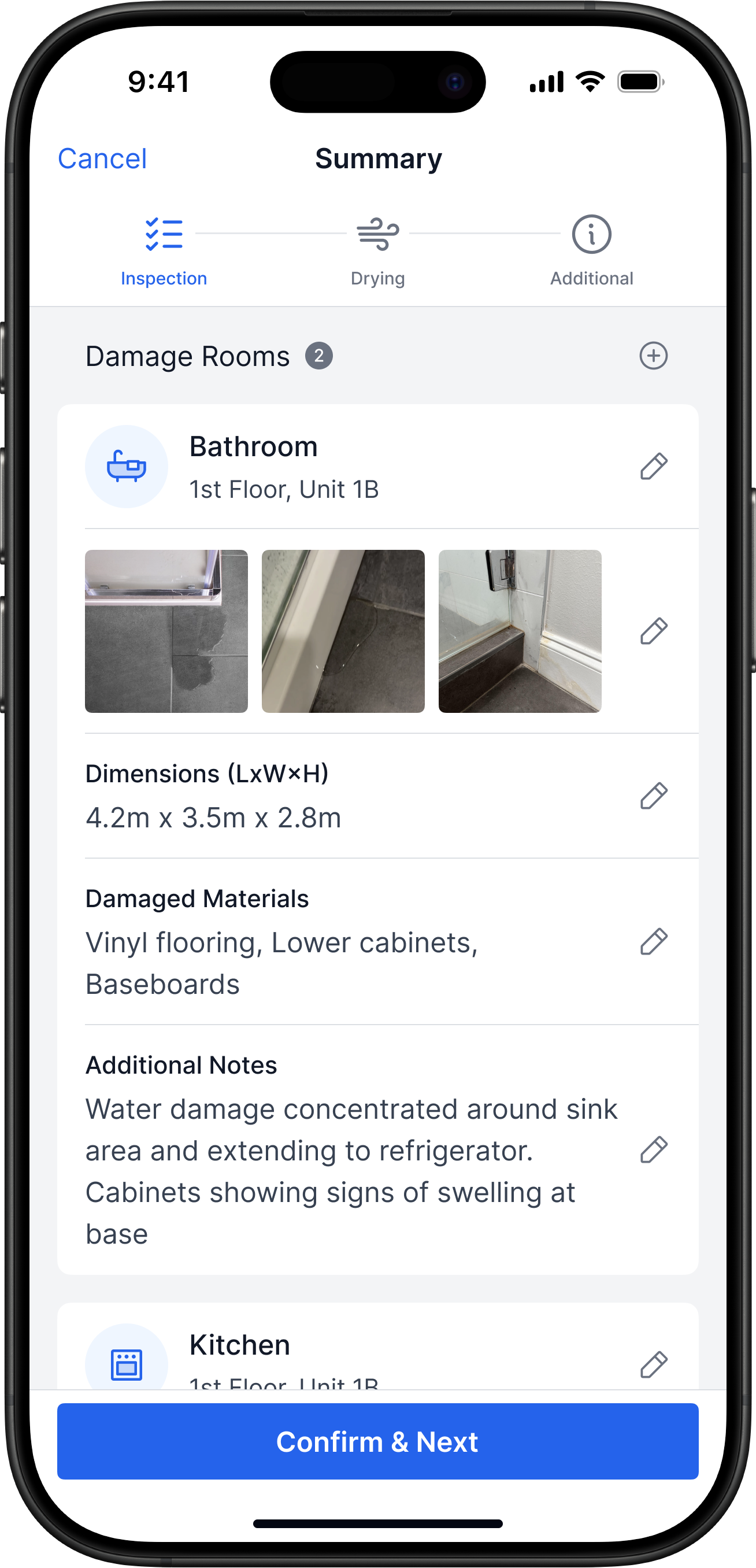
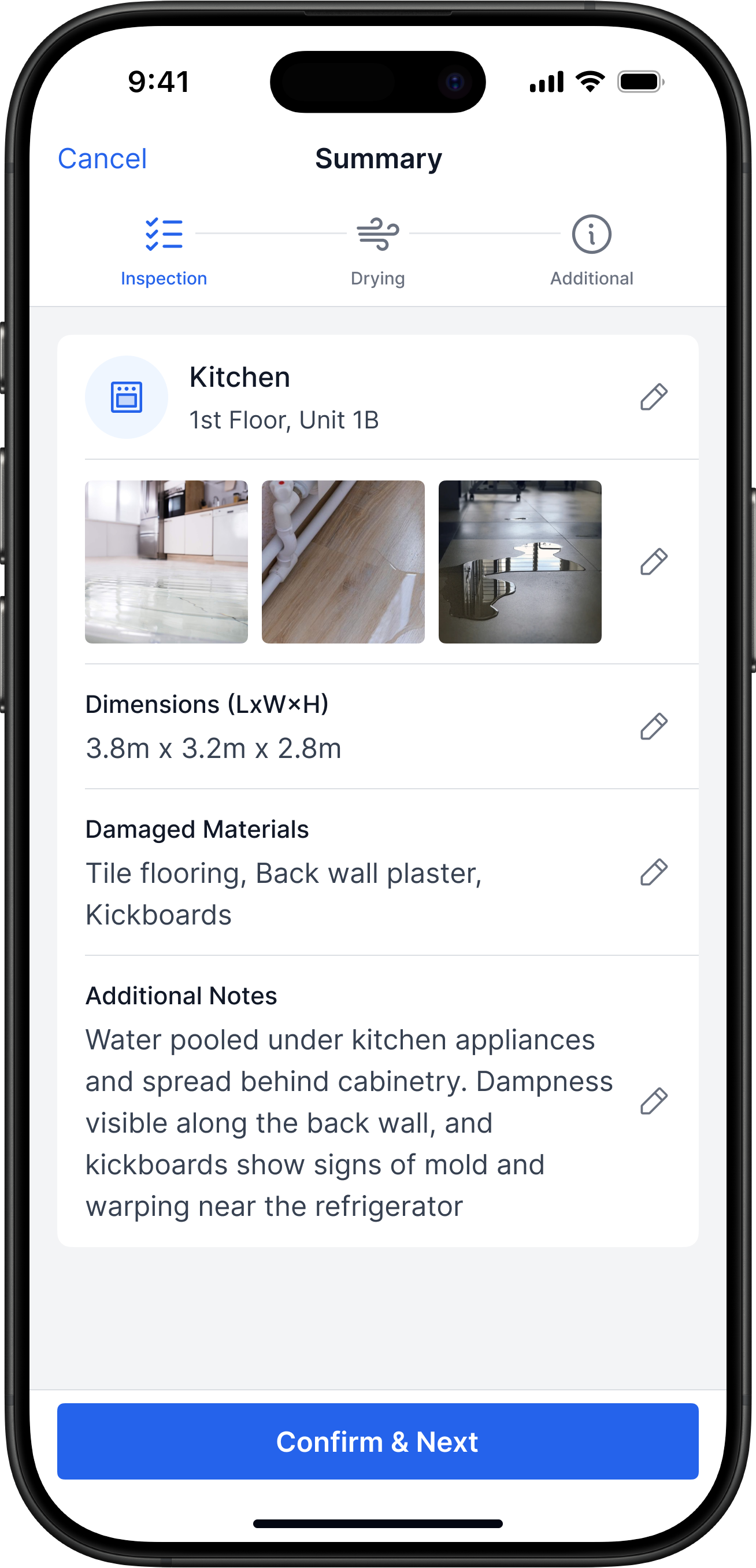
- Inspector adds the damaged rooms
- LiDAR scans a room in ~2 minutes
- Photos and notes are instantly attached to the room
- Manual tape measurements are rarely needed
Impact
Inspectors collect data faster and make fewer measurement errors
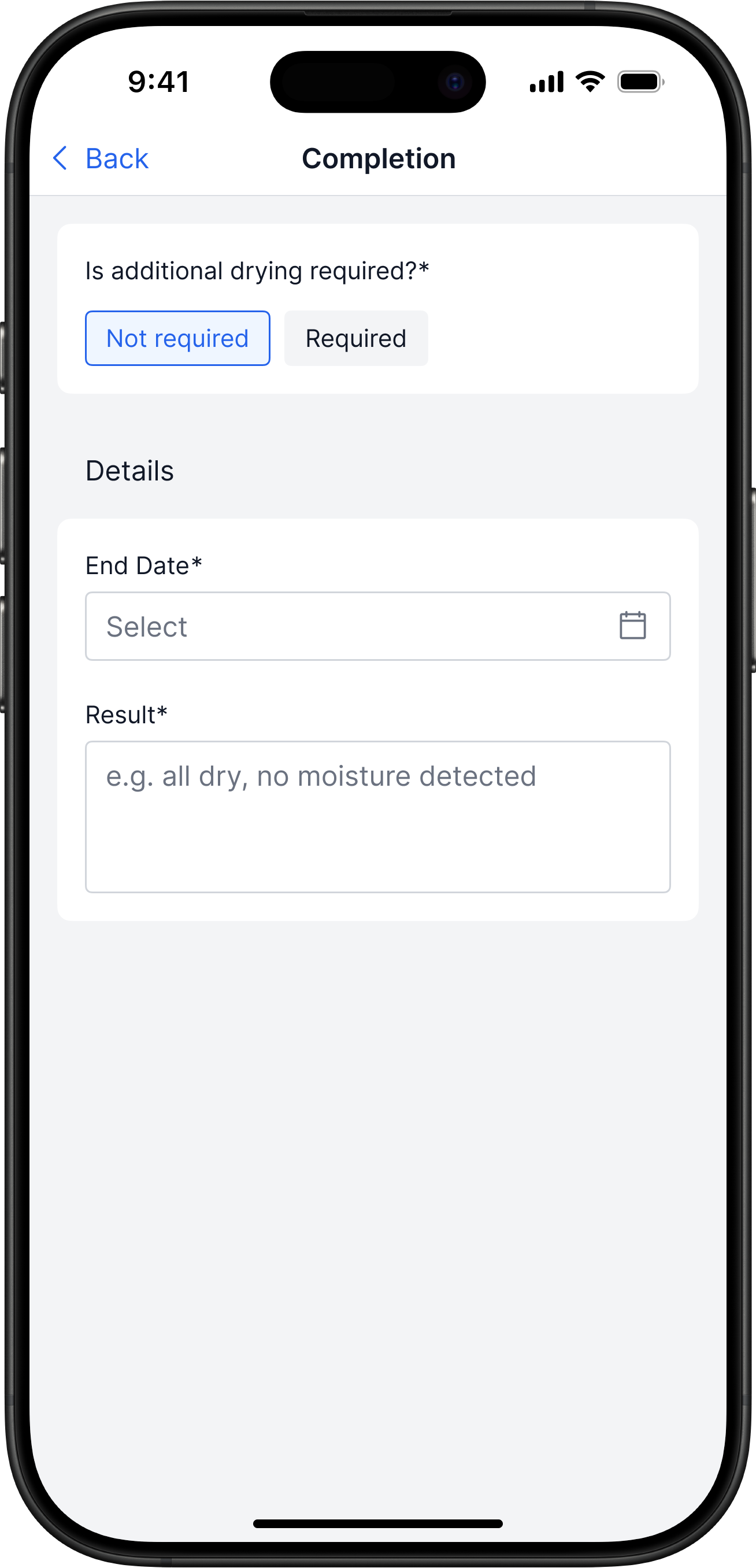
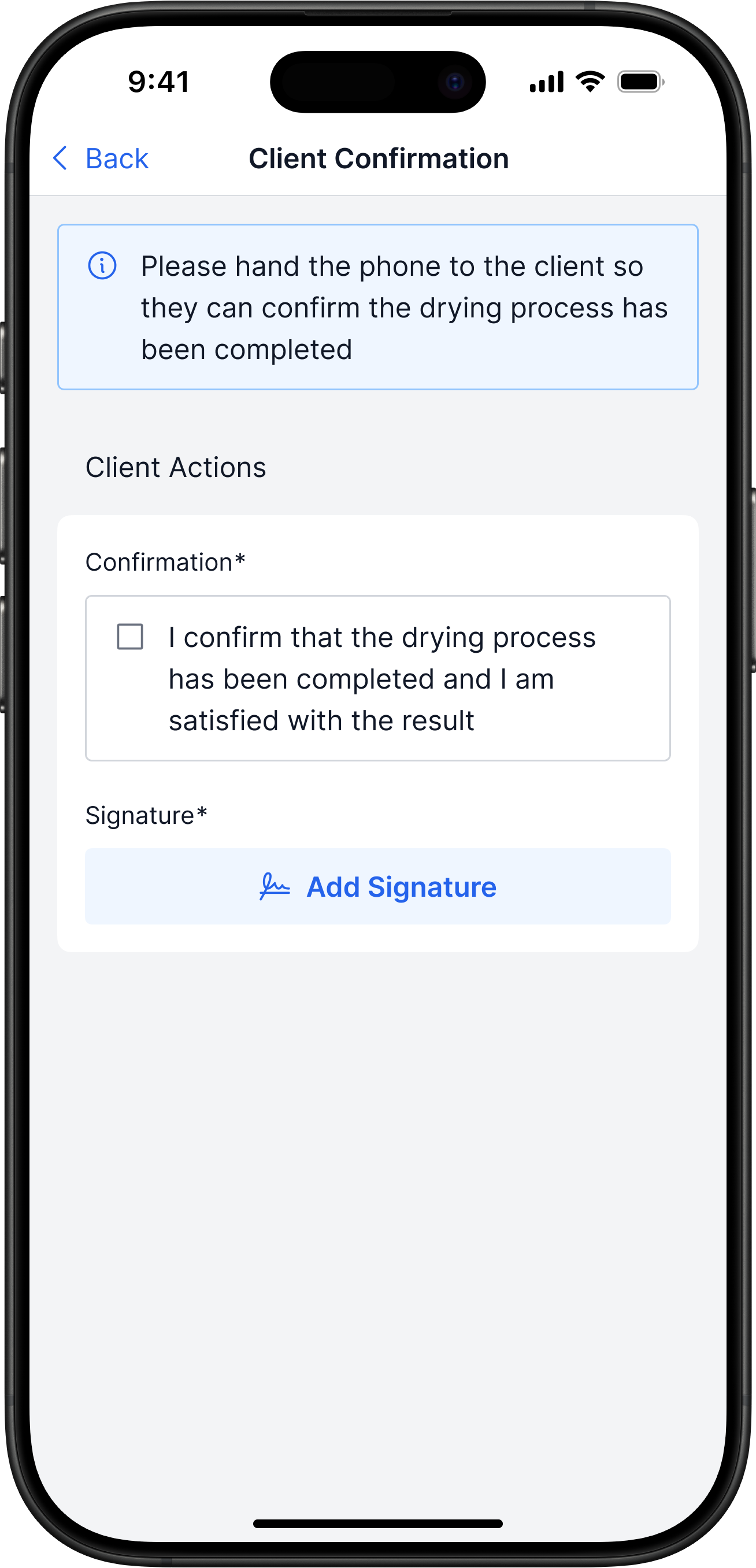
Drying & Follow-Up Visit
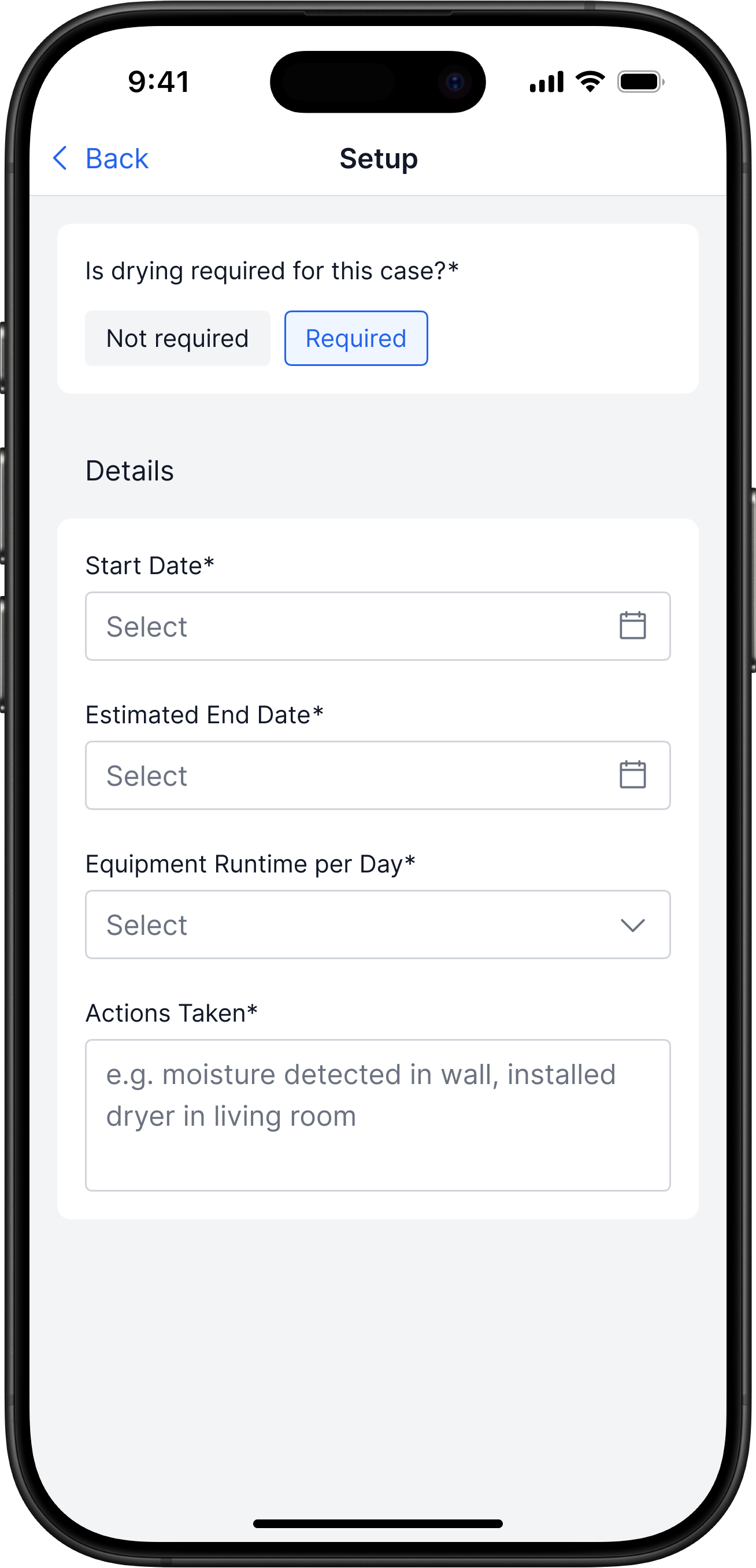
Problem
Drying and the follow-up visit aren’t a formal stage — they exist only as the inspector’s personal reminders
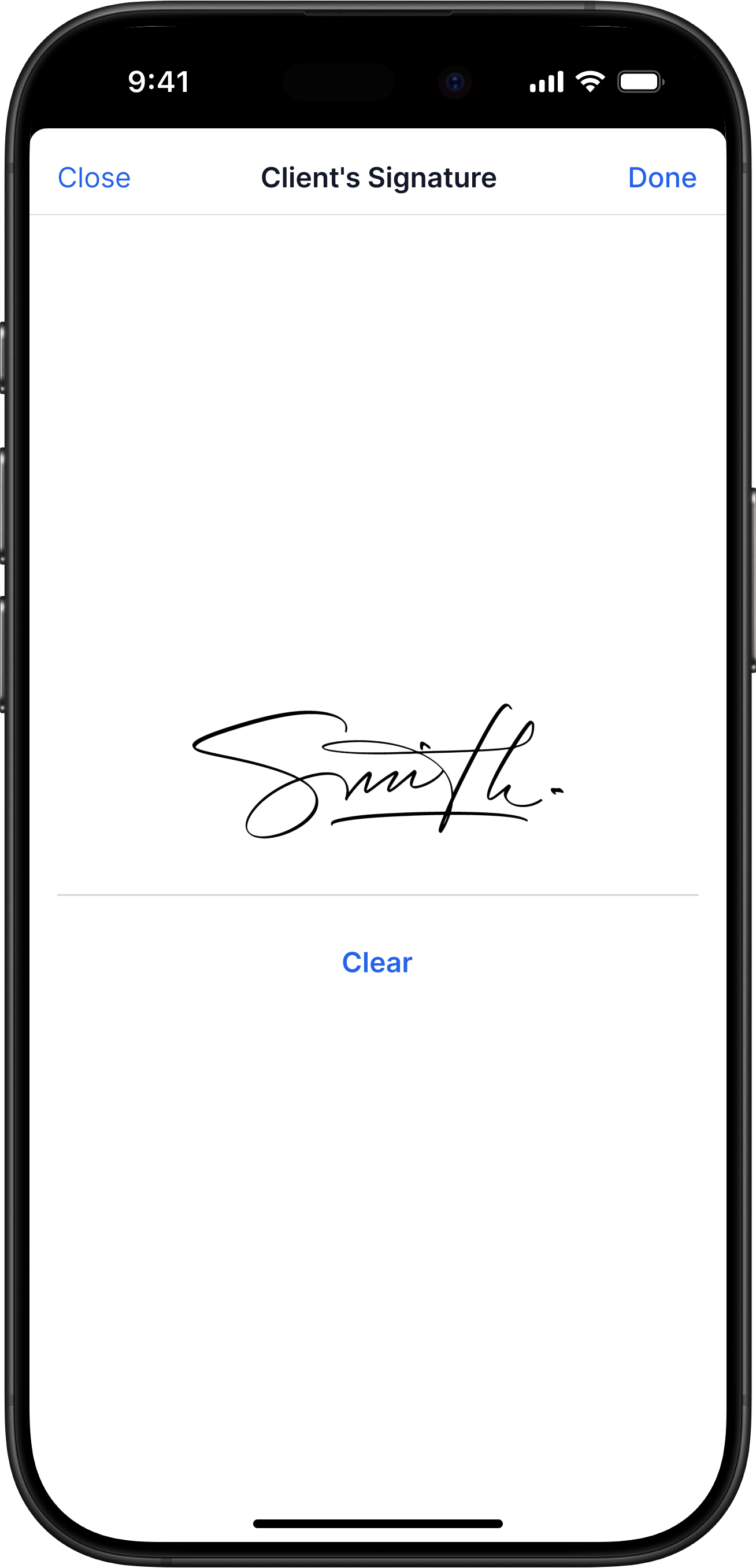
Solution
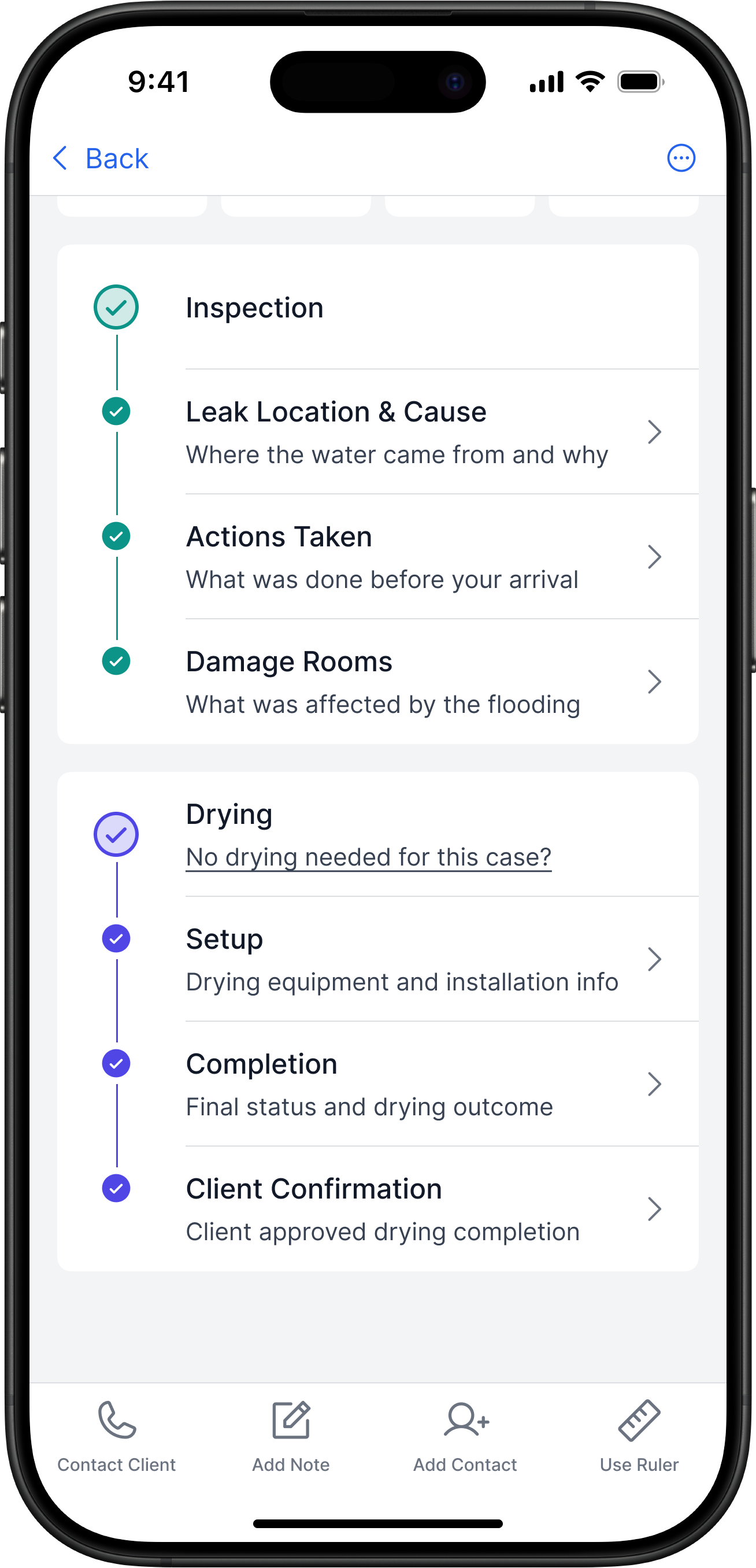
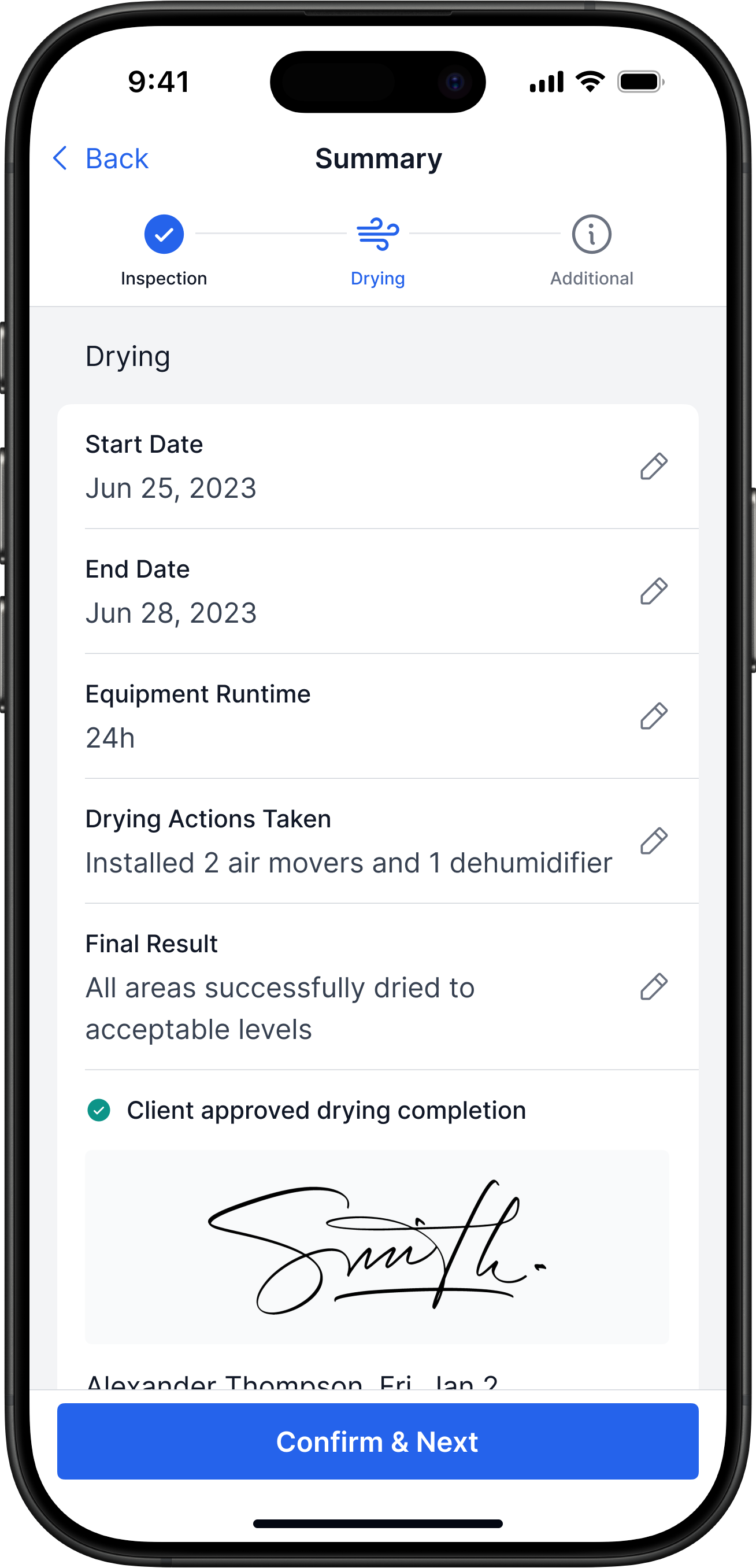
- If drying is needed, the inspector marks it in the app
- The claim gets the status Drying until the follow-up visit
- Inspector closes drying, client signs to confirm
Impact
The follow-up visit doesn’t get lost: all drying work is tied to the claim
Report
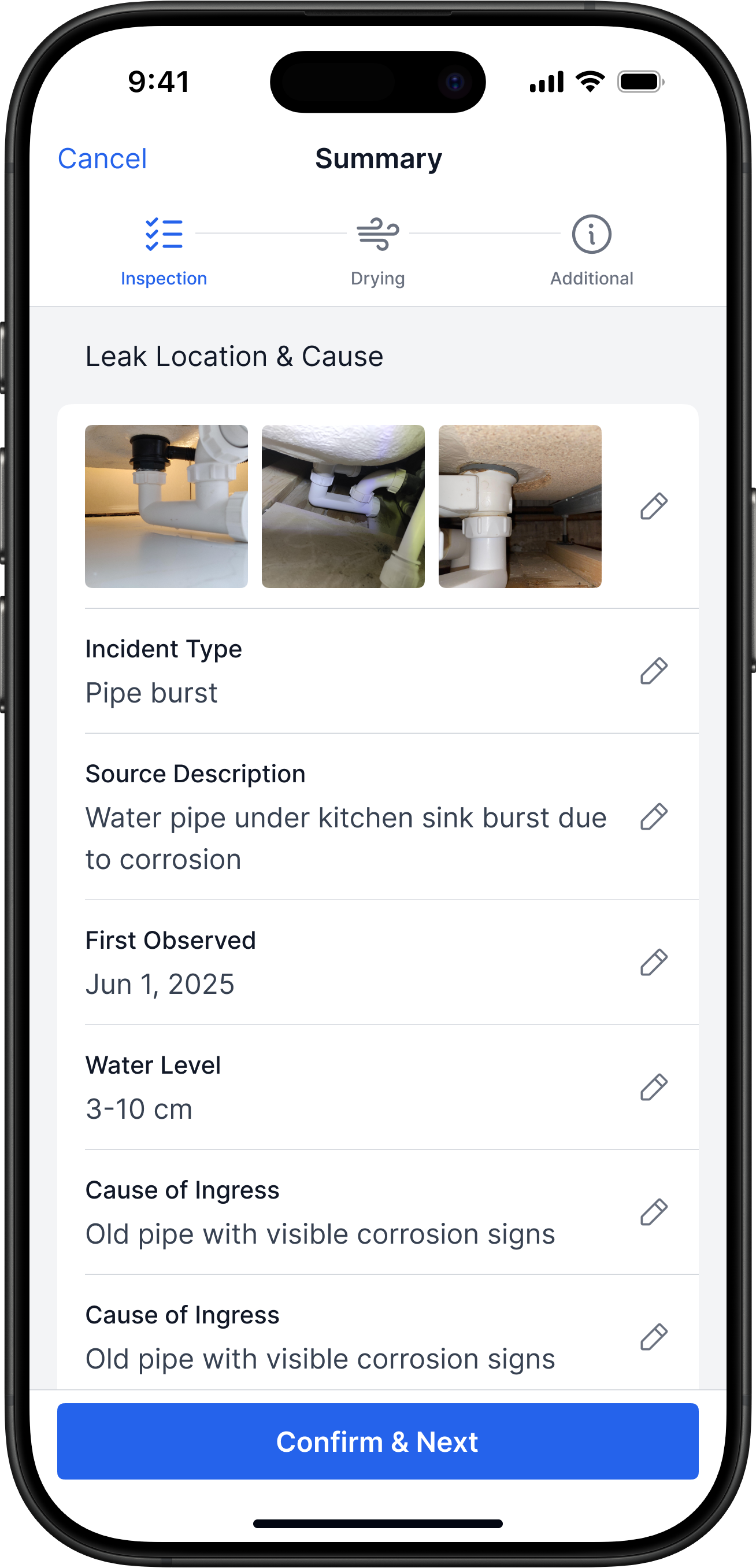
Problem
The final report is compiled manually some time after the inspection
Solution
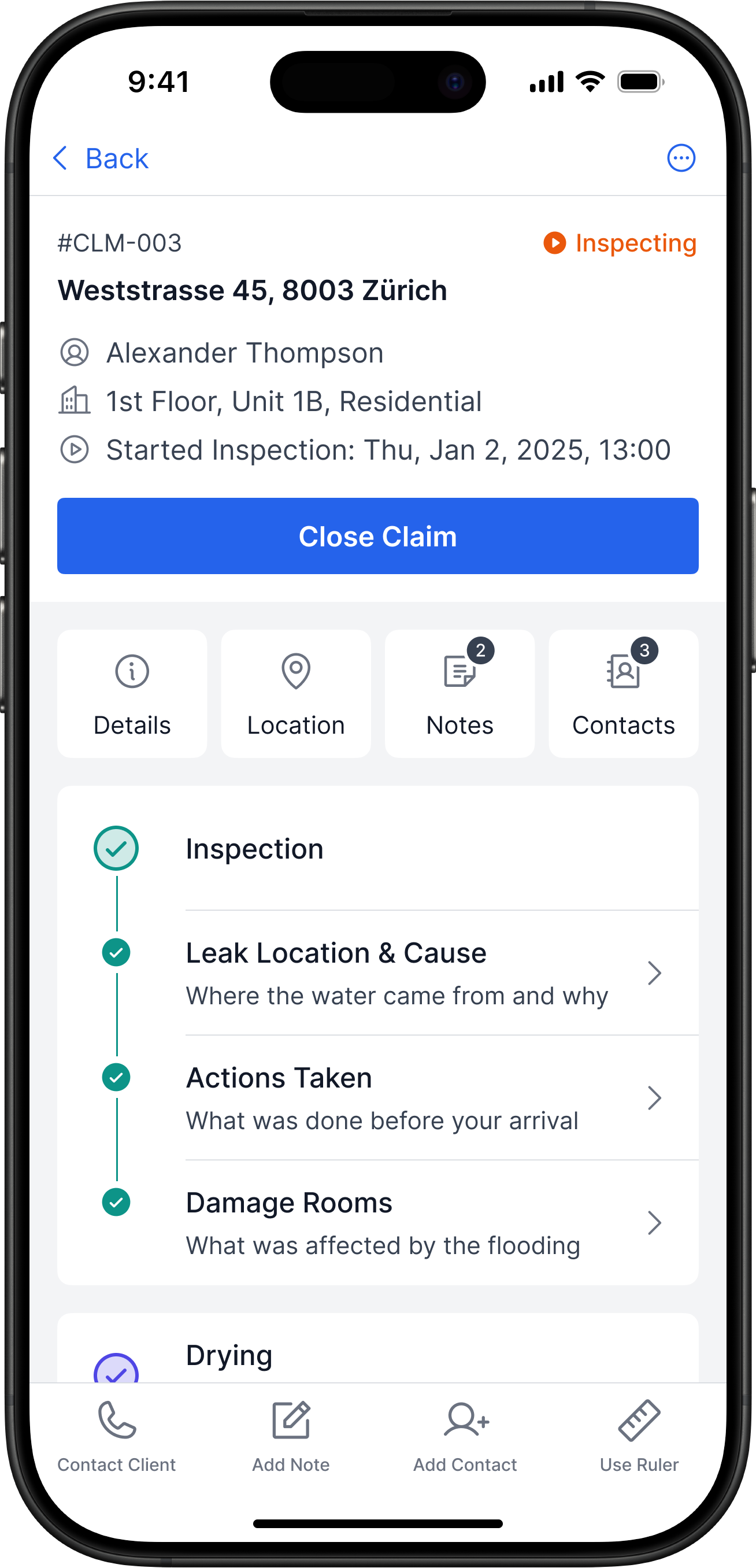
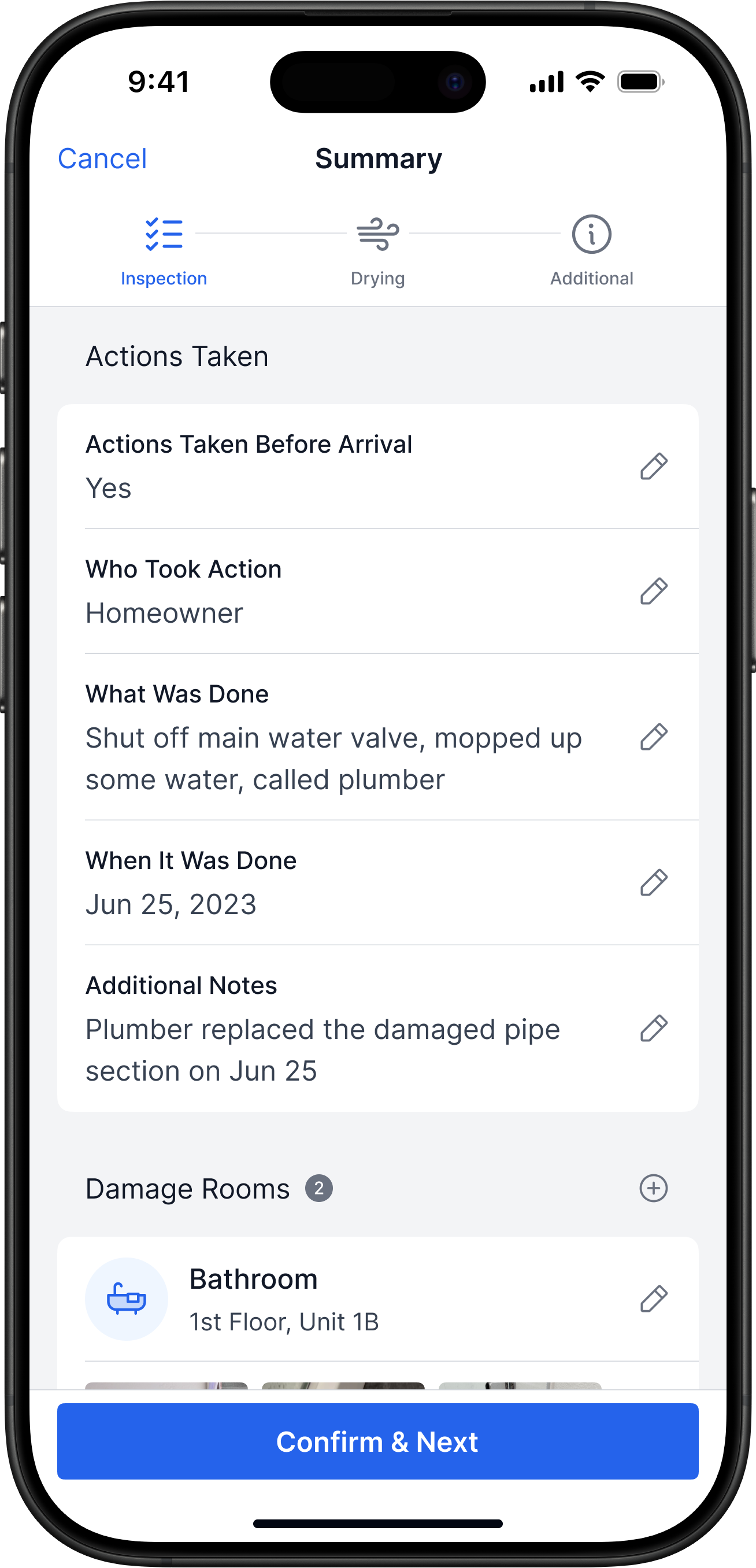
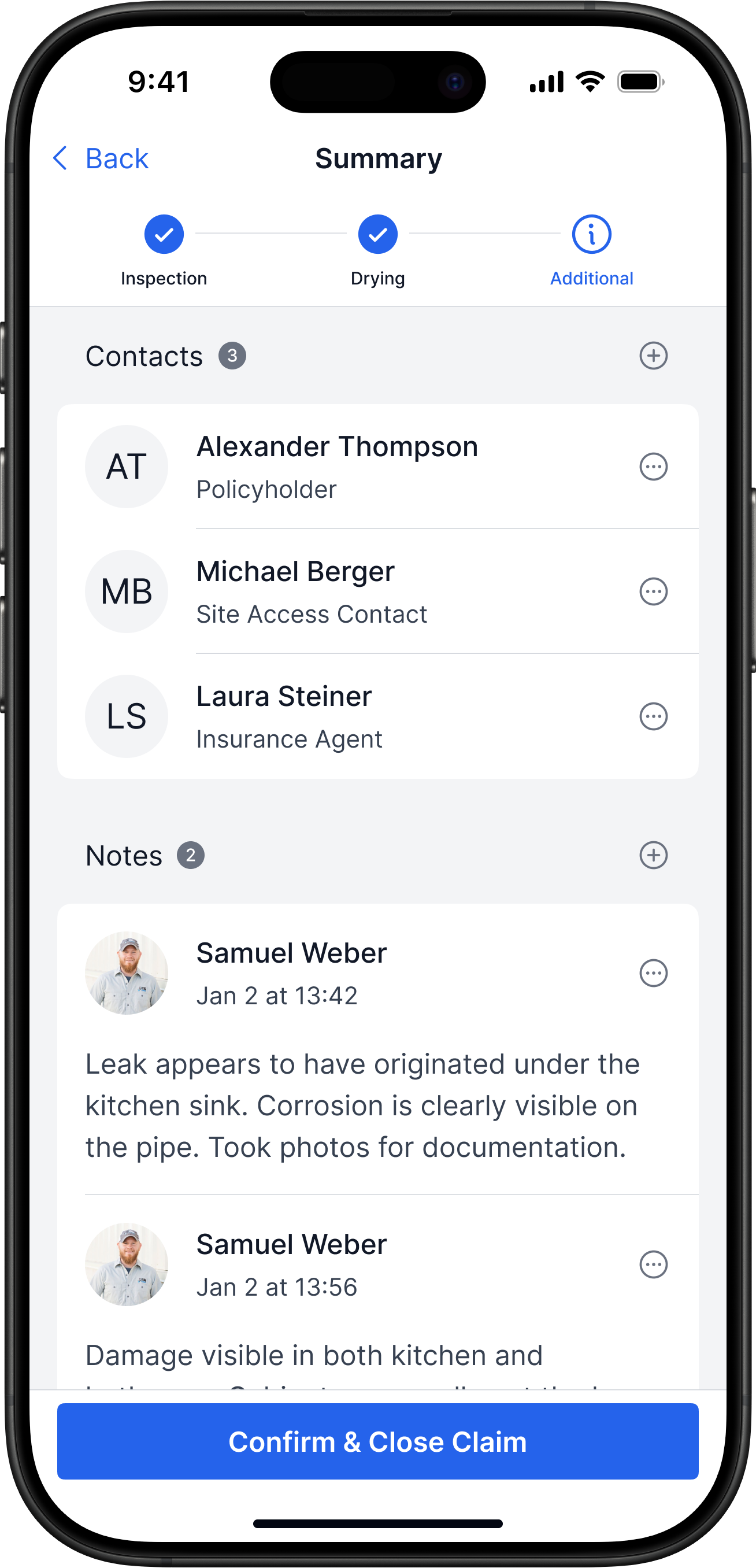
- Before closing, the inspector reviews a step-by-step summary
- At this stage, fields can still be edited
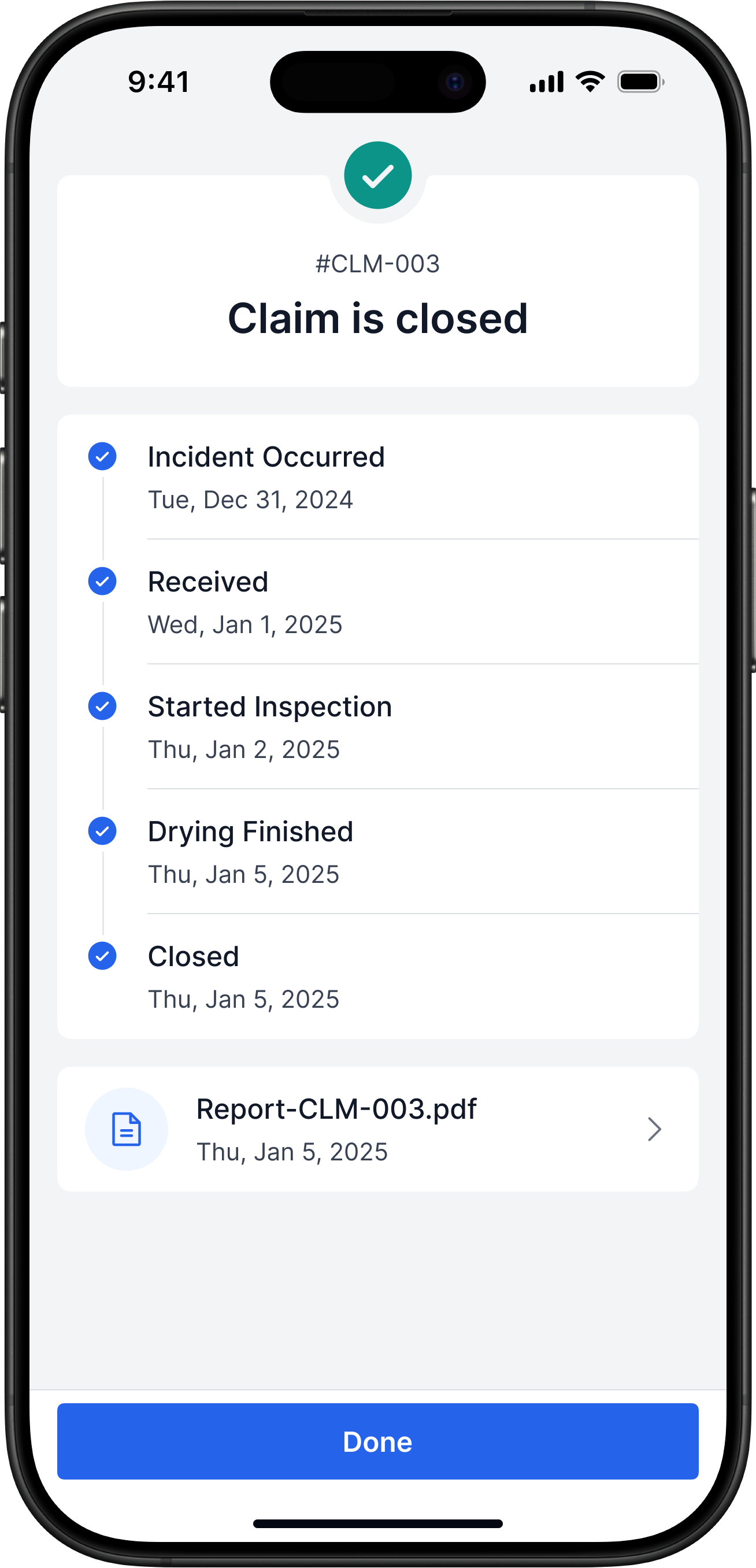
- On confirmation, the claim closes and a PDF is generated
Impact
Report preparation is faster and more structured
Outcomes
Before
After
Before
After


Damage Inspection
Measured during a test inspection
2-4 h
↓1-2 h

Report Preparation
Review (5–10 min) → automatic PDF generation
≈2 weeks
↓5 min


Errors in Reports
Validation blocks reports with errors
22 %
↓0 %


Additional Communication
To be measured in real-world conditions
In Progress
Goal: <1
Key Takeaways
Lessons Learned
- Automated measurements gave the biggest speed boost
- The step-by-step flow was easy to follow with minimal guidance
- Validation and review cut critical errors to zero
Next Steps
- Add in-app inspector–client communication
- Design a flow for cancelled / no-show visits
- Bring the app to Android and add accessibility mode
Let's Connect

Next Project

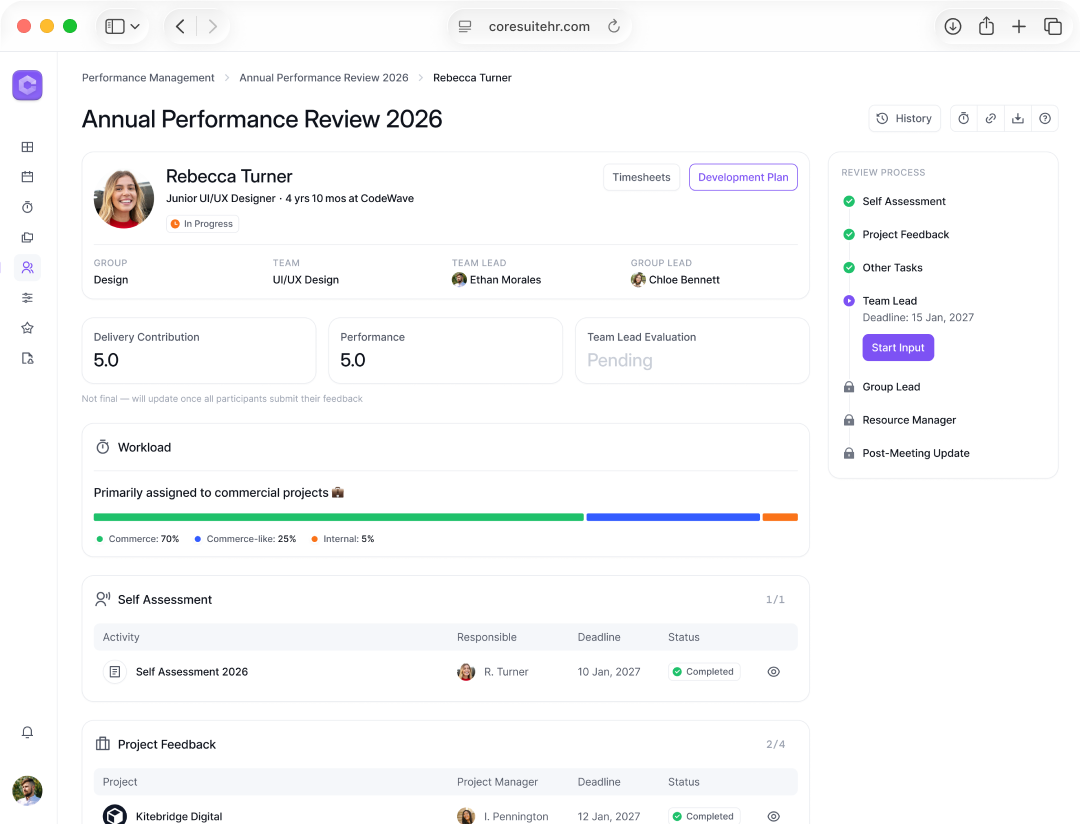
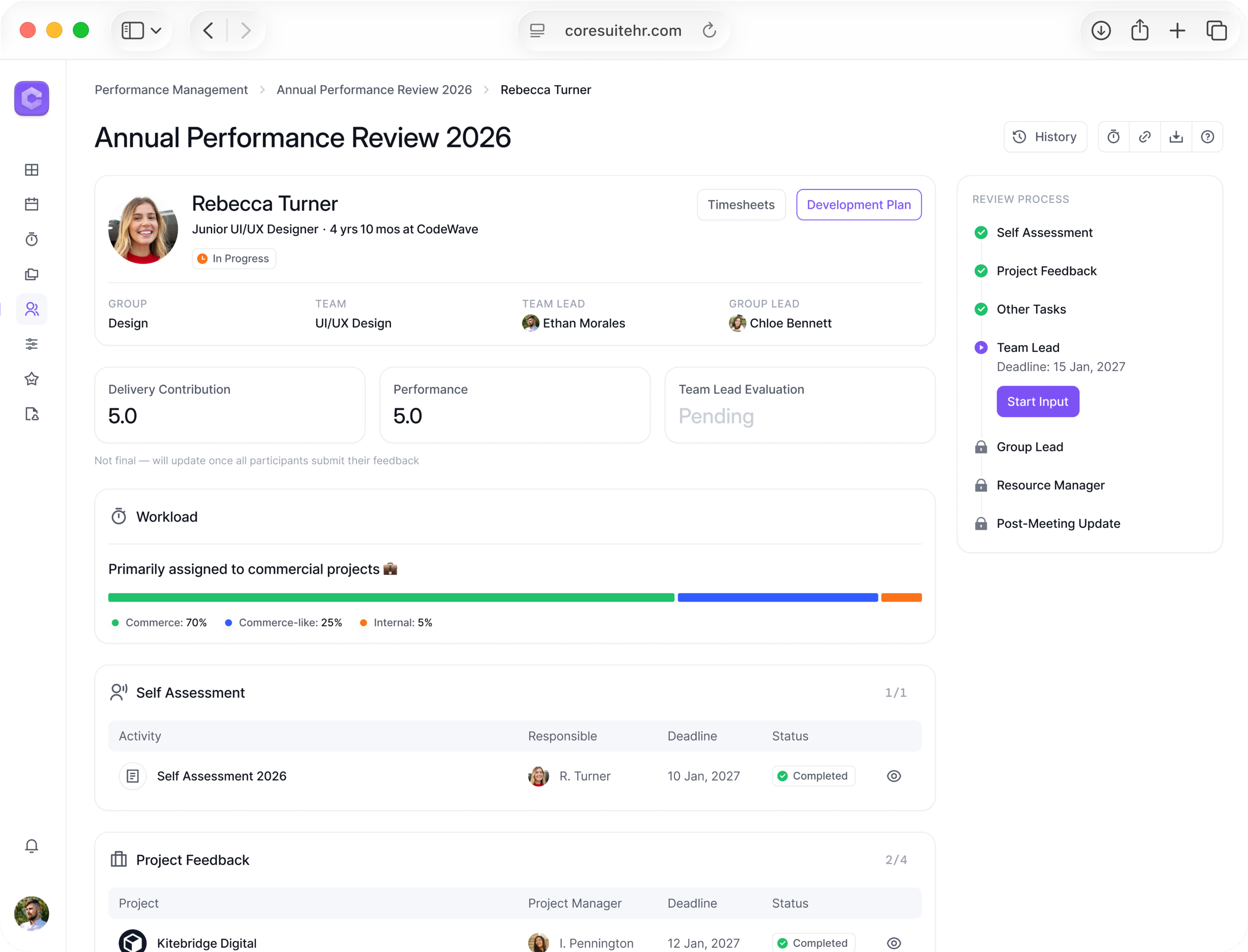
Performance Reviews: from Docs and Slack to a role-based workflow
HR Tech SaaS UX/UI Case Study 15–20 min read
Flood Inspections: from manual work to a 2× faster workflow with fewer errors
B2B iOS App UX/UI Case Study10–15 min read
Domain
B2B, InsurTech, Field Inspections
Technology
Mobile iOS App, LiDAR/ARKit
My Role
UX/UI Designer
Timeline
12 months, 2024–2025
Deliverables
- CJM
- User Flow
- Wireframes
- Mockups
- Prototype
- Handoff to Dev
- Tools: Figma, Whimsical, Jira, Confluence
The Team
1 × Product Owner
3 × Stakeholders
1 × Project Manager
1 × iOS Engineer
1 × Backend Engineer
2 × QA
Overview
Context
Inspectors document damage in flooded properties and prepare reports for insurance companies
Problem
Inspections are long and repetitive: many steps in tough conditions, everything is manual → it takes time and leads to errors
Expected Result
A tool that automates data collection, guides the next step, and speeds up report preparation → faster work and fewer errors
Outcomes
- Shipped an iOS inspection app
- Field-tested with 8 inspectors, feedback was positive
- Client signed contracts with three insurers to use the app
Problem Statement
Water Damage Inspection Is Manual and Slow
2-4 h
Damage Inspection
≈2 weeks
Report Preparation
22 %
High Error Rate
Extra Time
On Communication
Expected Outcome
Faster Inspection with Fewer Critical Errors
WaterDamage App

Speed Up
Inspections & Reporting
Cut Errors
Errors & Callbacks
My Process
Studied Users and Their Process
Analyzed Existing Reports
Formed Product Hypotheses
Designed & Tested Prototype in Figma
Prepared Mockups for Development
Users
Inspectors Working in Tough On-Site Conditions
Age 40–50
Mid-career inspectors
Manual Work
Photos, notes, tape
Tech Skeptic
Prefers simple tools
Harsh Sites
Tight, dirty, dark
Constraints
LiDAR Works Only On iOS
Because Android LiDAR wasn’t stable enough, v1 supports iOS only
No BA, No Specs
I gathered requirements myself, so the design was the source of truth
Inspection-First MVP
For the MVP we focused on the inspection flow first, then planned extra features
Roles & Responsibilities
How I Worked with the Team
Customer Journey Map
I Learned How Inspectors Work and Where Time Is Lost
Insight: Inspection Has Many Steps
I realized the flow has more stages than I thought: claim intake, scheduling, planning, inspection, drying, report
Hypothesis: Guided Flow Is Faster
Combining separate steps into one structured flow could save time and reduce errors
Insight: Manual Data Entry Causes Errors
I saw that information is spread across email, notes, and messaging apps, which leads to mistakes
Hypothesis: LiDAR Speeds Up Measurements
LiDAR scans could cut room measurements to ~2 minutes vs manual tape
User Flow
Turned The Journey Into A Clear Status Flow
Claim Lifecycle Has Distinct States
A claim moves through several statuses from New to Closed
Inspection Can Be Split Into Steps
Leak, actions taken, and damage work well as separate stages in the flow
Drying Works As An Optional Flow
Drying can be attached only when needed without complicating the main inspection
Wireframes
Locked In The Structure Of Key Screens
Layout Must Support The Flow
Testing different layouts helped keep the inspection steps simple to follow
Data Visibility Is Critical
Arranging fields around the claim made it easier to see the full picture at a glance
Claim Screen Needs Quick Actions Nearby
Keeping data, notes, and primary actions on one screen makes inspectors faster on site
Receiving a New Claim
Problem
No single intake channel for incoming claims
Solution
- All new claims land in one Inbox, not in email
- Inspector opens a claim, checks details, schedules a visit
- After scheduling, the claim is assigned to that inspector
Impact
Single process: no lost claims, clear ownership
Scheduling a Visit
Problem
Visit scheduling happens manually and isn’t captured in the system
Solution
- The app shows the client’s contact and helps set a visit time
- Once the time is set, the visit is added to the calendar
- The client receives an SMS and an email confirmation
Impact
Fewer calls and back-and-forth messages
Planning The Day, Route & Workload
Problem
The day's schedule and route are assembled from several unrelated sources
Solution
- The home screen shows all claims grouped by status
- My Schedule supports three modes: list, calendar, and map
- You can build a route on the map right inside the app
Impact
All claims and tasks in one place — nothing to keep in your head
On-Site Inspection
Problem
Inspection data is scattered across separate actions and tools on site
Solution
- Claim info is on one screen: address, contacts, notes, steps
- A step-by-step flow shows what’s done and what’s left
- With one tap you can call the client, add a note, or a contact
Impact
Step-by-step flow = fewer errors
Capturing Leak Cause & Actions
Problem
Leak cause and actions are captured inconsistently
Solution
- Inspection is split into steps: actions, leak cause, damage
- Validation prevents skipping important parts
- Inspection structure mirrors the final report
Impact
Inspectors fill out claims consistently, and reports are reviewed and compiled faster
Room Measurements & Damage Capture
Problem
Room measurements and evidence are collected manually
Solution
- Inspector adds the damaged rooms
- LiDAR scans a room in ~2 minutes
- Photos and notes are instantly attached to the room
- Manual tape measurements are rarely needed
Impact
Inspectors collect data faster and make fewer measurement errors
Drying & Follow-Up Visit
Problem
Drying and the follow-up visit aren’t a formal stage — they exist only as the inspector’s personal reminders
Solution
- If drying is needed, the inspector marks it in the app
- The claim gets the status Drying until the follow-up visit
- Inspector closes drying, client signs to confirm
Impact
The follow-up visit doesn’t get lost: all drying work is tied to the claim
Report
Problem
The final report is compiled manually some time after the inspection
Solution
- Before closing, the inspector reviews a step-by-step summary
- At this stage, fields can still be edited
- On confirmation, the claim closes and a PDF is generated
Impact
Report preparation is faster and more structured
Outcomes
Before
After
Before
After

Damage Inspection
Measured during a test inspection
2-4 h
↓1-2 h
Report Preparation
Review (5–10 min) → automatic PDF generation
≈2 weeks
↓5 min
Errors in Reports
Validation blocks reports with errors
22 %
↓0 %
Additional Communication
To be measured in real-world conditions
In Progress
Goal: <1
Key Takeaways
Lessons Learned
- Automated measurements gave the biggest speed boost
- The step-by-step flow was easy to follow with minimal guidance
- Validation and review cut critical errors to zero
Next Steps
- Add in-app inspector–client communication
- Design a flow for cancelled / no-show visits
- Bring the app to Android and add accessibility mode
Let's Connect
Next Project
Performance Reviews: from Docs and Slack to a role-based workflow
HR Tech SaaS UX/UI Case Study15–20 min read
Flood Inspections: from manual work to a 2× faster workflow with fewer errors
B2B iOS App UX/UI Case Study10–15 min read
Domain
B2B, InsurTech, Field Inspections
Technology
Mobile iOS App, LiDAR/ARKit
My Role
UX/UI Designer
Timeline
12 months, 2024–2025
Deliverables
- CJM
- User Flow
- Wireframes
- Mockups
- Prototype
- Handoff to Dev
- Tools: Figma, Whimsical, Jira, Confluence
The Team
1 × Product Owner
3 × Stakeholders
1 × Project Manager
1 × iOS Engineer
1 × Backend Engineer
2 × QA
Overview
Context
Inspectors document damage in flooded properties and prepare reports for insurance companies
Problem
Inspections are long and repetitive: many steps in tough conditions, everything is manual → it takes time and leads to errors
Expected Result
A tool that automates data collection, guides the next step, and speeds up report preparation → faster work and fewer errors
Outcomes
- Shipped an iOS inspection app
- Field-tested with 8 inspectors, feedback was positive
- Client signed contracts with three insurers to use the app
Problem Statement
Water Damage Inspection Is Manual and Slow
2-4 h
Damage Inspection
≈2 weeks
Report Preparation
22 %
High Error Rate
Extra Time
On Communication
Expected Outcome
Faster Inspection with Fewer Critical Errors
Speed Up
Inspections & Reporting
WaterDamage App
Cut Errors
Errors & Callbacks
My Process
Studied Users and Their Process
Analyzed Existing Reports
Formed Product Hypotheses
Designed & Tested Prototype in Figma
Prepared Mockups for Development
Users
Inspectors Working in Tough On-Site Conditions
Age 40–50
Mid-career inspectors
Tech Skeptic
Prefers simple tools
Manual Work
Photos, notes, tape
Harsh Sites
Tight, dirty, dark
Constraints
LiDAR Works Only On iOS
Because Android LiDAR wasn’t stable enough, v1 supports iOS only
No BA, No Specs
I gathered requirements myself, so the design was the source of truth
Inspection-First MVP
For the MVP we focused on the inspection flow first, then planned extra features
Roles & Responsibilities
How I Worked with the Team
Customer Journey Map
I Learned How Inspectors Work and Where Time Is Lost
Insight: Inspection Has Many Steps
I realized the flow has more stages than I thought: claim intake, scheduling, planning, inspection, drying, report
Hypothesis: Guided Flow Is Faster
Combining separate steps into one structured flow could save time and reduce errors
Insight: Manual Data Entry Causes Errors
I saw that information is spread across email, notes, and messaging apps, which leads to mistakes
Hypothesis: LiDAR Speeds Up Measurements
LiDAR scans could cut room measurements to ~2 minutes vs manual tape
User Flow
Turned The Journey Into A Clear Status Flow
Claim Lifecycle Has Distinct States
A claim moves through several statuses from New to Closed
Inspection Can Be Split Into Steps
Leak, actions taken, and damage work well as separate stages in the flow
Drying Works As An Optional Flow
Drying can be attached only when needed without complicating the main inspection
Wireframes
Locked In The Structure Of Key Screens
Layout Must Support The Flow
Testing different layouts helped keep the inspection steps simple to follow
Data Visibility Is Critical
Arranging fields around the claim made it easier to see the full picture at a glance
Claim Screen Needs Quick Actions Nearby
Keeping data, notes, and primary actions on one screen makes inspectors faster on site
Receiving a New Claim
Problem
No single intake channel for incoming claims
Solution
- All new claims land in one Inbox, not in email
- Inspector opens a claim, checks details, schedules a visit
- After scheduling, the claim is assigned to that inspector
Impact
Single process: no lost claims, clear ownership
Scheduling a Visit
Problem
Visit scheduling happens manually and isn’t captured in the system
Solution
- The app shows the client’s contact and helps set a visit time
- Once the time is set, the visit is added to the calendar
- The client receives an SMS and an email confirmation
Impact
Fewer calls and back-and-forth messages
Planning The Day, Route & Workload
Problem
The day's schedule and route are assembled from several unrelated sources
Solution
- The home screen shows all claims grouped by status
- My Schedule supports three modes: list, calendar, and map
- You can build a route on the map right inside the app
Impact
All claims and tasks in one place — nothing to keep in your head
On-Site Inspection
Problem
Inspection data is scattered across separate actions and tools on site
Solution
- Claim info is on one screen: address, contacts, notes, steps
- A step-by-step flow shows what’s done and what’s left
- With one tap you can call the client, add a note, or a contact
Impact
Step-by-step flow = fewer errors
Capturing Leak Cause & Actions
Problem
Leak cause and actions are captured inconsistently
Solution
- Inspection is split into steps: actions, leak cause, damage
- Validation prevents skipping important parts
- Inspection structure mirrors the final report
Impact
Inspectors fill out claims consistently, and reports are reviewed and compiled faster
Room Measurements & Damage Capture
Problem
Room measurements and evidence are collected manually
Solution
- Inspector adds the damaged rooms
- LiDAR scans a room in ~2 minutes
- Photos and notes are instantly attached to the room
- Manual tape measurements are rarely needed
Impact
Inspectors collect data faster and make fewer measurement errors
Drying & Follow-Up Visit
Problem
Drying and the follow-up visit aren’t a formal stage — they exist only as the inspector’s personal reminders
Solution
- If drying is needed, the inspector marks it in the app
- The claim gets the status Drying until the follow-up visit
- Inspector closes drying, client signs to confirm
Impact
The follow-up visit doesn’t get lost: all drying work is tied to the claim
Report
Problem
The final report is compiled manually some time after the inspection
Solution
- Before closing, the inspector reviews a step-by-step summary
- At this stage, fields can still be edited
- On confirmation, the claim closes and a PDF is generated
Impact
Report preparation is faster and more structured
Outcomes
Before
After
Before
After

Damage Inspection
Measured during a test inspection
2-4 h
↓1-2 h
Report Preparation
Review (5–10 min) → automatic PDF generation
≈2 weeks
↓5 min
Errors in Reports
Validation blocks reports with errors
22 %
↓0 %
Additional Communication
To be measured in real-world conditions
In Progress
Goal: <1
Key Takeaways
Lessons Learned
- Automated measurements gave the biggest speed boost
- The step-by-step flow was easy to follow with minimal guidance
- Validation and review cut critical errors to zero
Next Steps
- Add in-app inspector–client communication
- Design a flow for cancelled / no-show visits
- Bring the app to Android and add accessibility mode
Let's Connect
Next Project
Performance Reviews: from Docs and Slack to a role-based workflow
HR Tech SaaS UX/UI Case Study15–20 min read
Flood Inspections: from manual work to a 2× faster workflow with fewer errors
B2B iOS App UX/UI Case Study10–15 min read
Domain
B2B, InsurTech, Field Inspections
Technology
Mobile iOS App, LiDAR/ARKit
My Role
UX/UI Designer
Timeline
12 months, 2024–2025
Deliverables
- CJM
- User Flow
- Wireframes
- Mockups
- Prototype
- Handoff to Dev
- Tools: Figma, Whimsical, Jira, Confluence
The Team
1 × Product Owner
3 × Stakeholders
1 × Project Manager
1 × iOS Engineer
1 × Backend Engineer
2 × QA
Overview
Context
Inspectors document damage in flooded properties and prepare reports for insurance companies
Problem
Inspections are long and repetitive: many steps in tough conditions, everything is manual → it takes time and leads to errors
Expected Result
A tool that automates data collection, guides the next step, and speeds up report preparation → faster work and fewer errors
Outcomes
- Shipped an iOS inspection app
- Field-tested with 8 inspectors, feedback was positive
- Client signed contracts with three insurers to use the app
Problem Statement
Water Damage Inspection Is Manual and Slow
2-4 h
Damage Inspection
≈2 weeks
Report Preparation
22 %
High Error Rate
Extra Time
On Communication
Expected Outcome
Faster Inspection with Fewer Critical Errors
Speed Up
Inspections & Reporting
WaterDamage App
Cut Errors
Errors & Callbacks
My Process
Studied Users and Their Process
Analyzed Existing Reports
Formed Product Hypotheses
Designed & Tested Prototype in Figma
Prepared Mockups for Development
Users
Inspectors Working in Tough On-Site Conditions
Age 40–50
Mid-career inspectors
Tech Skeptic
Prefers simple tools
Manual Work
Photos, notes, tape
Harsh Sites
Tight, dirty, dark
Constraints
LiDAR Works Only On iOS
Because Android LiDAR wasn’t stable enough, v1 supports iOS only
No BA, No Specs
I gathered requirements myself, so the design was the source of truth
Inspection-First MVP
For the MVP we focused on the inspection flow first, then planned extra features
Roles & Responsibilities
How I Worked with the Team
Customer Journey Map
I Learned How Inspectors Work and Where Time Is Lost
Insight: Inspection Has Many Steps
I realized the flow has more stages than I thought: claim intake, scheduling, planning, inspection, drying, report
Hypothesis: Guided Flow Is Faster
Combining separate steps into one structured flow could save time and reduce errors
Insight: Manual Data Entry Causes Errors
I saw that information is spread across email, notes, and messaging apps, which leads to mistakes
Hypothesis: LiDAR Speeds Up Measurements
LiDAR scans could cut room measurements to ~2 minutes vs manual tape
User Flow
Turned The Journey Into A Clear Status Flow
Claim Lifecycle Has Distinct States
A claim moves through several statuses from New to Closed
Inspection Can Be Split Into Steps
Leak, actions taken, and damage work well as separate stages in the flow
Drying Works As An Optional Flow
Drying can be attached only when needed without complicating the main inspection
Wireframes
Locked In The Structure Of Key Screens
Layout Must Support The Flow
Testing different layouts helped keep the inspection steps simple to follow
Data Visibility Is Critical
Arranging fields around the claim made it easier to see the full picture at a glance
Claim Screen Needs Quick Actions Nearby
Keeping data, notes, and primary actions on one screen makes inspectors faster on site
Receiving a New Claim
Problem
No single intake channel for incoming claims
Solution
- All new claims land in one Inbox, not in email
- Inspector opens a claim, checks details, schedules a visit
- After scheduling, the claim is assigned to that inspector
Impact
Single process: no lost claims, clear ownership
Scheduling a Visit
Problem
Visit scheduling happens manually and isn’t captured in the system
Solution
- The app shows the client’s contact and helps set a visit time
- Once the time is set, the visit is added to the calendar
- The client receives an SMS and an email confirmation
Impact
Fewer calls and back-and-forth messages
Planning The Day, Route & Workload
Problem
The day's schedule and route are assembled from several unrelated sources
Solution
- The home screen shows all claims grouped by status
- My Schedule supports three modes: list, calendar, and map
- You can build a route on the map right inside the app
Impact
All claims and tasks in one place — nothing to keep in your head
On-Site Inspection
Problem
Inspection data is scattered across separate actions and tools on site
Solution
- Claim info is on one screen: address, contacts, notes, steps
- A step-by-step flow shows what’s done and what’s left
- With one tap you can call the client, add a note, or a contact
Impact
Step-by-step flow = fewer errors
Capturing Leak Cause & Actions
Problem
Leak cause and actions are captured inconsistently
Solution
- Inspection is split into steps: actions, leak cause, damage
- Validation prevents skipping important parts
- Inspection structure mirrors the final report
Impact
Inspectors fill out claims consistently, and reports are reviewed and compiled faster
Room Measurements & Damage Capture
Problem
Room measurements and evidence are collected manually
Solution
- Inspector adds the damaged rooms
- LiDAR scans a room in ~2 minutes
- Photos and notes are instantly attached to the room
- Manual tape measurements are rarely needed
Impact
Inspectors collect data faster and make fewer measurement errors
Drying & Follow-Up Visit
Problem
Drying and the follow-up visit aren’t a formal stage — they exist only as the inspector’s personal reminders
Solution
- If drying is needed, the inspector marks it in the app
- The claim gets the status Drying until the follow-up visit
- Inspector closes drying, client signs to confirm
Impact
The follow-up visit doesn’t get lost: all drying work is tied to the claim
Report
Problem
The final report is compiled manually some time after the inspection
Solution
- Before closing, the inspector reviews a step-by-step summary
- At this stage, fields can still be edited
- On confirmation, the claim closes and a PDF is generated
Impact
Report preparation is faster and more structured
Outcomes
Before
After
Before
After
Damage Inspection
Measured during a test inspection
2-4 h
↓1-2 h
Report Preparation
Review (5–10 min) → automatic PDF generation
≈2 weeks
↓5 min
Errors in Reports
Validation blocks reports with errors
22 %
↓0 %
Additional Communication
To be measured in real-world conditions
In Progress
Goal: <1
Key Takeaways
Lessons Learned
- Automated measurements gave the biggest speed boost
- The step-by-step flow was easy to follow with minimal guidance
- Validation and review cut critical errors to zero
Next Steps
- Add in-app inspector–client communication
- Design a flow for cancelled / no-show visits
- Bring the app to Android and add accessibility mode
Let's Connect
Next Project
Performance Reviews: from Docs and Slack to a role-based workflow
HR Tech SaaS UX/UI Case Study15–20 min read